Climbers seeking an unobtrusive viewpoint
You want short, hands-free clips and are open to a clothing-level viewpoint. Consider the whole attachment and its position, not camera weight alone.


For climbing footage, choose the camera and attachment position as a pair: a compact wearable can suit short, unobtrusive clips, while direct on-camera controls may matter more if you want to operate shots without reaching for a phone. Check the exact model’s first-use and stabilisation workflow, and follow your helmet manufacturer’s instructions; Petzl does not authorise camera mounting on its helmets, a position that should not be assumed to apply to every helmet.
You want short, hands-free clips and are open to a clothing-level viewpoint. Consider the whole attachment and its position, not camera weight alone.
You want to start and manage recordings at the camera. Check separately whether first use, file transfer or stabilisation still involves an app or other software.
You are weighing a camera purchase against hiring or buying used for a few trips, or deciding whether footage in indoor or shaded settings makes low-light features worth comparing.
Decide how and where the camera will be positioned first, then check the controls and finished-file workflow. If you will film only occasionally, compare the complete hire or used option with what you actually need for your trips.
For UK consumers choosing an action camera for selected sections of a climbing trip, each percentage below refers to consumers whose primary buying concern is the one named.
| Concern | What to check when buying | Who this matters to |
|---|---|---|
| Mount position and movement | Assess the complete camera-and-mount arrangement in the intended position; check the actual helmet maker’s instructions before considering a helmet attachment. | If I want hands-free footage, the position needs to keep the view clear without getting in the way of movement or climbing equipment. Around 31% of consumers put mounting position and freedom of movement first. |
| Controls and app use | Check the exact model’s first-use activation, recording, file transfer and export steps. | If I would rather operate a shot at the camera, I need to know which parts of setup and editing still require software. Around 25% of consumers prioritise phone-independent operation. |
| Dim light and moving footage | Compare sample clips in similar light and movement; check whether stabilisation happens in-camera or during later processing. | For indoor, shaded or moving clips, I want to judge the finished footage rather than rely on a mode name or resolution figure. Around 25% of consumers focus first on dim-light or steady finished footage. |
| Occasional-use outlay | Compare the hire period and included kit with the condition, warranty and accessories listed for a used camera. | If I expect to film on only a few trips, I want the option that fits my use without assuming one route costs less. Around 19% of consumers put occasional-use outlay first. |
Petzl says camera mounting is not authorised on its helmets. An accessory’s fit does not establish that another helmet manufacturer approves the arrangement.
Check the instructions for your actual helmet and do not modify protective equipment. Consider a non-helmet viewpoint only if the complete arrangement does not interfere with movement or climbing equipment.
Insta360 requires app activation before first use of GO 3S. GoPro says HERO (2024) footage is stabilised through Quik rather than in-camera, so starting a recording and preparing the finished clip are separate steps.
Read the exact model’s instructions for activation, shooting, transfer and export before deciding whether its workflow suits you.
Setup or editing may involve extra time or a compatible device, depending on the camera and the workflow you choose.
Specifications and manufacturer-described modes do not establish which camera will produce preferable footage in your lighting and movement.
Compare sample clips made in conditions like yours, and check how stabilisation and any later processing work.
Neither route is automatically less costly for every trip; the supplied equipment and the individual used item affect what else you may need.
Compare the full hire period and included kit with the used camera’s condition, warranty and listed accessories.
A mount, storage or other required item may need to be arranged separately if it is not included in the offer.
These notes relate to specific camera lines and workflows, not every model from each brand. A camera feature does not establish approval for a particular climbing attachment.
Osmo Nano is a compact wearable-camera line, while Osmo Action 6 is a larger camera with on-device controls and published imaging specifications.
HERO models are relevant when comparing a conventional action camera; HERO (2024) and HERO13 Black have distinct model-specific information.
GO 3S is a compact wearable option; Ace Pro 2 has on-camera controls and a manufacturer-described low-light mode.
AKASO 360 is a capture-first option for people willing to choose or reframe a viewpoint after recording.
These Joybuy listings include 360° and conventional action-camera options for climbing footage. Check the intended framing and complete mounting arrangement against your use.
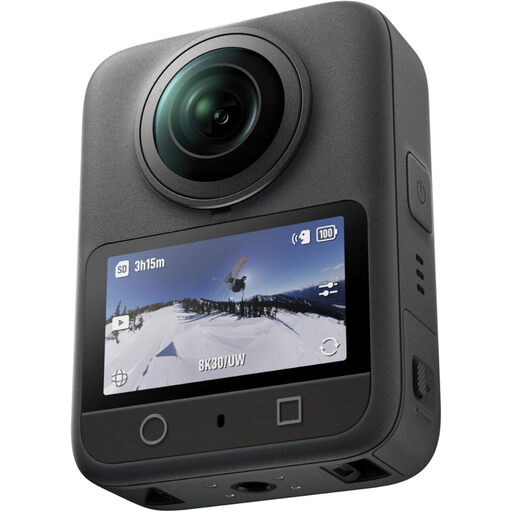 No image available
A 360° action-camera option to consider if you want to capture a broad view and decide on framing later.
The product name identifies it as a 360° action camera; check the recording and reframing workflow for your intended use.
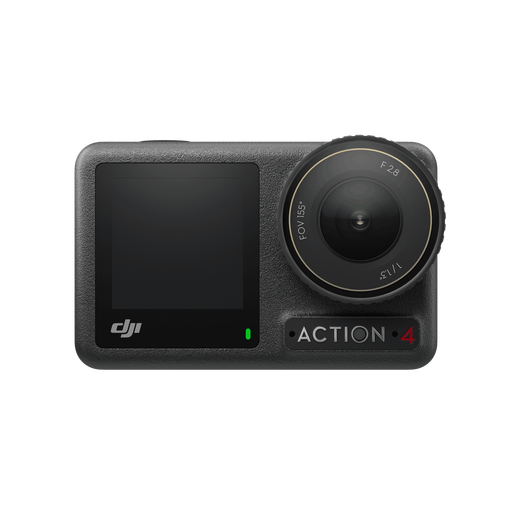 No image available
Consider this model if you want a conventional action camera and are comparing its stated recording and imaging specifications.
The product name specifies 4K/120fps video, a 1/1.3-inch sensor and a 155° field of view. Check the exact mounting and control setup you would use.
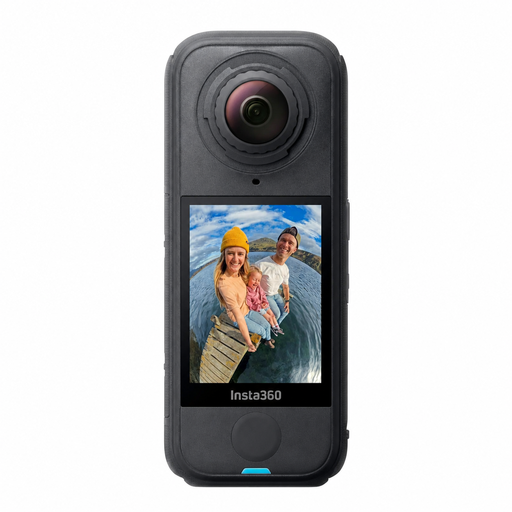 No image available
Its 360° format may suit you if you want to choose a viewpoint after recording rather than fix the framing in advance.
The product name specifies 165 g and 8K capture. The supplied product information describes selecting and cropping angles later in the Insta360 app.
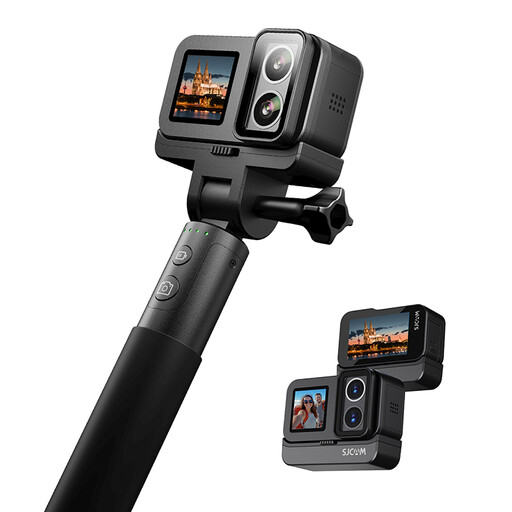 No image available
Consider this model if you want to compare a listed action camera with day and night lenses.
The product name specifies 4K/30fps recording and 6-axis gyro stabilisation. Check the supplied lens and accessory details for the exact kit.
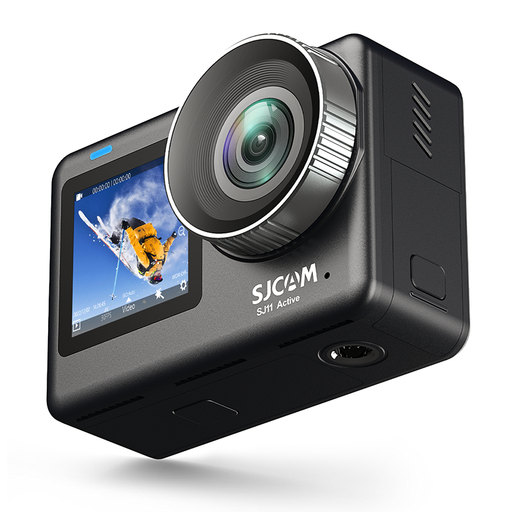 No image available
Consider this model if you want a dual-screen action camera and are comparing its stated recording and stabilisation features.
The product name specifies 4K/30fps video and 6-axis EIS stabilisation. Check the exact bundle and mounting arrangement before use.
No general approval follows from the camera accessory. Petzl says camera mounting is not authorised on its helmets because glue and an attached object may change helmet performance. Check the instructions for your actual helmet; Petzl’s position does not establish another manufacturer’s policy.
A clothing-mounted or other non-helmet position is an option to assess, not a verified safe attachment for every climb. Check that the complete arrangement allows movement and the intended framing without interfering with climbing equipment; the camera’s stated weight alone cannot answer that.
It depends on the exact model and which part of the workflow you mean. Insta360 requires app activation before first use of GO 3S. GoPro says HERO (2024) needs Quik to produce stabilised footage, which is separate from starting a recording at the camera.
Check the individual camera’s condition and whether the battery, storage and mounting accessories you need are included. Compare the hire period and supplied kit with the used item’s stated condition and warranty, then test recording and transferring a clip before you travel.
Do not assume filming is permitted at every venue; ask the climbing wall about its own filming and safeguarding policy. A published policy from one UK climbing group addresses filming and photography of participants, but does not establish the rules at another venue. The Information Commissioner’s Office distinguishes purely personal or household recording from organisational surveillance; that distinction does not override a venue’s rules.