For rough cycling routes, choose by whether stabilisation works in the recording mode you will actually use, rather than by maximum resolution alone. For a long day, plan batteries and storage around that mode; if your trips include self-filmed stops or changing light, check framing and the available low-light modes too. No camera body or advertised runtime settles all three needs without checking the exact bundle and mount.
Who is filming?
Rough-route POV riders
If you film descents, gravel or uneven roads, start with the stabilisation modes and field of view you can use together. DJI and GoPro both publish stabilisation options for their named action cameras, but availability depends on the shooting mode.
All-day touring recorders
For a ride with several filming stops, plan battery changes, card capacity and recording settings. GoPro gives different HERO13 Black runtime figures for different settings, while DJI describes its Osmo Action 5 Pro battery duration as an upper-limit claim.
Ride storytellers
If your film includes pieces to camera and changing light, consider how you will frame shots while stopped and which recording modes you want to use. Insta360 lists a flip screen and low-light mode for Ace Pro 2; those features do not establish how every shot will look or sound on a moving bike.
What matters when choosing?
Choose the recording mode and mounting position you need for ride footage, then plan power and storage for the length of your trip.
GoPro HERO13 Black
Consider it when: You want GoPro's 5.3K60 or 4K120 modes and the option to build a setup around HB-Series lenses or filters.
Allow for: The optional lenses and filters are separate accessories, and GoPro's stated runtime changes with the recording setting.
DJI Osmo Action 5 Pro
Consider it when: Horizon-oriented stabilisation and planning recording across a long ride are central to your choice.
Allow for: DJI says electronic stabilisation is unavailable in Timelapse and Slow Motion modes; its advertised battery duration is not an all-settings result.
Insta360 Ace Pro 2
Consider it when: You want a flip screen for framing yourself during stops and access to Insta360's low-light recording mode.
Allow for: Its published 8K30 and 4K120 figures describe different modes; low-light features do not promise the same result in every riding condition.
| Concern |
What to check |
Who this matters to |
| Steady route footage |
Check stabilisation and horizon-mode availability at your chosen resolution and frame rate, including any slow-motion mode. |
If I film on gravel or uneven roads, I need footage that stays watchable as the bike moves. Around 33% of consumers put ride-footage stability first. |
| Power and storage |
Compare runtime at your intended setting, battery contents and compatible card requirements. |
On a long trip, I need enough recording coverage for the sections I care about, with a workable plan for battery and card changes. That is the main concern for around 27% of consumers. |
| Changing light |
Check which frame rates are available in the low-light or HDR mode you intend to use. |
When a route moves between shade and evening light, I want to know which mode I can use for those clips. Around 20% of consumers prioritise changing-light footage. |
| Framing and practical setup |
Check the screen, audio arrangement, mount compatibility and any app setup needed before departure. |
If I stop to speak to camera, I need to frame the shot and keep the filming kit manageable on the bike. Ease of setup comes first for around 20% of consumers. |
Buying pitfalls
-
Choosing by maximum resolution alone
A high-resolution mode does not tell you whether stabilisation will be available. DJI says electronic stabilisation on Osmo Action 5 Pro is not supported in Timelapse and Slow Motion modes.
Decide which ride and slow-motion modes you intend to use, then check stabilisation and horizon options for those exact settings.
-
Assuming a battery claim covers a full ride
GoPro states different HERO13 Black continuous-recording times at 1080p30 and at 4K30 or 5.3K30. DJI's advertised Osmo Action 5 Pro duration is likewise a manufacturer claim, not a promise for every setting.
Check runtime for your intended mode and plan when you will change batteries and cards.
Depending on the bundle, your recording plan may also call for spare batteries, a charger or compatible storage.
-
Buying the camera before planning its position
A mount must suit the filming position without interfering with bike controls, lights or a correctly fitted helmet. GoPro's optional specialist lenses also should not be mistaken for standard camera contents.
Choose a bar, chest or helmet position, then check the mount interface, attachment and exact bundle contents before buying.
A suitable bike, chest or helmet mount may need to be obtained separately.
-
Overlooking people captured in the footage
Filming a public ride can capture identifiable people. The Information Commissioner's Office gives privacy and secure-handling guidance for organisations using portable action cameras; that organisational guidance does not make every personal cycling film the same legal case.
If you film for a club, employer or business, check the obligations for that use before recording or publishing. For a personal film, consider whether identifiable bystanders need to appear in the finished video.
Relevant brands for reference
GoPro
The HERO13 Black is a modular option for riders who want to add lenses or filters to a POV filming setup.
- GoPro lists 5.3K60, 4K120 and HyperSmooth 6.0 for HERO13 Black.
- HB-Series lenses and filters are optional, and GoPro's stated continuous runtime depends on the recording setting.
DJI
Osmo Action 5 Pro is relevant to riders comparing horizon-stabilisation options and a long-ride recording plan.
- DJI lists RockSteady and HorizonSteady options, 4K recording up to 120fps and microSD support up to 1 TB.
- DJI excludes electronic stabilisation from Timelapse and Slow Motion modes; its advertised battery duration should be checked against the intended setting.
Insta360
Ace Pro 2 is relevant when a cycling film includes self-framed stops and shots in changing light.
- Insta360 lists a flip screen, 8K30 and 4K120 modes, and 4K60 Active HDR for Ace Pro 2.
- Its published modes and wind-reduction features do not establish identical image or audio results across mounting positions and riding conditions.
Joybuy product choices
These choices include compact SJCAM action cameras, a GoPro HERO13 Black power bundle and a DJI Osmo Action 4 combo. Compare their stated recording features and bundle contents against your cycling route, then check the mount you intend to use.
 No image available
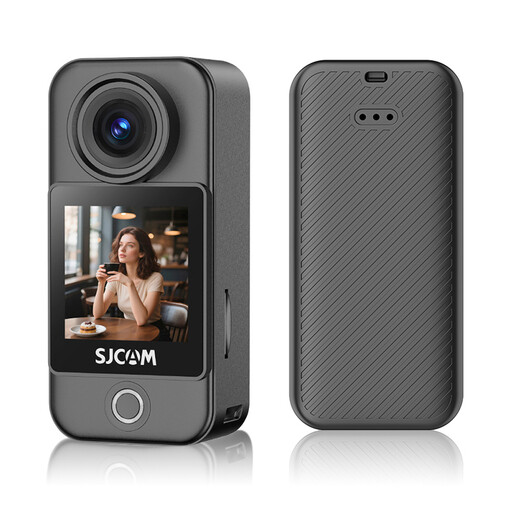
SJCAM C400 Pocket 4K Action Camera
Consider this model for cycling footage if its mount fits your chosen position. Its title lists 6-axis gyro stabilisation and a 1.3-inch touchscreen; confirm which recording settings retain stabilisation.
The title also gives a 172-minute battery figure and a 30 m waterproof claim with a case. Check recording duration at your intended setting and the case setup before relying on either claim.
View on Joybuy
 No image available
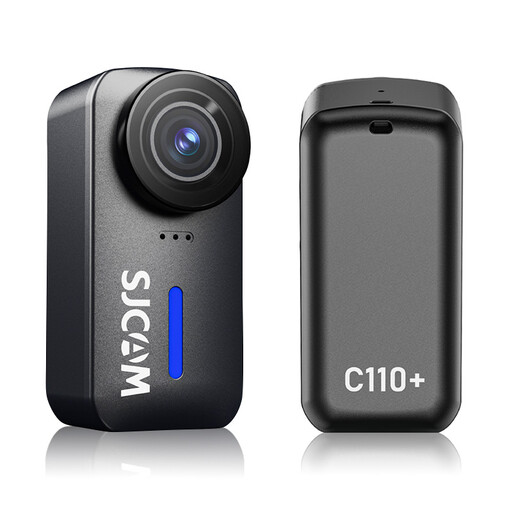
SJCAM C110+ 4K Action Camera
This model is worth checking for a wide cycling POV: its title lists a 170° lens and gyro stabilisation. Confirm that stabilisation works in the mode you plan to record.
The title states 120 minutes of recording and 30 m waterproofing with a case. Check the runtime conditions, case setup and compatibility of your intended bike mount.
View on Joybuy
 No image available
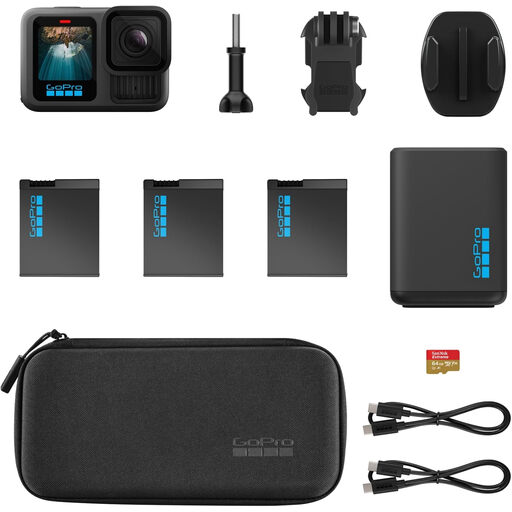
GoPro HERO13 Black Extended Power Bundle
Consider this bundle if you want to plan battery changes across a longer ride while using HERO13 Black's recording options. GoPro lists 5.3K60, 4K120 and HyperSmooth 6.0 for the camera.
Check the bundle contents, compatible microSD card and attachment for your chosen bike or body position. GoPro's stated recording time varies by setting, and optional HB-Series lenses and filters are separate accessories.
View on Joybuy
 No image available
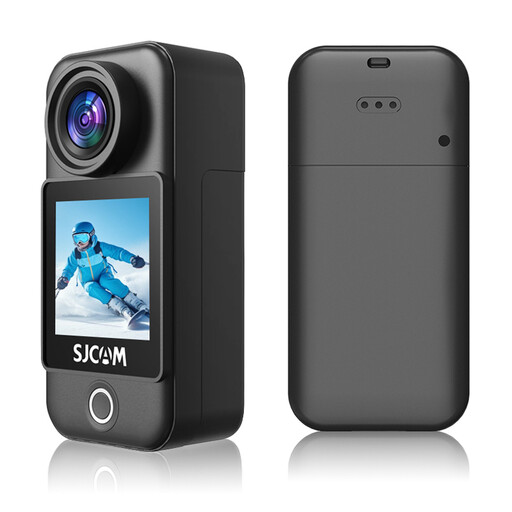
SJCAM C300 Pocket 4K Action Camera
For footage on a moving bike and framing while stopped, this model's title lists 6-axis electronic image stabilisation and a 1.3-inch touchscreen. Confirm a secure mount for your cycling position and the modes in which stabilisation operates.
The stated 120-minute recording figure needs checking against your intended setting. Its 30 m waterproof claim applies with a case.
View on Joybuy
 No image available
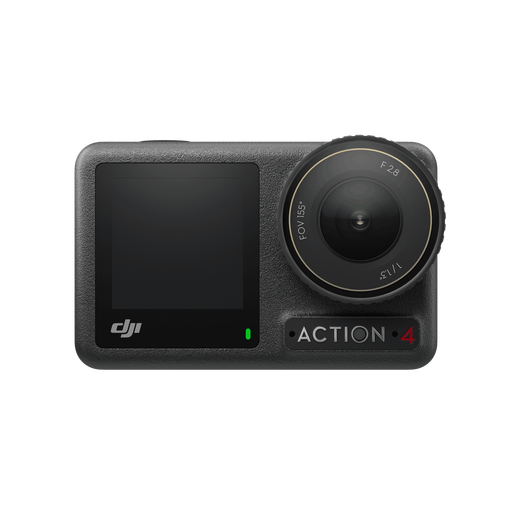
DJI Osmo Action 4 Adventure Combo
Consider this Action 4 combo if you want a wide view and a plan for battery changes during a longer outing. Its title lists 4K120 recording, a 155° field of view and three extra batteries.
Check which stabilisation modes work at your chosen resolution and frame rate, the exact battery contents and a compatible cycling mount. The duration claim in the title should not be treated as continuous recording time for every setting.
View on Joybuy
Questions before you ride
Which microSD card should I use for a cycling action camera?
Choose a card that meets the exact camera's stated requirements, not one selected by capacity alone. DJI lists microSD support up to 1 TB and recommends U3/V30 cards for Osmo Action 5 Pro; GoPro specifies a V30 or UHS-3 rating in its HERO13 documentation. Check the requirements for the model and recording mode you choose.
Can I rely on a waterproof rating during a wet ride?
Check the conditions attached to the exact model's rating before riding in heavy rain or through water. DJI states that Osmo Action 5 Pro's 20 m rating without a case requires closed battery and USB-C covers and a tightened lens cover; it recommends a case for prolonged underwater use or high water pressure. Inspect covers and seals before the ride.
Where should I mount a camera on my bike or helmet?
Choose a position that gives the framing you need without affecting steering, lights or helmet fit. The Department for Transport's Highway Code advises cyclists to wear a correctly fitted, securely fastened helmet and sets out lighting requirements for riding at night. Check the mount's fit before setting off, and do not adjust the camera while riding.
What should I check after a wet or muddy ride?
Follow the camera maker's cleaning instructions, then inspect the lens cover, compartment covers and mount before the next ride. Transfer or secure your footage and keep removable media fitted securely; the Information Commissioner's Office highlights the risk of losing memory cards containing footage in its guidance for organisational use of portable action cameras.


