What matters when choosing?
Start with the conditions in which you will record, then check the camera, mount and accessories as one setup. Which? assesses action cameras on image quality, stabilisation, audio and durability, so resolution alone is a narrow basis for choosing.
| Concern |
What to check |
Who this matters to |
| Stable footage and mounting |
Check stabilisation at your intended resolution and frame rate, then confirm that the mount fits the activity and attachment point. |
If I am filming a bumpy ride, I need the camera to stay attached and the footage to remain watchable through vibration and turns. Around 33% of consumers put stability and secure mounting first. |
| Water exposure |
Compare the exact model’s bare-camera and housed ratings with your intended depth, duration and water impact; check cover and seal instructions. |
For snorkelling or a wet trip, I need to know whether the camera can handle the exposure or needs a housing. Water resilience comes first for around 25% of consumers. |
| Power and storage |
Read the conditions behind battery claims and check compatible spare power and storage for your recording settings. |
On a long hike, I want to keep recording without relying on one battery-life figure or running out of storage. Around 25% of consumers prioritise that continuity. |
| Speech and changing light |
Check audio accessories against wind and rain use, and confirm the available low-light or HDR modes at your preferred frame rate. |
If my travel clips include talking to camera and changing light, I need recording options that fit both conditions. Audio and image flexibility is the primary concern for around 17% of consumers. |
Brands to consider for these activities
Compare particular models and bundles rather than assuming that every camera from a brand has the same water rating, recording modes or accessories.
DJI
The Osmo Action line is worth examining if horizon levelling, water use and different battery arrangements are central to your setup.
- DJI specifies RockSteady, HorizonBalancing and HorizonSteady for Osmo Action 5 Pro, with a 20 m bare-camera water rating and 60 m when used with its Waterproof Case.
- DJI’s four-hour Osmo Action 5 Pro battery figure comes from a controlled 1080p/24fps test with Wi-Fi and screens off; it is not a stated runtime for every recording setting.
GoPro
HERO13 Black may interest people comparing model-specific lens, mounting and power accessories.
- GoPro states that HERO13 Black supports auto-detecting HB-Series lenses and Magnetic Latch Mounting, and is waterproof to 33 ft/10 m.
- Confirm that the particular mount, lens and battery arrangement you want is compatible with the bundle you choose and suitable for the activity.
Insta360
Ace Pro 2 is a model to compare if travel filming involves a flip screen, speech or changing light as well as water exposure.
- Insta360 lists 8K/30fps recording, 4K/60fps Active HDR and an integrated Wind Guard for Ace Pro 2.
- Insta360 specifies a 12 m rating without the Dive Case and 60 m with it. It advises removing the Wind Guard or using the Mic Cap in rain or watersports.
Action cameras on Joybuy
These camera bundles and models offer starting points for outdoor recording. Choose the mount, water protection and power arrangement for your activity, and check which accessories come with the particular bundle.
 No image available
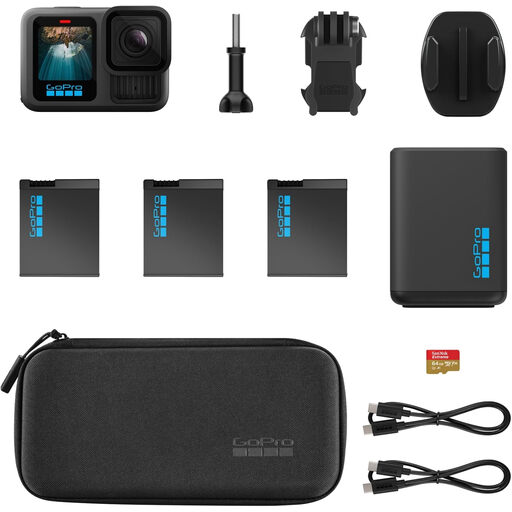
GoPro HERO13 Black Extended Power Bundle
Consider this bundle if arranging power for longer outings is a priority. Check its included accessories and whether the mount fits your intended attachment point; confirm stabilisation in the recording mode you will use and the water protection needed for your activity.
View on Joybuy
 No image available
DJI Osmo Action 4 Adventure Combo
Consider the Adventure Combo for an outing where you want a camera and a power plan together. The product name specifies 4K/120fps recording and a 1/1.3-inch sensor; check which stabilisation settings work with your chosen mode, what the bundle contains and which activity-specific mount fits.
View on Joybuy
 No image available
SJCAM C400 4K with 6-axis EIS
Consider this model if a cased camera suits your planned water use. Its product name specifies a 2.29-inch flip screen and a 30 m waterproof claim with a case; confirm the case contents and fit, the stabilisation settings available for your clips and a suitable activity mount.
View on Joybuy
 No image available
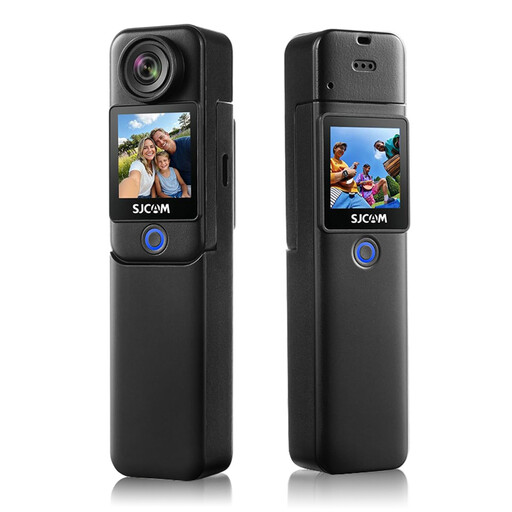
SJCAM C300 4K with 6-axis EIS
Consider the C300 if you can accommodate a case for the intended water exposure. The product name specifies a 1.3-inch touchscreen and a 30 m waterproof claim with a case; check the case and power accessories in this bundle, along with your mounting and recording-mode requirements.
View on Joybuy
 No image available
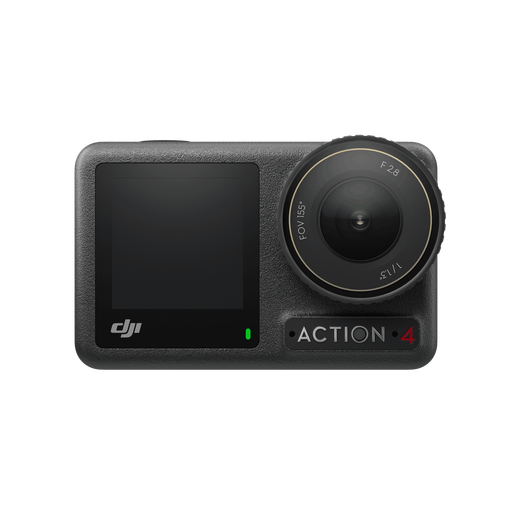
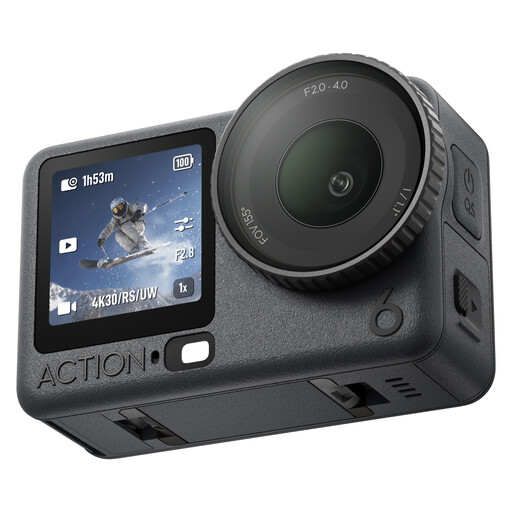
DJI Osmo Action 6 Standard Combo
Consider the Standard Combo for travel recording, then check the mount and stabilisation mode needed for your activity. Its product name specifies 4K recording, a 1/1.1-inch square sensor and a variable aperture; plan power around your settings rather than assuming the named four-hour battery figure applies throughout a long trip.
View on Joybuy
Common questions
Do I need a housing for watersports?
Not for every activity, but the exact camera rating and type of exposure decide. DJI specifies 20 m without a case and 60 m with its Waterproof Case for Osmo Action 5 Pro, and recommends the case for prolonged underwater recording or high water-impact pressure. Insta360 specifies 12 m without a Dive Case and 60 m with one for Ace Pro 2; check covers and seals as instructed before use.
Will a quoted battery life cover a full day of 4K filming?
Do not assume it will. DJI measured its four-hour Osmo Action 5 Pro figure at 25°C and 1080p/24fps, with RockSteady on, Wi-Fi off and screens off. Base your battery and charging plan on your resolution, frame rate, screen use, temperature and recording pattern.
Does stabilisation work in every video mode?
No; it depends on the model and mode. DJI states that electronic image stabilisation is unavailable in Timelapse and Slow Motion on Osmo Action 5 Pro, while HorizonSteady has specified 1080p and 2.7K modes. Check the exact resolution and frame-rate combination you want before choosing a camera for that feature.
What should I do after recording in seawater?
Follow the instructions for your exact model. For Ace Pro 2, Insta360 instructs users to soak the camera in fresh water for 15 minutes after seawater use, rinse it gently with the flip screen open, dry it with a soft cloth and wait until it is completely dry before use.
Should I consider other people’s privacy when filming a trip?
Yes, particularly if filming is systematic, business-related or unusually intrusive. The UK Information Commissioner’s Office advises organisations using portable surveillance technology to consider individuals’ rights and freedoms; its home-camera guidance also describes circumstances in which recording public or shared spaces can bring data-protection law into play. Those examples do not determine the rules for every private recreational clip, so seek advice specific to your filming plans when needed.


