Who this guidance is for

Hands-free trip recording

If you want occasional footage while keeping your attention on sailing, consider mount position, exposure to spray and whether the setup leaves boat operation and safety equipment unobstructed. A sailor’s discussion on the YBW Forum raised these practical needs.

Phone-first clip viewing

If you mainly want to review and save short clips on a phone or tablet, look at the camera’s local transfer steps and check compatibility with your own device. The YBW Forum discussion also highlighted straightforward viewing and storage as part of a simple personal-use setup.

Recording over a longer outing

If you want footage from more of an outing, plan around the recording mode, power and storage you will actually use rather than relying on a headline battery figure. GoPro’s published HERO13 Black battery estimates are based on optimal laboratory conditions, not sailing use.

What to prioritise when choosing a sailing camera

Concern What to check when buying Who this matters to
Spray protection and mounting Check the exact model’s cover and lens-seal instructions, and whether the mount suits the intended surface. Keep the installed setup clear of controls, lines, movement and safety equipment. If I want hands-free footage, I need water-use instructions I can follow and a mounting position that does not get in the way of sailing. About 33% of consumers put spray protection and secure mounting first.
Viewing and transferring clips Check phone or tablet compatibility, local-download steps and available device storage. Distinguish local downloads from cloud backup. If I only need to watch and save a few clips, I want a straightforward phone or tablet workflow without a computer-editing setup. About 25% of consumers prioritise viewing and transferring clips simply.
Steady, watchable footage Check which stabilisation modes work with your intended recording mode. Consider whether a fixed viewpoint or short handheld clips better suit the filming situation. If movement in my clips would distract from the trip, I want to choose a suitable viewpoint and understand the camera’s stabilisation options. About 25% of consumers put steady, watchable footage first.
Recording time and file handling Check runtime information for the exact model and mode, then plan power and storage for your intended clips. Try playback at the resolution you plan to use. If I want to keep footage from more of an outing, I need a recording mode and file workflow I can manage afterwards. About 17% of consumers prioritise recording duration and manageable files.

Buying pitfalls to avoid

  • Assuming a waterproof camera is secure on a boat

    A camera’s water rating describes the camera under its stated conditions; it does not establish that a mount will stay attached to a particular surface exposed to flex and vibration.

    Follow the camera’s closure instructions and the mount maker’s surface-preparation guidance. Check the position and attachment, and use a suitable tether without interfering with boat operation.

  • Choosing a camera from a headline battery figure

    GoPro’s HERO13 Black battery estimates vary by recording mode and come from optimal engineering tests with stabilisation, Wi-Fi, GPS and voice control off. They are not a prediction of runtime on a sailing trip.

    Compare the mode you expect to use and plan power conservatively around the clips you want to capture.

  • Assuming wireless viewing requires cloud storage

    GoPro documents local pairing and downloads in Quik separately from cloud Auto Upload, which requires an active subscription.

    If you only want to view personal clips on a phone, check the local-download workflow and try it before choosing a cloud service.

Relevant brands to consider

GoPro

HERO13 Black may suit buyers comparing documented water-use instructions, physical-button operation and mobile clip downloads.

  • GoPro Support Hub rates HERO13 Black as waterproof to 10 m without a housing when correctly closed. GoPro documents viewing and downloading media in Quik.
  • GoPro’s published battery estimates use optimal test conditions with stabilisation and wireless functions off; they do not predict a full sailing outing. A listed boat-deck mount does not establish how securely it will attach to a particular boat.

DJI

Osmo Action 6 and Action 5 Pro are relevant when comparing water-use instructions and the DJI Mimo mobile workflow.

  • DJI rates Osmo Action 6 and Action 5 Pro as waterproof to 20 m without their cases, subject to securely closed covers and lens fittings. DJI documents Mimo as its wireless app for Osmo Action devices.
  • These are manufacturer specifications, not comparative tests on a small sailing boat. Check the app workflow and the contents of the exact bundle.

Insta360

Ace Pro 2 may be relevant if phone export and its screen arrangement matter alongside water-use instructions.

  • Insta360 rates Ace Pro 2 as waterproof to 12 m without its dive case and documents wireless export to a phone.
  • Insta360’s instructions call for securely closed covers and give specific fresh-water cleaning advice after seawater use. These specifications do not establish stabilisation performance on a small boat.

Joybuy camera options for sailing footage

These Joybuy options are action-camera bundles for personal sailing footage, including Osmo Action 6 and HERO13 models with different accessories. Check the precise bundle contents and whether they suit your preferred way to mount, hold or review the camera.
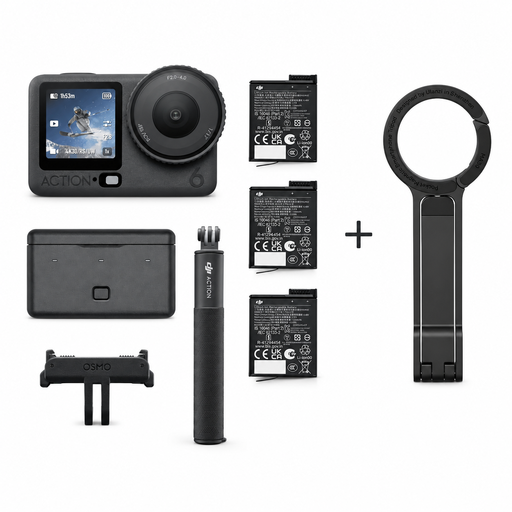
DJI Osmo Action 6 Adventure Combo with ULANZI MA30 Magnetic Phone Tripod Stand

DJI Osmo Action 6 Adventure Combo with ULANZI MA30 Magnetic Phone Tripod Stand

The Osmo Action 6 is relevant if you want an action camera for spray-exposed outings; check the camera’s closure instructions before use.

DJI rates the Osmo Action 6 as waterproof to 20 m without its case. The bundle name identifies a ULANZI MA30 magnetic phone tripod stand.

Joybuy
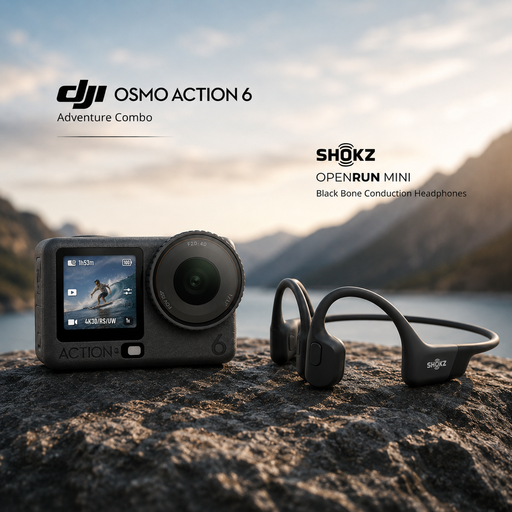
DJI Osmo Action 6 Adventure Combo with Shokz OpenRun Mini Black Bone Conduction Headphones

DJI Osmo Action 6 Adventure Combo with Shokz OpenRun Mini Black Bone Conduction Headphones

The Osmo Action 6 is relevant if you want an action camera for spray-exposed outings; check the camera’s closure instructions before use.

DJI rates the Osmo Action 6 as waterproof to 20 m without its case. The bundle name identifies Shokz OpenRun Mini Black Bone Conduction Headphones.

Joybuy
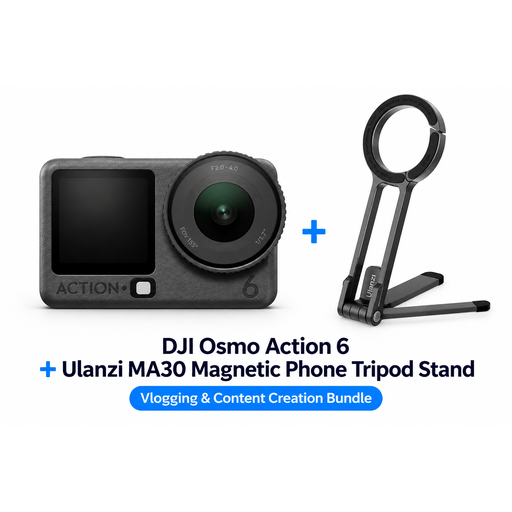
DJI Osmo Action 6 Adventure Combo with Ulanzi MA30 Magnetic Phone Tripod Stand

DJI Osmo Action 6 Adventure Combo with Ulanzi MA30 Magnetic Phone Tripod Stand

The Osmo Action 6 is relevant if you want an action camera for spray-exposed outings; check the camera’s closure instructions before use.

DJI rates the Osmo Action 6 as waterproof to 20 m without its case. The bundle name identifies a Ulanzi MA30 magnetic phone tripod stand.

Joybuy
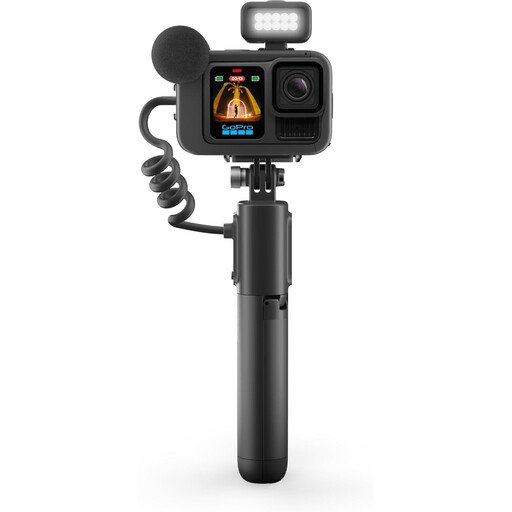
GoPro HERO13 Creator Edition - Black

GoPro HERO13 Creator Edition - Black

This HERO13 option may suit you if you are considering a handheld filming setup as well as the camera itself.

GoPro Support Hub rates HERO13 Black as waterproof to 10 m without a housing when correctly closed. Follow the model’s water-use instructions.

Joybuy
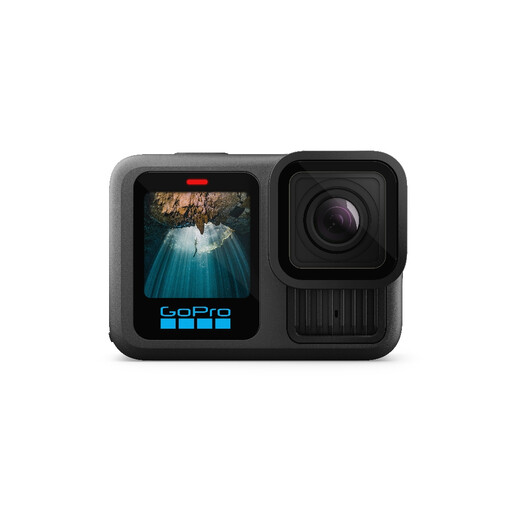
GoPro HERO13 Black

GoPro HERO13 Black

This HERO13 option may suit you if you want to compare a camera-focused setup for recording and mobile clip handling.

GoPro Support Hub rates HERO13 Black as waterproof to 10 m without a housing when correctly closed. GoPro documents viewing and downloading camera media in Quik.

Joybuy

Frequently asked questions

Can I attach an adhesive camera mount anywhere on the boat?

No single location is suitable for every boat. GoPro advises applying its adhesive mounts to a smooth, fully cleaned surface and allowing at least 24 hours for the adhesive to bond; it also warns that flex and vibration can loosen some mounts. Check the chosen position on your boat so the camera cannot interfere with handling, movement or safety equipment.

Will an advertised battery-life figure cover a whole sailing trip?

Do not assume it will. GoPro’s HERO13 Black mode estimates are based on optimal engineering tests with Wi-Fi, GPS, stabilisation and voice control off, and actual performance can vary. Check the settings you intend to use and plan power around the clips you want rather than treating the figures as a sailing endurance test.

Do I need cloud storage to watch GoPro clips on my phone?

No, GoPro documents pairing in Quik and downloading camera media to a phone separately from cloud Auto Upload. Its cloud Auto Upload feature requires an active subscription, while local viewing and downloads use a different workflow.

What should I do after filming near seawater?

Follow the exact camera model’s instructions. GoPro advises rinsing a closed HERO13 Black with fresh water and drying it after salty exposure; Insta360 gives a different, specific fresh-water procedure for Ace Pro 2. Check that covers are securely closed before the next use.

What should I check before choosing a camera bundle?

Check the contents and compatibility of the exact bundle, including any mount or accessory you plan to use, and confirm the retailer’s current returns and warranty terms. For phone viewing, also check whether local transfer works with your device; it is separate from cloud backup.