Learners reviewing technique
If you want to revisit sail trim, helm movements and boat handling, look for a stable view wide enough to retain the relevant parts of the boat in frame.


Choose an action camera whose water protection and mounting options suit its position on the boat, then check that its stabilisation and field of view will capture what you want to review. A waterproof rating does not keep a camera attached, and a maximum battery-life claim does not guarantee a full lesson at your chosen settings. Agree the filming setup with the training centre so recording does not interfere with sailing.
If you want to revisit sail trim, helm movements and boat handling, look for a stable view wide enough to retain the relevant parts of the boat in frame.
If rain, spray or an accidental dunking is realistic, consider the camera’s water rating alongside closed covers, a suitable mount and a way to retain the camera if it comes loose.
If you will set up the shot yourself, a front-facing or flip screen can help you check framing before launching. Plan battery changes without making the camera a distraction during instruction.
Decide where the camera can be mounted safely and how much water it may encounter before comparing recording modes and screens.
| Concern | What to check | Who this matters to |
|---|---|---|
| Mounting and water exposure | Check the rating for the exact camera and housing configuration, and whether the intended mount and retention method are suitable for its position. | If my camera could be hit by spray or come loose while the boat heels, I need it protected and securely attached before considering image features. Around 50% of consumers put mounting and water exposure first. |
| Footage for technique review | Check stabilisation in your intended recording mode and whether the field of view includes the sailor, controls and sail without losing useful detail. | When I review a manoeuvre afterwards, I want to see both what I did and what the boat was doing. For around 30% of consumers, usable review footage is the primary concern. |
| Self-setup and lesson coverage | Check screen placement and battery-life claims at the resolution and frame rate you intend to use. | If I have little time to set up before launching, I need to frame the shot and plan recording without repeatedly adjusting the camera afloat. Easy setup and coverage come first for around 20% of consumers. |
A depth rating does not keep a camera attached to a moving boat. Water protection also depends on using the camera and its covers as instructed.
Choose a lesson-approved mounting position, inspect the covers before launching and consider retention where a dropped camera could be lost.
A suitable case, tether, float or mount may mean carrying additional equipment.
GoPro rates HERO13 Black with the Ultra Wide Lens Mod to 5 m and says that configuration is not intended for underwater use.
Check the water-use instructions for the exact camera, lens and housing combination you plan to take aboard.
GoPro’s stated continuous recording time for HERO13 Black changes with recording settings; an extended-runtime figure should not be treated as a guarantee for every mode.
Test the settings you intend to use, check card capacity and plan when a battery change could be made safely.
Spare batteries, charging equipment and memory cards add to the kit you need to manage.
A training centre may have its own filming rules. The Information Commissioner’s Office distinguishes purely personal use from public posting, which is likely to go beyond it.
Ask the centre about filming, let others know where practical and clarify agreement before publicly sharing footage that includes them, particularly children.
The Osmo Action 5 Pro is worth considering if you want to frame a shot from either side of the camera and compare water-protection options.
HERO13 Black offers several stated mounting options for buyers planning a particular point-of-view setup.
The Ace Pro 2 may suit someone who wants to check their own framing before a lesson using a flip screen.
These action cameras offer different combinations of screens, recording modes and stated water protection for planning a sailing-lesson setup. Check the mount, retention method and any conditional battery-life claims for the particular model you choose.
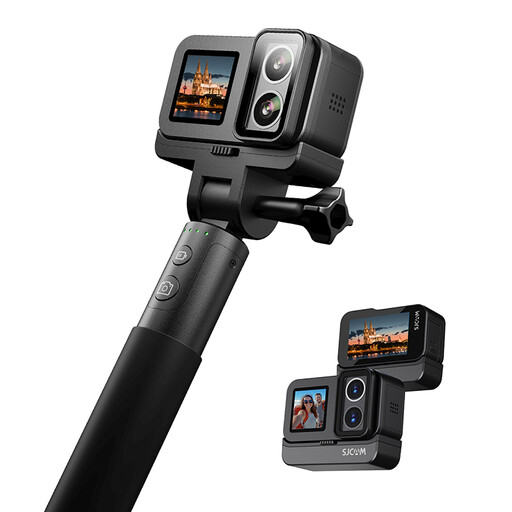 No image available
Consider this model if you want two screens for setting up a sailing shot and stabilisation for footage from a moving boat.
Its listed features include 4K at 30 fps, 6-axis stabilisation, a 2.29-inch touchscreen and a 1.3-inch selfie display.
The 480-minute battery-life claim applies at 1080p and 30 fps. The stated 30 m water protection requires the housing; check its seals, along with a suitable mount and retention method.
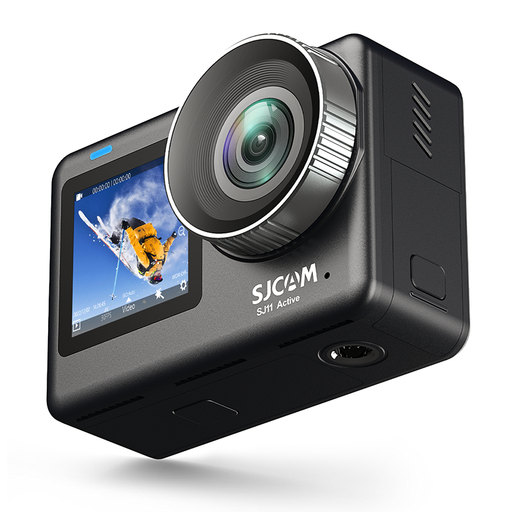 No image available
The two displays may help if you need to check framing before recording a manoeuvre.
The listing states 4K at 30 fps, 6-axis stabilisation, a 2.33-inch touchscreen and a 1.3-inch selfie display.
Its stated water rating is 5 m without a case and 30 m with the housing. Check that the housing is closed correctly, confirm battery life at your chosen settings and plan a secure mount.
 No image available
The flip screen offers a way to check your shot before leaving shore.
The listing includes 4K recording, 6-axis stabilisation, a 2.29-inch flip screen and a 154° field of view.
The stated 30 m water rating requires the case. The 437-minute runtime claim depends on a handle and auxiliary battery, so check whether this bundle includes them and whether your intended mount can be secured and retained.
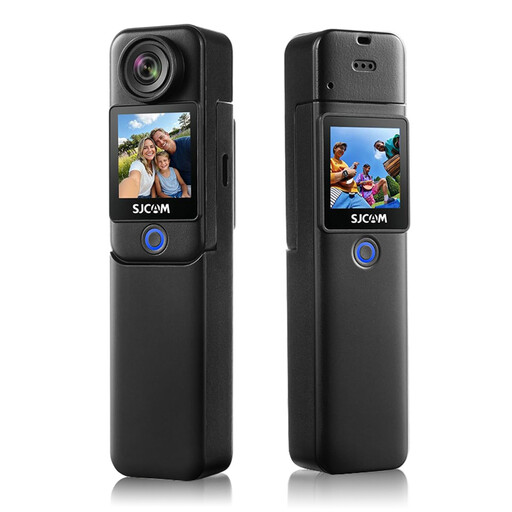 No image available
This model offers a wide view and stabilisation for recording boat movements, with a touchscreen for setup.
The listing states 4K recording, 6-axis stabilisation and a 1.3-inch touchscreen.
Its stated 30 m water rating requires the case. The claimed 460-minute runtime requires a handle and auxiliary battery; confirm the bundle contents and a suitable mounting and retention arrangement.
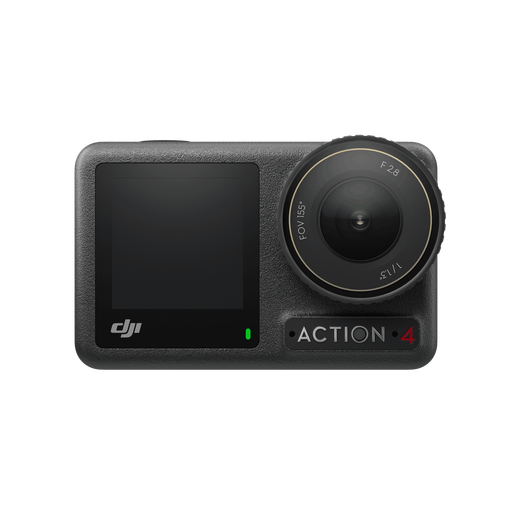 No image available
Consider this combo if you want a wide view for recording movements across the boat.
The listing states 4K at 120 fps, a 155° field of view and a 1/1.3-inch sensor.
Its extended-runtime claim depends on additional batteries; confirm the included battery configuration and expected recording time at your chosen settings. Check that the complete mount and retention setup is suitable for the lesson.
Not necessarily for ordinary spray if your camera is rated for that exposure and its covers are properly closed. Check the intended mounting position and the manufacturer’s conditions: DJI recommends a case for prolonged underwater recording or high water-impact pressure with the Osmo Action 5 Pro.
Follow the cleaning and drying instructions for your exact model before using it again. Insta360 provides fresh-water rinsing and thorough drying instructions for the Ace Pro 2 after seawater use.
Discuss filming with the training centre and the people who may appear before you record or share footage. The Information Commissioner’s Office distinguishes purely personal or household use from public posting, which is likely to go beyond personal use; the centre may also have its own rules, particularly where children are involved.
Yes. Confirm the centre’s policy and choose a position that does not obstruct equipment or distract you from instruction. The Royal Yachting Association describes on-water safety management as a framework for considering safety systems, rather than prescribing one camera setup for every lesson.
No wind guard guarantees intelligible speech in exposed conditions. Test your intended camera position and audio setup before relying on a recording for spoken coaching feedback; Insta360 also warns that dampness can affect Ace Pro 2 audio quality.