For straightforward trail-running footage, a conventional action camera makes sense if you can secure its mount and use stabilisation in your chosen recording mode. A lighter wearable reduces what you carry but needs careful mounting and media planning; a 360 camera lets you choose the framing afterwards, with more editing and lens care.
Who is filming?
Runner seeking steady first-person footage
If you want the trail to remain watchable from a chest, head or handheld viewpoint, start with a secure mount, stabilisation and a recording mode you can use without changing settings mid-run. Resolution alone will not settle the framing.
Long-run or event recorder
If filming may continue for an extended outing, plan when you will record and how you will manage power and storage. Compare battery claims at the stated settings rather than treating them as a promise for a cold or high-frame-rate run.
Runner making varied trail footage
If unobtrusive hands-free clips or changing the viewpoint afterwards matters most, consider a small wearable or a 360 camera. The choice changes how you mount the camera, protect it and work with the footage after the run.
What matters when choosing?
Conventional action camera
Choose it when: You want forward-facing trail footage with a secure chest, head or handheld mount and relatively little reframing afterwards.
Trade-off: You commit to the viewpoint before running, while battery claims still depend on recording settings and conditions.
Lightweight wearable
Choose it when: Short hands-free clips matter more than carrying a conventional camera.
Trade-off: The Insta360 GO Ultra needs a separately obtained microSD card, and Insta360 warns people with a pacemaker not to wear it on the chest or use its Magnet Pendant.
360 camera
Choose it when: You want to select the viewing direction or make several crops after the run.
Trade-off: Reframing adds editing, and the lenses need particular care around branches, rocks and falls.
| Concern |
What to check |
Who this matters to |
| Steady running footage |
Check stabilisation and horizon levelling in your intended recording mode; test the mount's fit. |
On uneven descents, I want the route to stay watchable without the camera shifting. Around 29% of consumers put steady first-person footage first. |
| Power and storage |
Compare runtime at the stated settings, then check the bundle's batteries and compatible storage. |
For a long run, I need a plan that will not leave me stopping unexpectedly to change power or media; around 22% of consumers make recording continuity their main concern. |
| Changing light |
Check footage from the exact model in shade and bright light, and whether your preferred modes work with stabilisation. |
When a route moves between open ground and woodland, I care most about keeping the footage usable through those changes. Around 21% of consumers prioritise mixed-light footage. |
| Hands-free comfort |
Check camera weight, running-mount security and any wearer-specific warning for magnetic accessories. |
I want to concentrate on my footing rather than manage a bulky setup; for around 14% of consumers, low-burden hands-free capture comes first. |
| Reframing afterwards |
Decide whether you will edit 360 footage, and check lens-protection and mounting options. |
If I cannot choose one viewpoint before setting off, I want to frame the shot after recording. Around 14% of consumers put that flexibility first. |
Mistakes to avoid
-
Choosing by headline resolution alone
A high-resolution setting cannot correct a mount that moves or a viewpoint that misses the trail. Stabilisation and horizon controls may also vary by recording mode.
Choose the mount and mode together, confirm which controls work in that mode, and try a short run before filming an event.
-
Assuming the bundle is ready for a long run
Battery, card and mounting provision vary by bundle. Insta360 says the GO Ultra requires a separately obtained microSD card.
Check the exact bundle contents and prepare compatible media, charged power and a secure running mount before setting off.
-
Overlooking a magnetic-wear warning
Insta360 warns people with a pacemaker not to wear the GO Ultra on the chest or use its Magnet Pendant.
If that warning applies to you, avoid that chest-mounted magnetic setup and consult the manufacturer's mounting instructions for other options.
-
Treating trail access as permission for every filming setup
Location and land-manager requirements can differ. Natural Resources Wales says filming on land it manages may require an application.
Follow local signs, give other trail users space and check with the relevant land manager if your filming plans call for permission.
Brands to consider for trail filming
DJI
DJI's Osmo Action 6 is a conventional action-camera option for runners who want to plan a forward-facing viewpoint.
- DJI specifies a 1/1.1-inch sensor, f/2.0–f/4.0 variable aperture and 50GB of built-in storage for the Osmo Action 6.
- DJI's runtime claims depend on its stated conditions; check the recording mode and mounting setup for your run.
GoPro
The HERO13 Black is relevant if GPS overlays or GoPro's HB-Series lens options are part of your filming plan.
- GoPro documents HB-Series lens auto-detection and GPS data overlays for the HERO13 Black.
- HB-Series lenses are separate accessories. GoPro's stated recording durations apply to specified modes, not every trail-running setup.
Insta360
Insta360 offers distinct formats: the Ace Pro 2 for conventional capture, the GO Ultra for lightweight wearable clips and the X5 for 360 footage.
- Insta360 specifies a 53g body for the GO Ultra and 8K30 360 recording for the X5; these serve different filming approaches.
- The GO Ultra requires a microSD card and carries a pacemaker-related magnetic-wear warning. The X5 involves reframing work and lens care.
Joybuy product choices
These Joybuy choices include conventional cameras for forward-facing trail footage and a 360 model for runners who want to reframe shots later. Check each bundle's mount, media and power provision against the way you intend to film.
 No image available
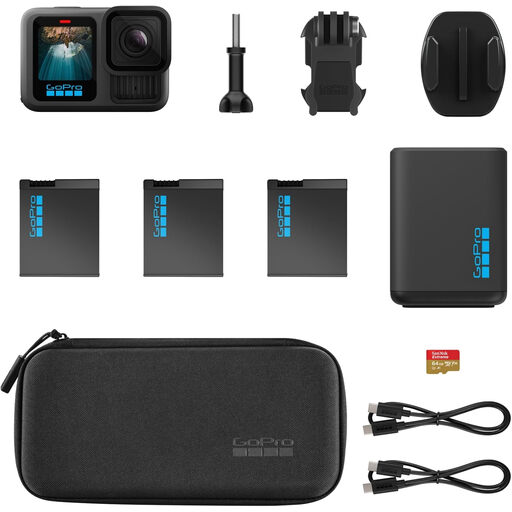
GoPro HERO13 Black Extended Power Bundle
Consider this conventional camera bundle if forward-facing trail footage and planning spare power are priorities. GoPro documents HB-Series lens compatibility and GPS overlays for the HERO13 Black; check the bundle contents, a suitable running mount and microSD card provision before use.
View on Joybuy
 No image available
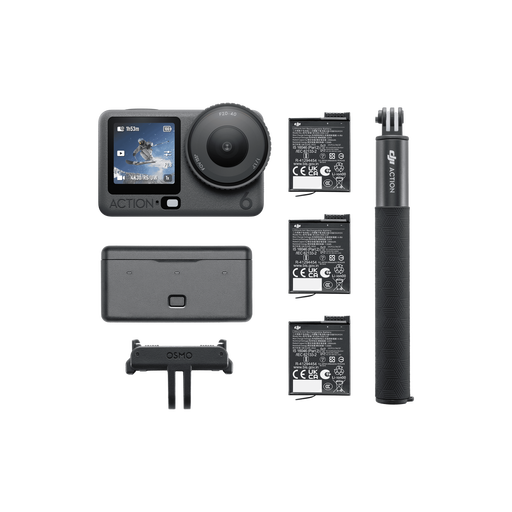
DJI Osmo Action 6 Adventure Combo
A conventional option for trail POV when you want to set your viewpoint before running. The listed model has a 1/1.1-inch sensor and f/2.0–f/4.0 variable aperture; DJI also specifies 50GB of built-in storage. Check that your intended recording mode supports the stabilisation you need and that the bundle works with a secure running mount.
View on Joybuy
 No image available
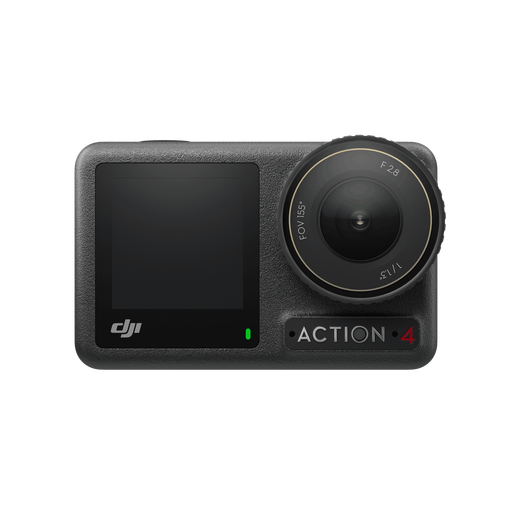
DJI Osmo Action 4 Adventure Combo
This conventional camera is another option for a fixed trail viewpoint. Its listed features include 4K/120fps recording and a 155° field of view. Check the exact battery provision and recording conditions rather than relying on a single duration claim, and confirm a secure chest or head mount for running.
View on Joybuy
 No image available
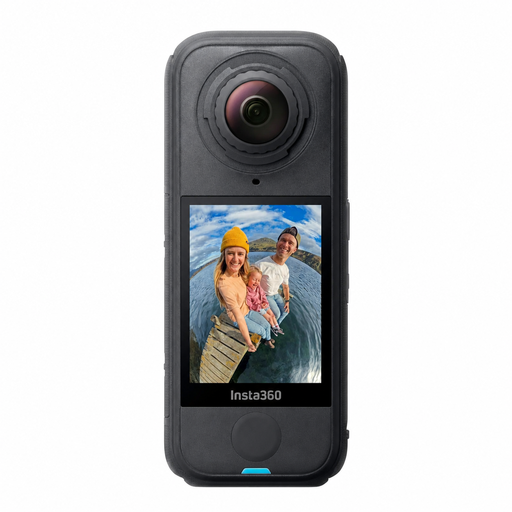
Insta360 X4 Air 165g 8K 360 Camera
Choose this format if selecting the viewing direction after a run is worth the editing involved. The listed camera weighs 165g and offers 8K 360 recording and replaceable lenses. Plan how to protect the lenses and check power, storage and a suitable running mount for your outing.
View on Joybuy
 No image available
SJCAM C300 4K Action Camera
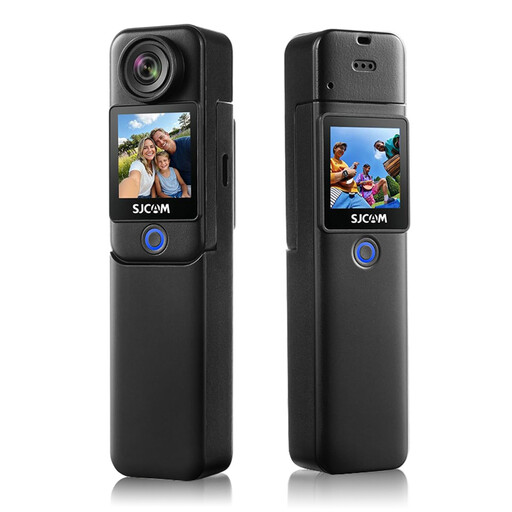
This conventional camera may suit a runner planning a fixed forward-facing shot. Its listed features include 4K recording, 6-axis electronic stabilisation and waterproofing to 30m with a case. Confirm the exact handle and battery configuration behind any duration claim, along with a secure running mount.
View on Joybuy
Questions about filming a trail run
Will I need a memory card for a long trail run?
Plan for compatible storage, but the immediate need depends on the camera. DJI specifies 50GB of built-in storage and microSD support up to 1TB for the Osmo Action 6, whereas Insta360 says the GO Ultra requires a separately obtained microSD card. Check the exact camera's card guidance and the recording time you intend to cover.
Can advertised battery life cover an all-day trail event?
Do not plan an all-day recording schedule from an advertised duration alone. GoPro's HERO13 Black claim of more than 2.5 hours applies to continuous 1080p30 recording; other settings and conditions can change the result. Plan when to record and check how you will manage spare power.
Can I use an action camera in the rain?
Check the waterproofing conditions for the exact camera and accessories before a wet run. DJI specifies 20m waterproofing for the Osmo Action 6 without a case when its battery compartment, USB-C port and glass lens cover are closed. GoPro specifies a 5m limit for the HERO13 Black when fitted with its Ultra Wide Lens Mod, so an accessory can change the applicable rating.


