For a kayak trip, choose a conventional action camera if you can set the viewing direction before launching and want footage that needs less editing. Choose a 360 camera if capturing the boat and surroundings for later reframing matters more than its extra lens care and editing work. Either way, plan how the camera will be mounted, retained, powered and used around water.
Who each setup suits
Hands-free route-documenters
If you want forward- or rear-facing footage while keeping your hands on the paddle, decide on the viewpoint and a secure mounting position before comparing cameras. A conventional camera also calls for a recording and battery plan suited to the length of the trip.
Long-day paddlers
For an extended trip, recording continuity may matter more than flexibility in the final edit. Plan spare power and storage around the modes you intend to use, rather than treating a manufacturer's maximum runtime as time you will necessarily get on the water.
Shoot-first, frame-later creators
A 360 camera suits paddlers who want to record the boat and surroundings together, then choose a view after the trip. That flexibility comes with lens-care and reframing work.
What matters when choosing
Conventional action camera
Choose it when: You know whether you want a view from the bow, stern or paddler's position and prefer a more direct edit.
Trade-off: You choose the framing while filming; a scene outside that frame cannot be recovered by reframing later.
360 action camera
Choose it when: You want to capture the boat and changing surroundings in one take, then select the final view afterwards.
Trade-off: Allow time to reframe and export footage, and take particular care with the exposed lenses.
| Concern |
What to check |
Who this matters to |
| Secure, water-ready filming |
Check the water rating for the exact camera configuration, then confirm a suitable mount and separate retention method that will not obstruct paddling or safety equipment. |
I need to keep filming through spray without holding the camera, and I do not want to lose it if the kayak tips. Around 36% of consumers put secure, water-ready filming first. |
| Power and storage for a long trip |
Check runtime conditions for your recording mode, spare-power options and the required memory-card specification. |
On a longer paddle, I would rather plan batteries and storage than have recording stop before the trip ends. For around 29% of consumers, continuity is the primary concern. |
| Straightforward fixed-view footage |
Decide on the viewpoint before launch; compare the available stabilisation modes, field of view and compatible mounts. |
If I already know the angle I want, I would prefer footage that needs less reframing afterwards. Around 21% of consumers make a straightforward fixed-view workflow their priority. |
| Choosing the angle later |
Check the 360 editing workflow, lens-protection instructions and memory-card requirements. |
I cannot always predict which side of the boat will have the view I want, so I value choosing the composition later. That flexibility comes first for around 14% of consumers. |
Mistakes to avoid
-
Treating a waterproof rating as the whole kayak setup
A depth rating does not secure the camera to the boat or make every lens accessory suitable for water. DJI calls for the Osmo Action 5 Pro's covers to be closed and recommends a case for prolonged underwater use or high water-impact pressure. Insta360 gives separate instructions for the X5's lens guards around water.
Check the instructions for your chosen camera and accessories, fit a suitable mount and retention method, and keep both clear of paddling and safety equipment.
A mount, retention accessory or protective housing may be needed for the setup you choose.
-
Planning a full trip around a maximum runtime
DJI's stated four-hour maximum for the Osmo Action 5 Pro was measured at 25°C, recording 1080p/24fps with RockSteady on, Wi-Fi off and screens off. A different recording setup or conditions can change how long a battery lasts.
Plan which clips you need, bring charged spares protected from water and check the card requirement for your intended recording mode.
-
Choosing 360 capture without planning the edit
The Insta360 X5 lets you select a final view after filming, but doing so adds a reframing and export step. Insta360 also advises protecting its lenses from knocks and following different lens-guard instructions around water.
Choose 360 capture when that later choice of viewpoint is worth the handling and editing work; otherwise, set up a conventional camera for the view you want before launch.
Relevant brands to consider
GoPro
The HERO13 Black is a conventional action-camera option for paddlers who want to choose a mounted viewpoint before filming.
- GoPro specifies 5.3K video, HyperSmooth 6.0 stabilisation and a 10 m waterproof rating without housing for the standard HERO13 Black.
- Framing is principally chosen during capture. GoPro rates the camera with its Ultra Wide Lens Mod fitted to 5 m and says that mod is not intended for underwater use.
DJI
The Osmo Action 5 Pro is another conventional-camera route, with onboard storage and screens that may matter when planning a trip.
- DJI specifies 20 m waterproofing without a case, 47 GB of built-in storage and dual OLED screens for this model.
- DJI's four-hour maximum runtime comes from specified laboratory settings, not a kayak trip. DJI recommends its waterproof case for prolonged underwater filming or high water-impact pressure.
Insta360
The X5 suits paddlers who want 360 footage from which to choose the final composition after filming.
- Insta360 specifies 8K30 360 video, FlowState Stabilization with 360° Horizon Lock, replaceable outer lenses and a 15 m waterproof rating for the X5.
- Reframing adds editing work. Insta360 says to remove lens guards for use in or around water and recommends its Invisible Dive Case for underwater 360 filming because water can affect stitching.
Conventional cameras on Joybuy
These conventional action cameras are choices for a viewpoint you set before filming. Compare their water-use conditions, mounting needs and power arrangements; this product selection does not cover the 360 route discussed above.
 No image available
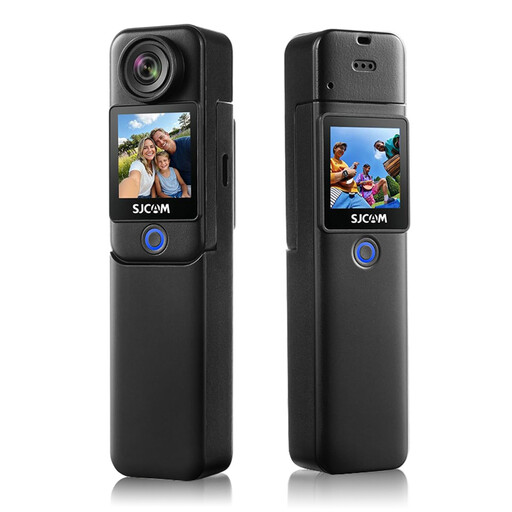
SJCAM C300 4K Action Camera
For fixed-view kayak footage where you can use a waterproof case, the product title specifies 4K video, 6-axis stabilisation and waterproofing to 30 m with the case.
Its 460-minute recording claim depends on a handle and auxiliary battery. Confirm what this bundle contains, the card required for your recording mode and a suitable mount and retention method.
View on Joybuy
 No image available
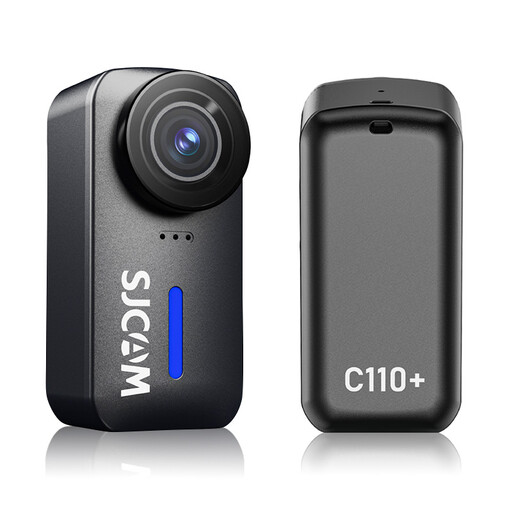
SJCAM C110+ 4K Action Camera
For a pre-framed wide view, its title specifies 4K video, gyro stabilisation and a 170° angle. The stated 30 m waterproof rating applies with the case.
Check the recording settings behind the stated 120-minute runtime, along with card compatibility, case instructions and a secure kayak mounting arrangement.
View on Joybuy
 No image available
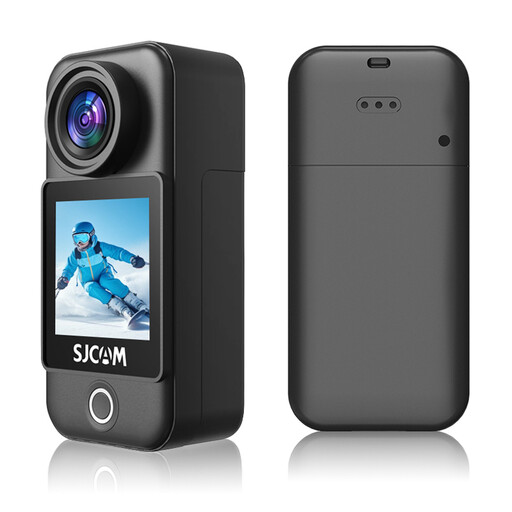
SJCAM C300 Pocket 4K Action Camera
This compact conventional-camera option has 4K video, 6-axis stabilisation and a 1.3-inch touchscreen in its title. Its 30 m waterproof rating is stated with the case.
The title's 120-minute recording figure should be checked against your chosen mode. Confirm card suitability, the case seal and how you will mount and retain the camera.
View on Joybuy
 No image available
SJCAM C400 4K Action Camera
If screens help you set a fixed viewpoint before paddling, the C400 title specifies dual touchscreens, 4K video and 6-axis stabilisation. Its stated 30 m water rating requires the case.
The 437-minute recording claim depends on a handle and auxiliary battery; confirm the bundle contents before using that figure to plan power. Check card suitability and secure mounting too.
View on Joybuy
 No image available
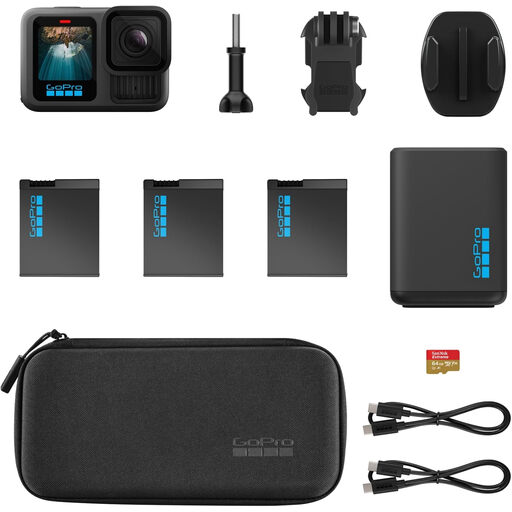
GoPro HERO13 Black Extended Power Bundle
For conventional footage framed before launch, GoPro specifies 5.3K video and HyperSmooth 6.0 for the HERO13 Black. The standard camera has a stated 10 m waterproof rating without housing.
Check the bundle contents and memory-card requirements for your recording plan, and confirm a kayak-suitable mount and separate retention method. If adding an Ultra Wide Lens Mod, follow its different water-use limits.
View on Joybuy
Common questions
Do I need a waterproof case to film from a kayak?
Not automatically for surface filming, provided you follow the exact camera configuration's water-use instructions. GoPro rates the standard HERO13 Black to 10 m without housing; DJI rates the Osmo Action 5 Pro to 20 m without its case but recommends a case for prolonged underwater filming or high water-impact pressure. Insta360 rates the X5 to 15 m and instructs users to remove its lens guards for use in or around water.
Will a stated battery runtime cover a full day of kayaking?
Do not plan a full day around a maximum runtime alone. DJI measured the Osmo Action 5 Pro's stated four-hour maximum at 25°C, recording 1080p/24fps with RockSteady on, Wi-Fi off and screens off; your settings and conditions may differ. Plan charged spares and enough compatible storage for the footage you intend to take.
What memory card should I use for kayak footage?
Use a card that meets the exact camera's requirements for your intended recording mode. Insta360 specifies UHS-I V30 or higher for the X5, while DJI publishes a recommended microSD-card list for the Osmo Action 5 Pro. Check the relevant model instructions before relying on high-resolution recording.
Can I film from a kayak on any UK waterway?
Check the rules for the particular waterway and filming purpose before setting out. Oxford City Council directs enquiries about filming on its river to the Environment Agency and identifies the Canal & River Trust as responsible for filming on the Oxford Canal; the relevant authority or landowner may differ at your launch location.


