First-time lesson recorders
You want a record of an instructor-led lesson without adjusting camera settings while learning. A secure mount and straightforward water preparation matter more to you than maximum resolution.


Choose an action camera for a surfing lesson according to how you will film: prioritise a sealed camera and compatible tethered mount for board footage, stabilisation and wide framing for ride footage, or a self-facing screen for explanations filmed from shore. Check the exact bundle and lens configuration before buying, and keep filming secondary to your instructor’s directions and conditions in the water.
You want a record of an instructor-led lesson without adjusting camera settings while learning. A secure mount and straightforward water preparation matter more to you than maximum resolution.
You want to see paddling, pop-ups and rides clearly enough to review your technique. Wide framing, stabilisation and a mount suited to your filming position are central to the choice.
You plan to combine explanations to camera, clips from shore and footage in the water. A self-facing screen and recording modes suited to later editing may matter alongside water protection.
For a surfing lesson, settle the mounting and water-use setup before choosing recording modes. Then decide whether steady ride footage or self-facing clips are your main reason for carrying a camera.
| Concern | What to check | Who this matters to |
|---|---|---|
| Secure, water-ready setup | Check the rating for the camera and lens configuration you will use, and whether the exact bundle has a compatible board mount and tether. | If I fall or a wave hits the board, I want the camera to stay attached and properly sealed. Around 42% of consumers put that security first. |
| Stable, wide ride footage | Check which stabilisation and field-of-view options work in your intended video mode. | To review a pop-up or turn, I need moving footage that keeps the action in frame. For around 33% of consumers, usable ride footage is the primary concern. |
| Self-framing and editing | Check the screen position and the resolution and frame-rate modes you intend to use. | When I explain a lesson from shore, I want to frame myself and have footage I can edit later. That flexibility comes first for around 25% of consumers. |
A depth rating depends on the camera being assembled as directed. DJI requires the Osmo Action 5 Pro’s covers to be secured and recommends its Waterproof Case for prolonged underwater filming or high water-impact pressure; Insta360 also warns that high-speed water entry can damage the Ace Pro 2.
Check the instructions for your exact camera, then confirm the case, board mount and tether suit the way you will film.
Depending on the bundle, you may need to obtain a compatible case or surf tether separately.
GoPro says the HERO13 Black Ultra Wide Lens Mod is not intended for underwater use. With that mod installed, its stated waterproof depth is 5 m rather than the standard camera configuration’s 10 m.
Choose the lens configuration for the water exposure you expect, not solely for its field of view.
If you switch configurations for sessions involving submersion, you will need to carry the appropriate lens setup.
The Royal National Lifeboat Institution advises surfers to follow the designated black-and-white chequered flags, heed lifeguard advice, know their limits and wear a board leash. Recording must not interfere with those measures or your instructor’s directions.
Fit and test the camera on land, and stop filming if operating it distracts you from other surfers or the conditions.
The Osmo Action 5 Pro is worth considering when water exposure and a surf-focused bundle shape your choice.
HERO13 Black offers a route for riders interested in stabilised POV footage and optional lens configurations.
Ace Pro 2 is relevant if you will also frame yourself or record explanations away from the water.
These cameras offer different options for wide ride footage, water protection and clips filmed away from the board. For any board-mounted setup, confirm the exact package contents and camera-to-mount compatibility before buying.
 No image available
Consider this model if you want wide footage in the water as well as a flip display for framing clips on shore.
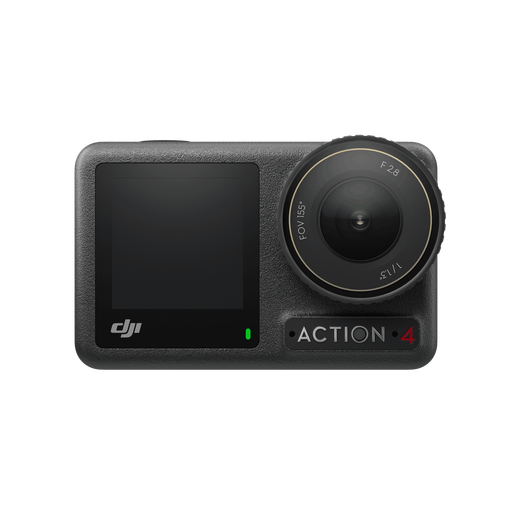 No image available
This combo may suit riders who want wide framing and a high-frame-rate option for reviewing a ride.
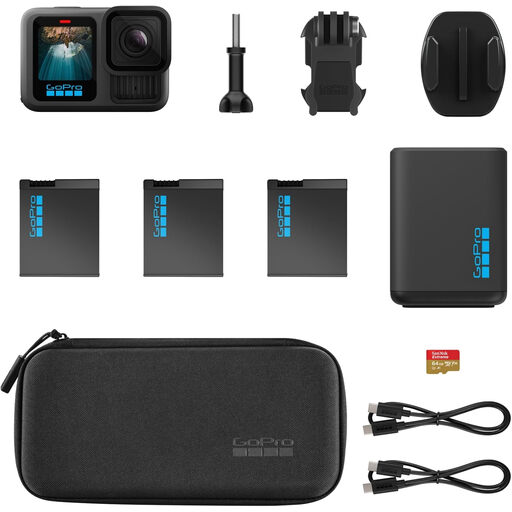 No image available
This bundle is a candidate for stabilised first-person ride footage.
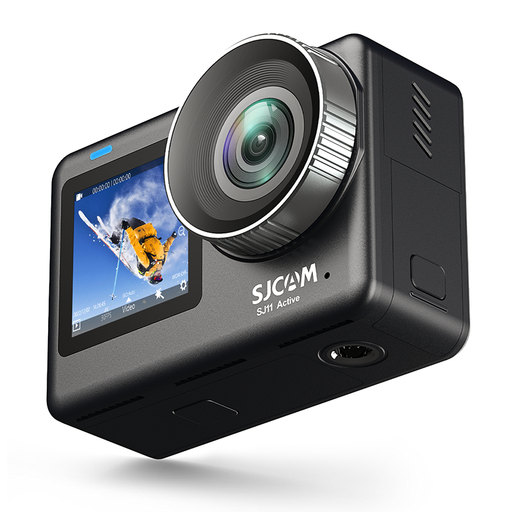 No image available
The front display makes this model relevant if you want to frame yourself as well as record moving footage.
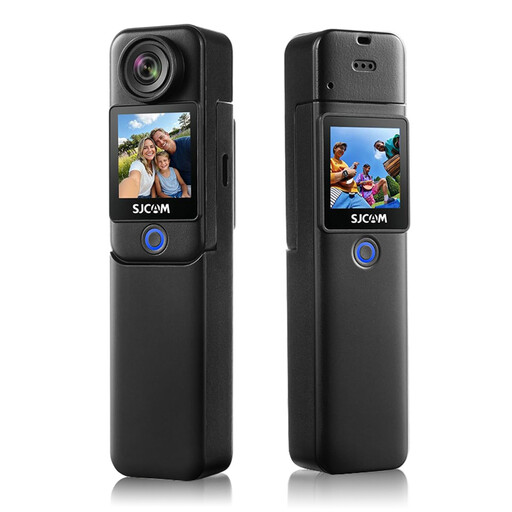 No image available
Consider this model if wide ride framing is your priority and you plan to use a waterproof case.
Not necessarily for surface-level filming within your camera’s stated water-use limits, provided its covers and lens components are secured as directed. DJI recommends its Waterproof Case for prolonged underwater shooting or high water-impact pressure with Osmo Action 5 Pro, while Insta360 recommends a Dive Case for extended underwater use with Ace Pro 2; follow the instructions for your exact model and configuration.
Fit and test a camera-compatible board mount and tether before entering the water, and follow your instructor’s directions about where and when to film. DJI says its Osmo Action 5 Pro Surfing Combo includes a surfing tether and flat adhesive base, but other bundles need their own contents checked. The Royal National Lifeboat Institution also advises surfers to heed lifeguards, stay within the designated surf area and wear a board leash.
Follow the care instructions for your particular model before using it again. For Ace Pro 2, Insta360 instructs users to soak the camera in fresh water for 15 minutes after seawater use, rinse it gently with the flip screen open, dry it thoroughly with a soft cloth and wait until it is completely dry. Do not apply that exact routine to another camera without checking its manual.
Ask the surf school how it intends to use and share footage, and speak to identifiable participants before publishing your own recording. GOV.UK notes that data-protection law does not usually apply to photos and videos taken for personal use; that does not settle the rules for a school’s use or publication of identifiable footage.