Rough-trail POV riders
If you want a rider’s-eye view over uneven ground, consider stabilisation, framing and a safely fitted mount together. A high resolution alone will not tell you whether your chosen recording mode offers the view you need.


For a rough mountain-bike descent, choose a camera and secure, compatible mount that can deliver a stable view in the recording mode you intend to use. Prioritise a high-frame-rate mode if slow-motion edits matter more to you; for shaded woodland, compare the exact model’s light-handling modes and the frame rates available with them. Plan for suitable storage and enough power for your runs rather than treating a quoted runtime as a full-ride guarantee.
If you want a rider’s-eye view over uneven ground, consider stabilisation, framing and a safely fitted mount together. A high resolution alone will not tell you whether your chosen recording mode offers the view you need.
If your route moves between open trail and shade, compare the light-handling modes available at the frame rate you plan to use, not just the camera’s maximum resolution.
If you plan to slow down jumps or crop a descent clip, check the available frame-rate and resolution combinations. Your chosen settings also affect how much storage you need.
Decide where the camera will sit and what kind of clip you want to make, then check whether the required recording settings work together on the exact model.
| Concern | What to check | Who this matters to |
|---|---|---|
| Stable, well-framed POV | Check stabilisation in your intended recording mode and whether a mount fits your helmet or bike position without compromising safe use. | I want viewers to follow my line over rough ground without the camera shifting or obstructing me. Around 36% of consumers put stable, well-framed POV first. |
| Changing woodland light | Compare sensor specifications and HDR or low-light modes, including the frame rates available in those modes. | My trail runs between bright clearings and shaded trees, so keeping the footage usable through those changes is my priority; around 29% of consumers put mixed-light recording first. |
| Slow motion and cropping | Check the exact resolution and frame-rate combinations, plus any stabilisation restrictions in slow-motion modes. | I want to slow a jump or crop a clip without discovering that my chosen mode lacks a feature I need. Around 21% of consumers primarily want editing flexibility. |
| Ride-ready setup | Check compatible recording media, power for repeated runs and the model’s instructions for closing covers before wet use. | I need the camera ready for each run rather than losing footage to a full card, flat battery or poorly closed cover; for around 14% of consumers, preparation is the main concern. |
Resolution, frame rate and stabilisation can change together. DJI specifies 4K/120 recording for the Osmo Action 5 Pro but says electronic stabilisation is unavailable in its Slow Motion mode.
Choose whether your main clip is normal-speed POV or slow motion, then check that exact combination in the manufacturer’s mode specifications.
GoPro’s HERO13 Black recording durations are stated for particular modes, while DJI’s up-to-four-hour Osmo Action 5 Pro figure is a manufacturer claim under its test conditions. Neither figure promises the same duration in every descent setting.
Plan power around the runs you want to record and test your intended settings before relying on a single battery.
Recording media is part of the setup: DJI lists particular U3/V30 microSD cards among its recommendations for the Osmo Action 5 Pro.
Check the chosen camera’s recommended-card list and try the card in your intended recording mode before an important ride.
Insta360 says Ace Pro 2 waterproofing depends on its battery, USB and lens covers being securely closed.
Inspect the covers before a wet descent and follow the camera’s model-specific rain and microphone-accessory instructions.
The HERO13 Black is relevant if you want to choose between high-resolution POV footage and 4K/120 slow-motion recording.
The Osmo Action 5 Pro is worth comparing if woodland light, horizon control and recording capacity are prominent concerns.
The Ace Pro 2 gives riders separate options for higher-resolution crops and high-frame-rate clips.
These action cameras offer different recording modes and bundle configurations for planning a descent setup. For each one, check the mount, recording mode and power arrangement against the position and length of your ride.
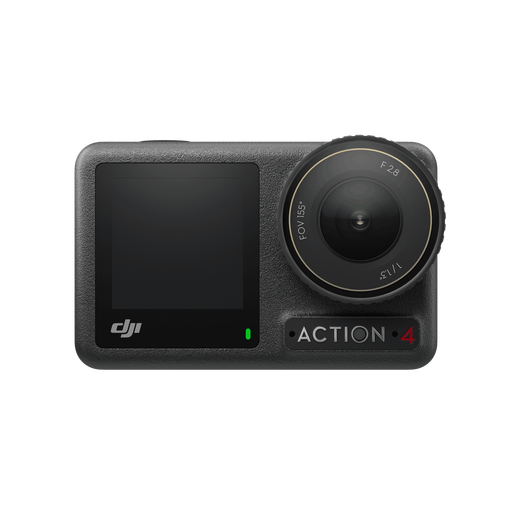 No image available
Consider this combo if 4K/120 recording is important to your descent edits. The product title specifies a 1/1.3-inch sensor; check which stabilisation settings work at your chosen frame rate and whether your intended riding mount fits.
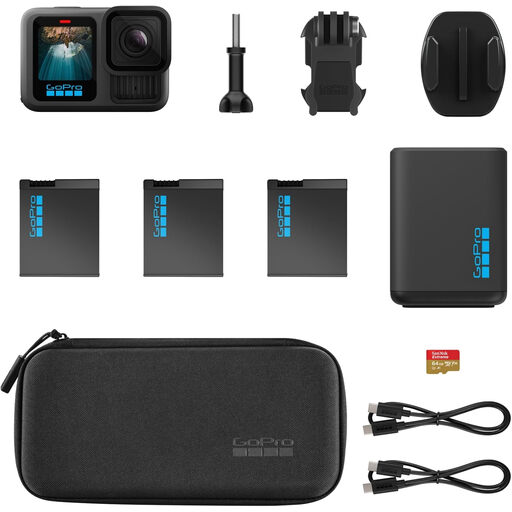 No image available
Consider the HERO13 Black if you want a choice between GoPro’s specified 5.3K/60 capture and 4K/120 recording. This is an Extended Power Bundle rather than the camera alone; check that its mounting hardware suits your position and plan battery use around your chosen mode.
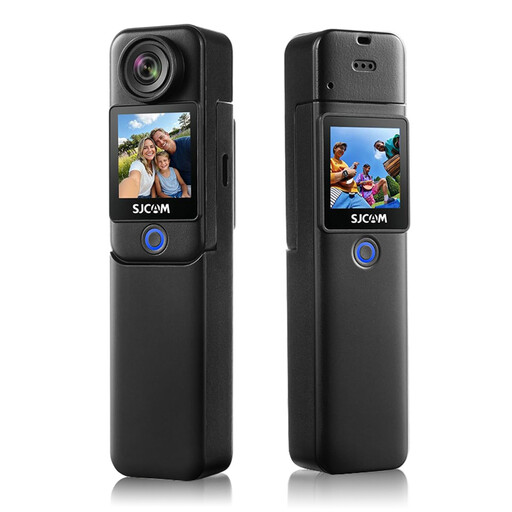 No image available
Consider the C300 if its stated 6-axis electronic stabilisation and 4K recording suit the kind of POV clip you want. Its 460-minute runtime claim depends on use with a handle and auxiliary battery: check the bundle contents, your intended recording mode and mount fit before planning repeated runs.
 No image available
Consider the C400 if a wide view and screens for setting up shots are useful to you. Its title specifies a 154° angle and 6-axis electronic stabilisation; the 437-minute runtime claim depends on a handle and auxiliary battery, so check what this bundle contains and whether a suitable mount fits your riding position.
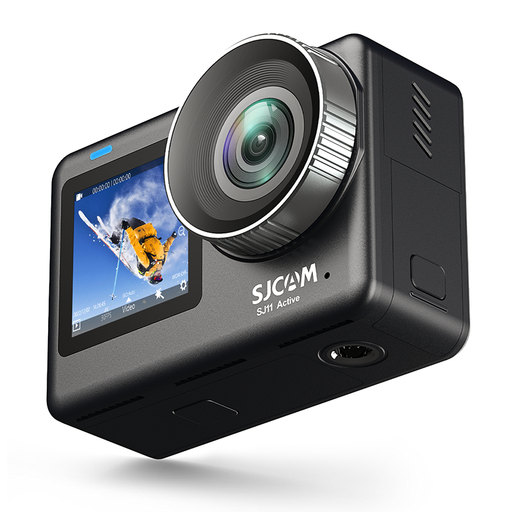 No image available
Consider the SJ11 Active if you want to compare a 4K/30fps POV setting with the model’s 1080p/120fps recording option. The title specifies 6-axis electronic stabilisation, a 100-minute battery-life claim and waterproofing to 30m with the case; check stabilisation in your chosen mode and the fit of your riding mount.
Choose 4K/120fps if slow-motion edits are a main goal, not simply because you are filming a descent. Check stabilisation in the exact mode you will use: DJI says electronic stabilisation is unavailable in the Osmo Action 5 Pro’s Slow Motion mode.
No; choose the camera position for the view you want, then confirm that the mount is compatible and can be fitted securely without compromising safe riding. GoPro’s helmet-camera guidance emphasises correct fitting and allowing an adhesive mount to set before use.
Check the mount, compatible recording media and enough power for your planned runs. For example, DJI names U3/V30 microSD cards among its Osmo Action 5 Pro recommendations, while quoted battery durations depend on the recording mode and conditions.
If you are filming for a club, event or other organisation, plan how people will be informed and how footage showing them will be handled. The UK Information Commissioner’s Office advises organisations using portable action cameras to inform people where possible and consider editing or cropping footage to reduce harm; its guidance is under review, so seek current advice before commercial or organised-event publication rather than assuming the same rules apply to every personal recording.