Choose a conventional action camera when you need a small camera mounted to yourself or your equipment for moving footage; check that its stabilisation works in the recording mode you plan to use. For water activities, match the camera’s bare-body conditions to the activity and use a compatible housing where the manufacturer recommends or requires one. A 360 camera gives you more choice over framing afterwards, while a rugged compact camera better suits stills and zoom; for a short handheld clip in dry conditions, a phone may be enough.
Who needs which setup?
Cyclists and riders filming hands-free
Look for a compact camera, a mount suited to its position on the bike or rider, and stabilisation available in your chosen recording mode. Keep the setup secure and clear of safety equipment, and check event rules before using a helmet mount in competition.
Water-sport and wet-weather users
Compare the intended depth, time underwater and water impact with the manufacturer’s conditions for the camera itself. Check whether a compatible housing is needed and how its covers and seals must be closed.
Outdoor photographers who also record video
If optical zoom, stills and stated resistance to drops or cold matter more than a body-mounted viewpoint, consider a rugged compact camera. Check its video and mounting arrangements separately rather than treating it as an action camera.
What should you check before buying?
Start with where the camera will sit and how you want to use the footage. Then check water protection, recording controls and the accessories needed for that setup.
| Priority | What to check | Your needs |
|---|
| Mounting and steady footage |
Check the mount’s fit for the camera and activity, its placement, and whether stabilisation works in your selected video mode. |
I want hands-free footage while riding or moving over uneven ground. If I only need a short handheld clip in dry conditions, a dedicated mount may matter less. |
| Water protection |
Compare the stated bare-camera depth and closure conditions with your activity. Check the compatible housing’s conditions for longer submersion, greater depth or water impact. |
Will the camera face rain or splashes, or will it spend time underwater? I need protection matched to the actual use, not just a waterproof label. |
| Camera format |
Compare a conventional action clip with a 360 recording that you frame afterwards. For stills-led outings, check a rugged compact’s lens and stated physical-resistance limits. |
I may want to choose the viewing direction after a ride; otherwise, I would rather record a straightforward clip. For outdoor photography, zoom and stills may take priority. |
| Sound and controls |
Check whether the built-in audio suits your mounting position and whether a compatible external microphone is available. Consider how you will operate the controls outdoors. |
If I plan to speak on camera, I need an audio setup that works where the camera is mounted. For quick activity clips, simple controls may matter more. |
| Complete setup |
Check the exact bundle for mounts, housing, storage media and power accessories. Confirm model-level compatibility before relying on a stated recording-time configuration. |
I want to know what I need to bring for the whole outing, rather than choosing a camera body and discovering later that my planned setup needs another accessory. |
What can catch buyers out?
-
Assuming a small helmet camera is acceptable at every event
Motorsport UK’s September 2026 bulletin prohibits aftermarket camera devices fitted to or within a helmet at its permitted competitions. It also warns that an externally mounted device can affect how a helmet responds to impact.
For a Motorsport UK event, do not plan around an aftermarket helmet mount. Check the current event regulations before choosing another mounting position.
-
Treating a waterproof depth as approval for every water activity
DJI specifies different limits for the Osmo Action 5 Pro with and without its waterproof case, and recommends the case for long underwater sessions or high water-impact pressure.
Match the camera and model-specific housing to the planned depth and conditions, then check the required covers and seals before entering the water.
-
Choosing the camera body without planning the rest of the kit
A recording setup may also call for a compatible mount, housing, memory card, power accessory or microphone. GoPro states that its HERO13 Black lens mods are sold separately; DJI lists different Osmo Action 5 Pro activity combinations.
Work out the filming position, water exposure, recording duration and sound needs before comparing bundles.
Carrying and setting up additional accessories can add work to an outing, even when they are compatible with the camera.
-
Choosing 360 recording without allowing for editing
A 360 camera lets you select a view after recording, but that is a different workflow from capturing a conventional single-lens clip.
Choose 360 recording if later reframing is useful to you; otherwise, consider whether a conventional action camera makes filming and sharing simpler.
Relevant brand references
These model examples illustrate different camera types and accessory decisions; the brand references do not indicate which models are in the Joybuy selection below.
DJI
DJI’s Osmo Action 5 Pro is a conventional action-camera example for comparing mounting, stabilisation and water-use conditions.
- DJI specifies 20 m waterproofing without its case and 60 m with the Osmo Action 5 Pro Waterproof Case.
- Check the exact activity bundle and DJI’s conditions for using the camera in water; the case and mounts should not be assumed to come with every combination.
GoPro
The HERO13 Black is a conventional action-camera reference for buyers considering interchangeable lens options.
- GoPro lists several HB-Series lens mods for the HERO13 Black.
- GoPro says those lenses are sold separately. Confirm accessory compatibility for the exact camera model.
Insta360
The X5 illustrates the 360-camera route when selecting the final view after recording matters.
- Insta360 specifies up to 8K 360-degree video for the X5.
- Plan for reframing and check how the camera and its lenses will be positioned and protected during the activity.
OM SYSTEM
The Tough TG-7 is a rugged compact-camera reference for outdoor stills and video rather than a small body-mounted viewpoint.
- OM SYSTEM specifies 15 m waterproofing, resistance to drops of up to 2.1 m and operation down to -10°C for the TG-7.
- Those stated protections do not establish the same hands-free mounting setup as a dedicated action camera.
Joybuy action-camera options
These options are action cameras for moving outdoor footage, including conventional SJCAM models and a DJI 360 camera. Choose the camera type first, then check the exact mounting and water-use setup for your activity.
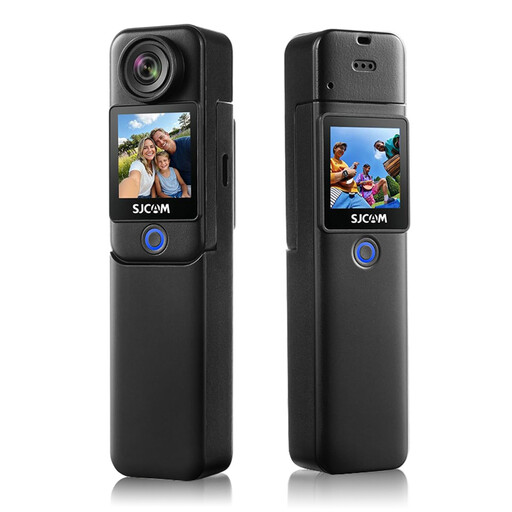 Image unavailable
SJCAM C300 4K action camera
For movement-heavy footage, this listing specifies 6-axis electronic stabilisation and 4K/30fps recording. It states water use up to 30 m with the case, not for the bare camera. If the advertised 460-minute configuration matters, check whether the required handle and auxiliary battery are included; confirm a compatible mount for your activity too.
View on Joybuy
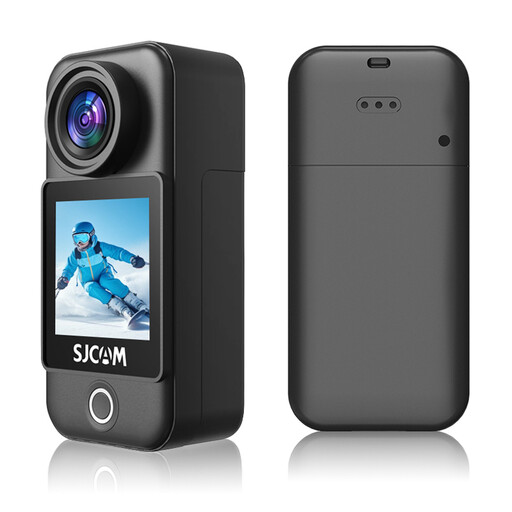 Image unavailable
SJCAM C300 Pocket 4K action camera
This 55 g option is worth considering when camera size matters on an outing. The listing states 4K/30fps recording, 6-axis electronic stabilisation and water use up to 30 m with the case. Check the bare-camera water conditions and the mount needed for your filming position.
View on Joybuy
 Image unavailable
SJCAM C400 4K action camera with flip display
The flip display provides another way to frame outdoor footage; the listing also states 4K/30fps recording and 6-axis stabilisation. Its stated water use up to 30 m is with a case. Check the bare-camera conditions and a suitable activity mount, and confirm the handle and auxiliary battery if relying on the advertised 437-minute configuration.
View on Joybuy
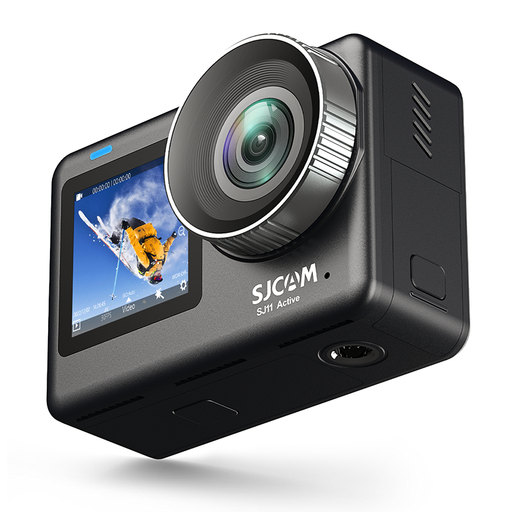 Image unavailable
SJCAM SJ11 Active dual-screen action camera
The front display may help when you need to frame yourself, while the listing specifies 4K/30fps recording and 6-axis electronic stabilisation. It gives separate water limits of 5 m for the bare camera and up to 30 m with the case. Check the conditions for your activity, a compatible mount and whether the stated 100-minute battery life suits your session.
View on Joybuy
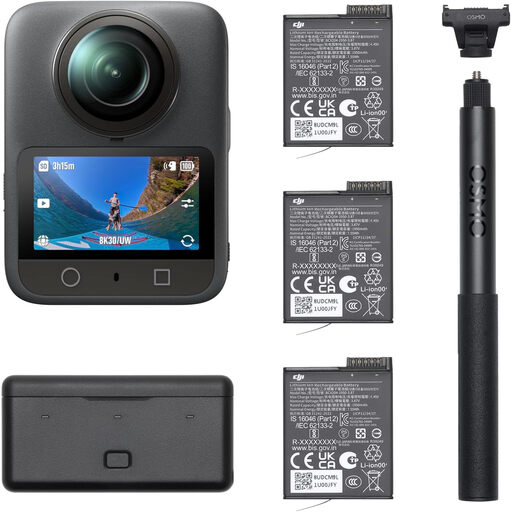 Image unavailable
DJI Osmo 360 Adventure Combo with 3 batteries
Consider this 360 camera if choosing the viewing direction after recording suits your footage. The listing states 8K 360-degree video, a 4K/120fps mode and three batteries in the combo. Check the recording and editing workflow, an appropriate activity mount and the camera’s water-use conditions before planning a wet outing.
View on Joybuy
Common questions
Can I fit an aftermarket camera to my helmet for a Motorsport UK competition?
No. Motorsport UK’s September 2026 bulletin says aftermarket camera devices fitted to or within a helmet are prohibited at its permitted competitions. Check the current event regulations before choosing a different camera position; that competition rule does not answer whether a mount is permitted in everyday road cycling.
What should I check before taking an action camera into water?
Check the exact camera’s water limit, closure instructions and conditions for the activity. DJI, for example, specifies that the Osmo Action 5 Pro’s battery and USB-C covers must be closed and its lens cover tightened for bare-camera water use. Do not apply one model’s rating to another camera or housing.
Do I need a housing for snorkelling or diving?
Use a compatible housing when your intended depth or conditions exceed the camera’s bare-body limits, or when its manufacturer recommends one for prolonged submersion or water impact. DJI specifies 20 m for the bare Osmo Action 5 Pro and 60 m with its Waterproof Case; check the instructions for the exact combination you intend to use.


