What should you check before buying?
Conventional action camera
Choose it when: You usually know which way to aim the camera and want a forward-facing clip without reframing 360-degree footage.
Allow for: The mount must keep that view aligned; DJI’s Osmo Action 6 specifications also show why stabilisation options need checking in the selected recording mode.
360-degree action camera
Choose it when: The action may happen beside or behind you and selecting the view later is worth the extra step. Insta360 describes this as its X6 capture-and-reframe workflow.
Allow for: You will need to choose and export the view you want rather than relying on a finished forward-facing clip straight from the camera.
Once you have chosen how to capture the scene, check the equipment as a complete setup for your activity.
| Priority | What to check | Your needs |
|---|
| Stable mounting |
Check the camera-to-mount interface and the intended bike, chest or helmet attachment point. Confirm stabilisation at your chosen resolution, frame rate and field of view. |
I want a secure, unobstructed view on a moving ride, not just a stabilisation feature listed for another recording mode. |
| Water exposure |
Compare bare-camera and housed ratings for the exact model. Check closure and accessory conditions; DJI recommends the Osmo Action 6 waterproof case for prolonged underwater filming or high water-impact pressure. |
Rain and brief splashes call for a different setup check from immersion or sustained water activity. |
| Recording power |
Compare runtime claims at the stated resolution and frame rate, then plan compatible spare power for longer outings. GoPro states more than 1.5 hours at 4K30 or 5.3K30 for the HERO13 Black Enduro battery. |
For a long ride, I need a power plan based on the mode I will use rather than a runtime quoted for another setting. |
| Outdoor audio |
Check whether the exact camera supports the intended microphone or audio accessory and how the assembled setup will be protected from weather. GoPro lists a directional microphone and 3.5mm microphone port on its compatible Media Mod. |
If I plan to speak during a clip, microphone compatibility and placement matter alongside the picture. |
Joybuy cameras for outdoor footage
These options include conventional action cameras for a chosen point of view and 360-degree cameras for footage you can frame later. Match any option to your intended mount, recording mode and exposure before choosing.
 No image available
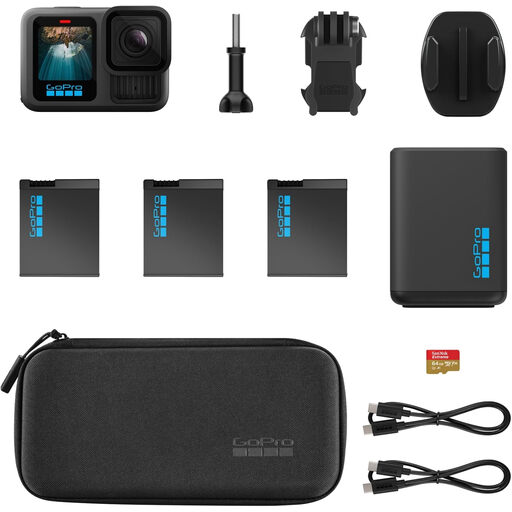
GoPro HERO13 Black Extended Power Bundle
For forward-facing outdoor footage when a camera bundle with batteries and charging accessories suits your plans. Check that its mount fits your intended attachment point; if you need commentary audio, verify the separate compatible Media Mod and weather protection. Confirm the water rating for the setup you will use.
View on Joybuy
 No image available
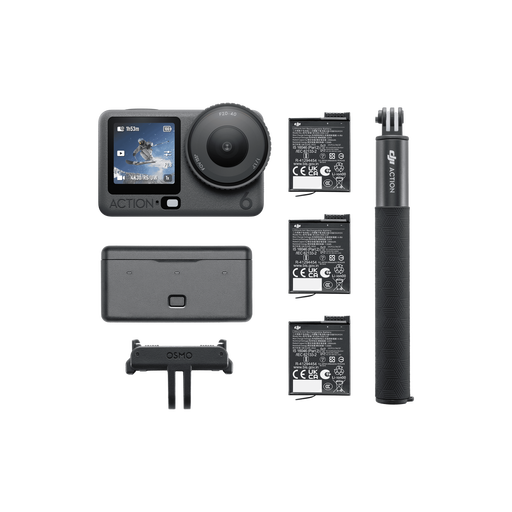
DJI Osmo Action 6 Adventure Combo
For a conventional view where water exposure and recording settings are important. The combo title specifies three batteries and 4K recording; DJI rates Osmo Action 6 to 20 m without its waterproof case and recommends the case for prolonged underwater filming or high water-impact pressure. Check the activity mount, expected runtime in your chosen mode and stabilisation options before buying.
View on Joybuy
 No image available
SJCAM C400 4K Action Camera
For cycling or hiking footage where a conventional view suits the activity. The product title specifies 6-axis electronic image stabilisation and a 30 m water rating with the case. Check that the case and intended mount fit your setup; the stated 437-minute runtime depends on a handle and auxiliary battery, so confirm what the bundle includes and the runtime in your recording mode.
View on Joybuy
 No image available
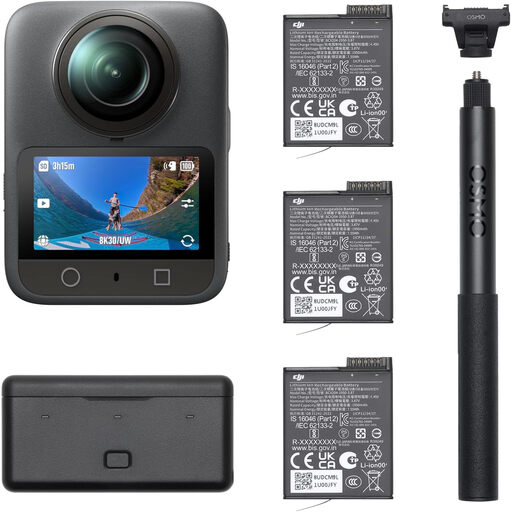
DJI Osmo 360 Adventure Combo
Consider this 360-degree camera if action may happen outside a fixed forward view. The combo title specifies 8K 360-degree video, a 4K/120fps mode and three batteries. Confirm the water rating for your activity and that the mounting arrangement fits your bike or helmet.
View on Joybuy
 No image available
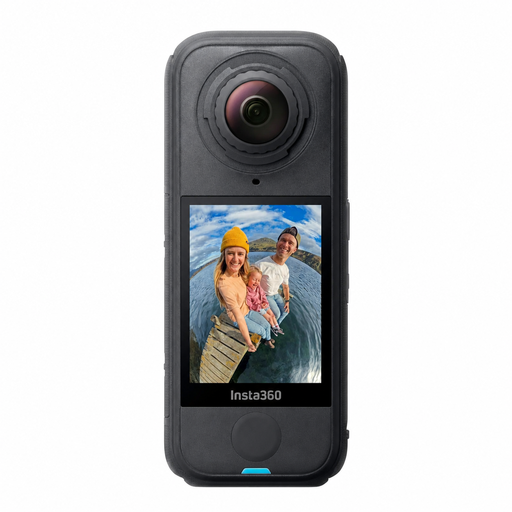
Insta360 X4 Air 8K 360 Camera
For cycling footage when selecting the view after recording is part of your plan. The product title specifies a 165 g camera with replaceable lenses and FlowState stabilisation. Allow time to reframe footage, and check the water rating, battery runtime and exact mount compatibility for your outing.
View on Joybuy
Questions about outdoor recording
Do I need a waterproof case for rain or water activities?
Check the rating for your exact camera and assembled setup rather than assuming a case is always needed or never needed. DJI rates Osmo Action 6 to 20 m without its case and 60 m with it, and recommends the case for prolonged underwater filming or high water-impact pressure. Check that doors, ports and lens components are secured as instructed before exposure.
Will stabilisation work in every recording mode?
Do not assume the same options apply in every mode. DJI specifies restrictions on electronic stabilisation and field-of-view choices in Osmo Action 6’s 8K mode. Check the resolution, frame rate and field of view you actually intend to use.
How should I choose a bike or helmet mount?
Match the mount to both the exact camera interface and the intended attachment point, then check its fit and retention before riding. Keep controls, lights and your view unobstructed. For cyclists who wear a helmet, the UK Highway Code says it should conform to current regulations, be the correct size and be securely fastened; check the helmet manufacturer’s mounting instructions as well.
Can I add a microphone for outdoor commentary?
Yes, where the exact camera supports the accessory you choose. GoPro lists a directional microphone and 3.5mm microphone port on its compatible Media Mod; the Joybuy product information for DJI Osmo Action 5 Pro states compatibility with DJI Mic 2 and Mic Mini transmitters. Check your camera version, microphone connection and protection from the expected weather.
What should I consider before publishing footage of other people?
Consider whether identifiable people appear and who is making the recording. The UK Information Commissioner’s Office says organisations using surveillance systems that process identifiable people’s personal data must comply with applicable UK GDPR and Data Protection Act 2018 requirements. Its guidance covers action cameras attached to clothing or transport, including bikes; requirements for an organisation should not be assumed to apply in the same way to purely personal footage.


