Households keeping a working TV
If your screen still suits you, check that the HDMI connection, power supply and TV controls will work with the device you choose. Roku Support notes that some TV USB ports may not supply enough power.


If your existing TV still meets your needs and has a usable HDMI input, start by checking power, network access and support for the UK services you rely on before choosing a streaming device. A stick suits a straightforward Wi-Fi setup, while a box with Ethernet may suit a household that needs a wired connection; casting depends on the particular app, receiver and network setup. Consider replacing the TV if its screen or connections no longer meet your needs, rather than simply because it lacks apps.
If your screen still suits you, check that the HDMI connection, power supply and TV controls will work with the device you choose. Roku Support notes that some TV USB ports may not supply enough power.
If you rely on particular UK apps, live features, subtitles or audio description, check support for the exact service and device. ITV Help distinguishes between features and platforms, so an app being available does not guarantee that every feature will work.
If wireless reception is unreliable where the TV sits, check whether a wired connection is practical and whether the exact player supports the connection you plan to use. Google lists built-in Ethernet on Google TV Streamer (4K).
For consumers adding online video to an existing UK television, the main decision is which requirement matters most: a workable TV connection, access to specific services, network reliability or easy viewing controls.
Consider it when: your TV has an accessible HDMI input, Wi-Fi works where the TV is, and your essential apps support the exact device.
Check: the power arrangement, HDMI clearance, remote compatibility and current app requirements. A 4K stick does not give an HD TV a 4K picture.
Consider it when: you have space near the TV and a specific feature, such as built-in Ethernet or Freely on a compatible device, meets a need.
Check: the exact apps and what is included. Google lists an HDMI cable as sold separately for Google TV Streamer (4K), while Freely lists one as supplied with Manhattan Aero.
Consider it when: you prefer to start viewing from a phone, tablet or computer and the specific app supports casting to your chosen receiver.
Check: the app’s sender, receiver and network requirements. Google Cast support does not mean every service supports casting to every player.
| Concern | What to check when buying | Who this matters to |
|---|---|---|
| Fit with the existing TV | Check for an accessible HDMI input, enough clearance for the device, a suitable power supply and a way to select the input. Roku Support warns that some TV USB ports provide insufficient power. | I want to keep a working TV, so the connection, power and input controls need to fit before I choose a device. Around 33% of consumers put existing-TV fit first. |
| Essential services and access | Check current support for each essential app, firmware requirements, live features and the subtitles or audio description you need. ITV Help lists differences between ITVX features and devices. | If a particular programme or accessibility feature is non-negotiable, I need support confirmed for the service and device I plan to use. Around 27% of consumers prioritise essential services and access. |
| Network reliability | Check Wi-Fi where the TV is, whether Ethernet can reach it, and whether the exact player has built-in Ethernet or supports the proposed adaptor. Google lists Ethernet on Google TV Streamer (4K). | I need playback to work where the TV sits, so I would check the local Wi-Fi and whether a wired route is compatible. Around 20% of consumers put network reliability first. |
| Viewing controls | Decide whether viewers need a remote-operated interface or phone-led casting, then check the required remote, screen-reader and service controls on the exact device. | I want everyone who uses the TV to be able to start and navigate viewing comfortably, so the controls matter as much as the connection. Around 20% of consumers prioritise viewing controls. |
An adaptor can connect devices physically without satisfying the protected-video requirements of a service. Netflix states that HDCP is required to stream from a device connected to a TV.
Check the TV input, adaptor, player and intended service together before buying an adaptor.
ITVX distinguishes general app support from features such as regional live viewing, subtitles and audio description. The requirements can also depend on the device software.
Check the service’s current device, software and accessibility guidance for the features you actually use.
Power arrangements and included cables differ by model. Roku Support warns that some TV USB ports provide insufficient power, while Google lists its TV Streamer HDMI cable as sold separately.
Check the exact model’s sockets, power requirements and box contents before settling on a setup.
Roku Streaming Stick and Streaming Stick Plus are compact, remote-operated options for HD or 4K setups; check the exact model and service requirements.
Fire TV devices offer an app-based viewing interface; check feature support on the exact device you are considering.
Google TV Streamer (4K) is a box-style option for households considering built-in Ethernet and compatible casting.
Apple TV 4K (3rd generation) has Wi-Fi-only and Wi-Fi + Ethernet configurations for an HDMI-connected TV.
Manhattan Aero 4K is a Freely-capable box for households seeking supported UK broadcaster live and on-demand viewing on an HDMI TV.
These Joybuy listings cover a wired-network adaptor for compatible players, a wireless HDMI display adaptor and Roku streaming sticks. Check the exact device, connection and service requirements for the setup you have in mind.
 No image available
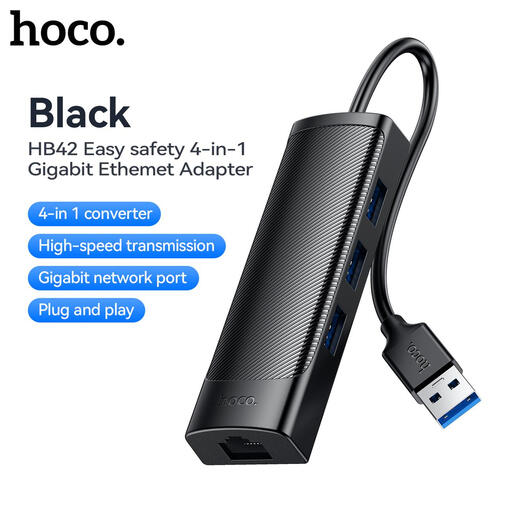
For a streaming player that explicitly supports a USB-A Ethernet adaptor; check compatibility with the exact player before choosing it.
The product name specifies three USB 3.0 ports and an RJ45 Gigabit Ethernet port.
 No image available
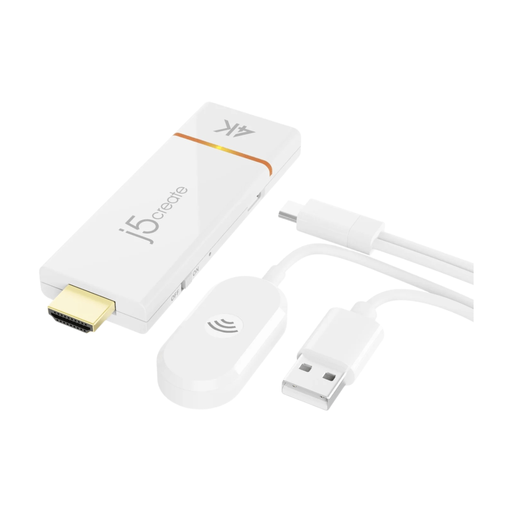
For mirroring or extending content from a compatible sending device to an HDMI display; confirm the required connections for both devices.
The product name identifies it as a wireless HDMI display adaptor.
 No image available
For adding a streaming stick to a TV with an accessible HDMI input; check that your essential services support the exact device.
The product name identifies this as a 4K streaming stick.
 No image available
For adding streaming to a TV with an accessible HDMI input; check current app support and the TV’s available connections before choosing.
The product name identifies a 4K streaming stick.
Check for a usable HDMI input, enough space for the device, a suitable power supply and a way to select the HDMI input. If you plan to power a Roku player from the TV’s USB port, Roku Support warns that some ports may provide insufficient power.
No; casting depends on the individual app and receiver. Google describes a same-network requirement for Cast-enabled apps, while Netflix lists specified receivers for casting from its mobile app. Check the service’s current instructions for your intended sender and receiver.
No; ITV Help describes differences between devices and features. It says Roku-stick subtitles are controlled in device settings and lists on-demand audio description for Fire TV, Apple TV and Chromecast, but not Roku. ITV also lists Fire TV and Roku players for regional live content while excluding tvOS and Android TV; check current feature and firmware requirements before choosing.
It depends on the exact model. Google lists the HDMI cable for Google TV Streamer (4K) as sold separately, while Freely lists one as supplied with Manhattan Aero. Check the product’s stated box contents and power requirements before deciding how to connect it.
Check the selected HDMI input, device power, network connection and software updates. For ITVX problems, follow ITV Help’s troubleshooting guidance for the connected device and connection; if a protected-video error appears, Netflix says HDCP is required for streaming from a device connected to a TV.