Performance-led campsite gamers
If longer sessions with demanding native adventure games come first, Lenovo’s gaming-focused Legion Tab Gen 3 offers hardware designed around that use. You would still need to keep it sheltered from campsite weather.


Choose a gaming-focused Android tablet if demanding native games are the priority, a rugged tablet if rain and knocks are the greater concern, or a compact tablet if carrying weight matters most. Check that your specific games work on the chosen operating system and can be opened before you travel; plan for the pitch’s charging facilities without assuming that gaming hardware is weather-resistant.
If longer sessions with demanding native adventure games come first, Lenovo’s gaming-focused Legion Tab Gen 3 offers hardware designed around that use. You would still need to keep it sheltered from campsite weather.
If rain, dust, gloves or accidental knocks are more likely to shape your choice, Samsung’s Galaxy Tab Active5 has published protection and protective-cover drop-test conditions. Check that it can run the games you intend to play.
If the tablet will travel between campsite activities, Apple’s 293 g Wi-Fi iPad mini offers an 8.3-inch format. Confirm that your games have suitable iPadOS versions before choosing it.
Choose when: Demanding native Android games and a high-refresh display take priority; Lenovo specifies an 8.8-inch, 165Hz screen and ColdFront cooling for the Legion Tab Gen 3.
Trade-off: Lenovo’s stated gaming features do not establish water or dust protection for an exposed pitch.
Choose when: Rain, dust, gloved touch use and knocks matter most; Samsung specifies IP68 protection and a drop test with the protective cover fitted for the Galaxy Tab Active5.
Trade-off: The Active5 is positioned for field work rather than gaming, so check each game’s requirements. Samsung advises against beach or pool use and says water or dust damage is not covered by its warranty.
Choose when: A small tablet to carry between activities matters most; Apple specifies an 8.3-inch display and a 293 g weight for the Wi-Fi iPad mini.
Trade-off: Its smaller screen may not suit someone seeking a larger play area, and each intended game needs an iPadOS version.
| Concern | What to check | Who this matters to |
|---|---|---|
| Games and longer sessions | Check each title’s operating-system and storage requirements, then download and open it before travelling. A stated refresh rate does not guarantee that a game uses it. | If I plan longer sessions with demanding native games, I want to know they run on my chosen tablet rather than rely on its gaming label; around 42% of consumers put game performance and sustained play first. |
| Weather and outdoor use | Check the exact model’s protection rating, its test conditions and whether a protective cover is needed for any stated drop test. | When rain, dust or muddy hands could interrupt play, I would put documented protection ahead of gaming-focused features; around 33% of consumers place outdoor resilience first. |
| Carrying and charging | Compare device weight and screen size; confirm the pitch’s electrical facilities and arrange a suitable, safe charging setup. | If I am carrying the tablet between activities, I want a manageable load and a charging plan that fits my pitch; around 25% of consumers prioritise portability and charging arrangements. |
Lenovo documents gaming features for the Legion Tab Gen 3, while Samsung documents IP68 protection and a protective-cover drop test for the Galaxy Tab Active5. One set of features does not establish the other.
For an exposed pitch, check the precise model’s protection rating and conditions, or plan to keep it sheltered.
A separate case or dry storage may add to what you need to carry.
The Camping and Caravanning Club states that hook-ups on its Club Sites have maximum ratings of 10A or 16A. That does not describe every campsite or pitch.
Confirm your pitch’s facilities, supply limit and site rules before depending on mains charging.
The London Fire Brigade advises against covering chargers or charging devices and leaving items continuously on charge after the charging cycle is complete.
Use the supplied or a genuine replacement charger, keep charging equipment uncovered and disconnect it when charging is complete. Stop using a swollen or damaged battery.
A tablet’s processor and storage specifications cannot establish whether a particular adventure game is available on its operating system or works offline.
Check the store listing and connection requirements for each title, then download and launch the games before leaving home.
Lenovo’s Legion Tab Gen 3 is an 8.8-inch Android option built around gaming features.
Samsung’s Galaxy Tab Active5 is the outdoor-protection route here, rather than a dedicated gaming model.
Apple’s iPad mini (A17 Pro) suits a compact-tablet choice when carrying weight is important.
These tablets offer different screen sizes and storage configurations for planning adventure-game play at a campsite. Choose by your games’ requirements and how you will carry and protect the device, rather than treating the list as a set of rugged-tablet alternatives.
 No image available
Consider this configuration if you want substantial stated onboard storage for Android games; check the requirements of each intended title.
The listing advises keeping the tablet away from moisture and dust, so plan sheltered use at the campsite.
 No image available
This Wi-Fi model gives you 2TB of stated storage for games and other files; confirm that your intended titles are available for iPadOS and can be used as planned at the campsite.
Its listing advises avoiding liquids and recommends a protective case.
 No image available
For Android games on a larger screen, this variant lists a 12-inch FHD+ display, 90Hz refresh rate and Helio G100 processor; those figures do not establish how a particular game will perform.
It also lists an 8,800mAh battery, which is capacity rather than a measure of gaming runtime. Check game compatibility and offline behaviour before travelling.
 No image available
If you expect to play mainly while settled at your pitch, the listed 12.7-inch 2K display provides a larger screen to consider; check that its Android 15 configuration meets your games’ requirements.
The title specifies a Helio G99 processor and 10,000mAh battery. Battery capacity alone does not tell you how long games will run, and the stylus is included with this variant.
 No image available
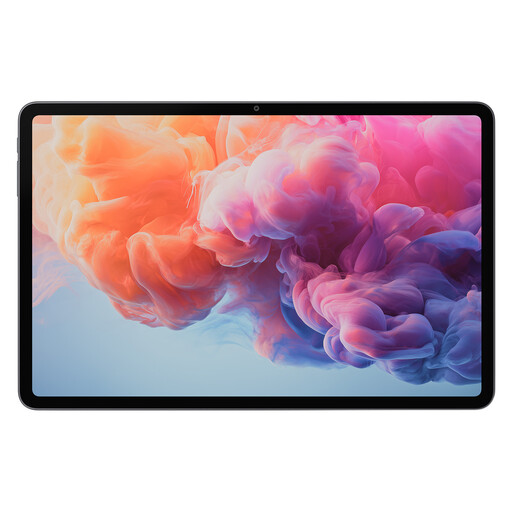
For games where you want to assess a larger screen and local storage, this variant lists a 12.1-inch display, MediaTek G100 processor and 128GB storage; check each game’s operating-system and offline requirements.
The listing states that the tablet is not waterproof and that a charger is not included. Keep it away from water and high humidity, and check that you have a compatible charger for the trip.
Not if your chosen games work offline after installation. Download and open them before departure; if a title needs authentication, streaming or another live connection, check that requirement rather than relying on campsite Wi-Fi or mobile coverage.
You can plan to use hook-up only if your pitch provides it and the site permits your setup. The Camping and Caravanning Club states that hook-ups on its Club Sites are nominally 230V, single-phase, 50Hz, with maximum ratings of 10A or 16A; check your individual pitch and its rules.
No. Samsung’s IP68 statement for the Galaxy Tab Active5 is based on freshwater submersion up to 1.5 m for up to 30 minutes; Samsung advises against beach or pool use. Check the conditions for the exact model and keep it sheltered when possible.
Keep the charger and tablet uncovered, and do not leave them continuously charging after the cycle finishes. The London Fire Brigade also advises using the supplied or a genuine branded replacement charger and avoiding damaged batteries.