
24/7 Customer Support

Free returns

Same-day & Next-day Delivery

Quality Guaranteed

Unlock Your Welcome Offers: FREE Delivery | Up to 80% OFF | Free 30-day JoyPlus trial
Download the APP
As a Joybuy Product Recommendation Officer, my role is to help you navigate the complex world of tech. The term "AI laptop" is everywhere in 2026, but what does it actually mean for your next purchase? Many are finding that their expensive new machine doesn't live up to the hype. This guide will break down the essential features of a true AI laptop and highlight common pitfalls to help you make a confident choice.
The market is filled with impressive-sounding specifications, but true performance lies in the details. Here are three frequent traps that UK buyers fall into, leading to disappointment and wasted money.
To ensure your new laptop delivers on its promises, focus on these non-negotiable technical standards.
The defining feature of a modern AI laptop is its Neural Processing Unit (NPU). As part of the Intel Core Ultra laptop architecture, the NPU is a specialised processor designed to handle AI and machine learning tasks with remarkable efficiency. Unlike a traditional CPU or GPU, it performs these tasks using significantly less power, which is crucial for extending battery life. For a Copilot+ PC, the NPU enables responsive, on-device AI features—from real-time language translation to advanced image editing—without needing a constant internet connection. When comparing models, verify the presence and capabilities of the NPU, as this is what separates a truly intelligent device from one that is merely "AI-branded".
For a top-tier gaming laptop 2026 or a professional creator laptop, the graphics card and display must work in perfect harmony. A powerful GPU like the NVIDIA GeForce RTX 5080 or even the flagship RTX 5090 laptop GPU can render incredibly detailed worlds and process complex visual data. However, this power is wasted if the display can't keep up.
Look for a screen with:
To avoid performance bottlenecks, your laptop's connectivity must match its internal power. A business laptop with Wi-Fi 7 offers multi-link operation, delivering higher speeds and dramatically lower latency than previous standards—a must for competitive online gaming and seamless streaming of high-resolution content. Furthermore, Thunderbolt 4 ports are essential for power users. A single Thunderbolt 4 port provides 40Gbps of bandwidth, enabling you to connect multiple 4K monitors, external high-speed SSDs and a wide range of other peripherals through a single cable, keeping your workspace clean and efficient.
Based on these critical criteria, we have matched several standout models to specific user needs.
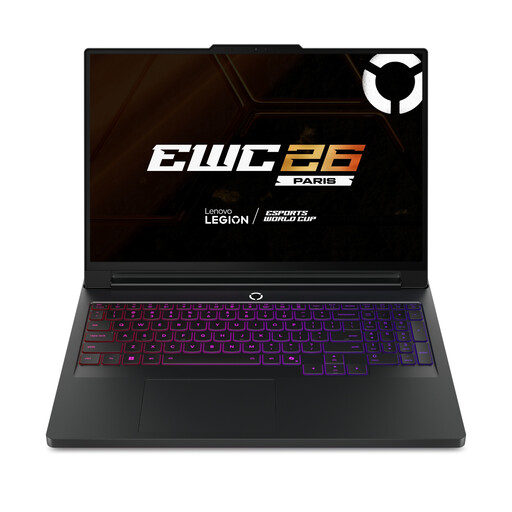
Why This Fits Their Persona: This user demands uncompromising performance for competitive gaming and heavy rendering tasks. The combination of a top-tier Intel Core Ultra 9 processor and the flagship NVIDIA GeForce RTX 5090 GPU provides desktop-replacement power in a portable form factor.
It directly counters the thermal throttling pitfall with its advanced Coldfront 5.0 Vapour Chamber cooling system, engineered to sustain peak performance under extreme load.
The 16-inch 240Hz WQXGA OLED display provides an ideal blend of speed and visual fidelity. It also includes Wi-Fi 7 and Thunderbolt 4 for future-proof connectivity.
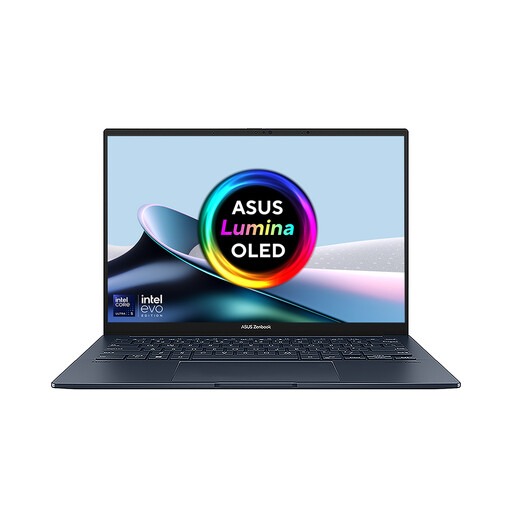
Why This Fits Their Persona: This user is a creative professional who juggles multiple applications and values screen real estate for multitasking. The dual-screen design is ideal for video editing timelines, reference material and communication apps simultaneously.
It avoids the "AI-Ready" sticker trap by incorporating a genuine Intel Core Ultra 7 processor with an integrated NPU, providing true on-device AI acceleration for creative workflows.
Its main advantage is the innovative dual 14-inch 3K OLED touchscreens, offering an expansive and flexible workspace. It also features Wi-Fi 7 and Thunderbolt 4, avoiding connectivity bottlenecks.
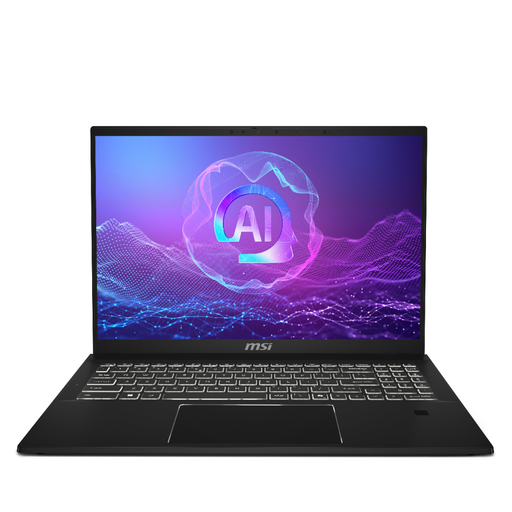
Why This Fits Their Persona: This professional needs a lightweight, secure and powerful machine for on-the-go productivity. They rely on AI-enhanced features for business tasks and require fast, reliable connectivity for remote work and travel.
It avoids the connectivity bottleneck by being one of the early adopters of Wi-Fi 7, ensuring ultra-fast and low-latency wireless performance for years to come. Its Intel Core Ultra platform also provides genuine NPU capabilities.
Its key advantage is the balance of power and portability. Weighing just 1.35 kg, it packs an Intel Core Ultra 7 processor, 32GB of RAM and a 16-inch QHD+ display into a highly mobile chassis.
We have compiled a complete, real-time list of products that fully satisfy these strict selection criteria and UK safety regulations.
For power users, yes. While many tasks can still be handled by the CPU and GPU, an NPU is significantly more efficient for sustained AI workloads. As more software—from video conferencing tools that blur your background to creative apps that generate content—is optimised for on-device AI, the NPU will become essential for responsive performance and longer battery life. It is a key component for future-proofing your investment.
For 2026, 32GB of RAM should be considered the standard for high-end gaming and creative work. While 16GB may suffice for general use and some gaming, 32GB provides the necessary headroom for running demanding games alongside other applications like streaming software, or for handling large files and complex timelines in video editing and 3D rendering. For the most extreme workloads, such as those handled by an RTX 5090 laptop, 64GB is becoming a more common and beneficial configuration.
Both are high-end graphics cards, but they target slightly different users. The RTX 5080 laptop GPU is designed for elite-level gaming at high resolutions and frame rates, offering exceptional performance for nearly all current and upcoming titles. The RTX 5090 laptop GPU is the flagship model, aimed at users who demand the absolute maximum performance possible. It typically offers more VRAM and higher core counts, providing a tangible advantage in 4K ray-traced gaming, complex 3D rendering and large-scale AI model training. The choice depends on whether you need top-tier performance (RTX 5080) or the ultimate, no-compromise power (RTX 5090).