
24/7 Customer Support

Free returns

Same-day & Next-day Delivery

Quality Guaranteed

Unlock Your Welcome Offers: FREE Delivery | Up to 80% OFF | Free 30-day JoyPlus trial
Download the APP
Are you tired of juggling stacks of paper notebooks, struggling to find important information and dealing with the eye strain that comes from staring at bright screens all day? For many professionals and students, the search for a more efficient and comfortable way to manage notes is a constant challenge. An AI note taking tablet offers a modern solution, blending the familiar feel of pen on paper with the power of digital organisation and artificial intelligence.
This guide is designed to help you navigate the key features of these innovative devices. We will explore what to look for in an e-ink writing tablet and present a few carefully selected options to help you find a device that fits your workflow, whether you're in back-to-back meetings, attending lectures or drafting your next big project.
Selecting the right digital notebook involves more than just looking at screen size. Here are a few practical points to consider before making a decision.
The screen is where you will spend all your time, so its technology is crucial.
The "AI" in an AI note taking tablet refers to a suite of smart features. Key functions to look for include:
Consider how and where you will use your device. A lightweight, slim tablet is ideal for commuting and moving between meetings. Also, check its software ecosystem. Does it run on a familiar operating system like Android? Can it sync notes with your phone or computer and does it integrate with essential apps like Google Calendar? A seamless connection between your devices is key to a productive workflow.
Here are a few recommendations that cater to different needs, from specialised writing tools to versatile all-rounders.

Why It Stands Out: The AINOTE 2 is a purpose-built AI note taking tablet designed for professionals and students who prioritise a focused writing and transcription experience. Its high-resolution E-Ink screen and advanced AI features make it a standout choice for productivity.
Pros:
Who is it for? This device is ideal for writers, academics and business professionals who need a dedicated, distraction-free tool for capturing notes, transcribing interviews and organising their thoughts without the eye strain of a traditional tablet.
View Details for iFLYTEK AINOTE 2
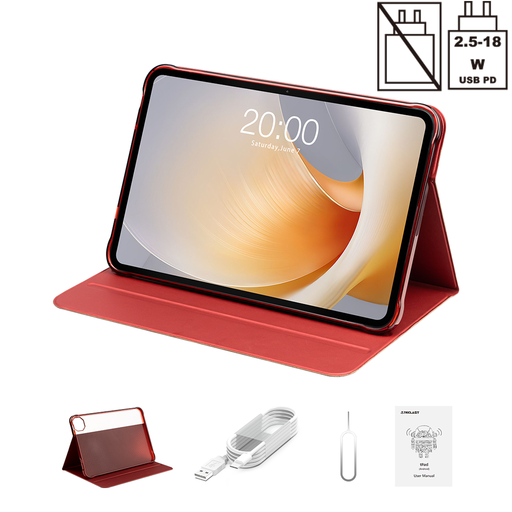
Why It Stands Out: The TECLAST T65 Plus is a versatile Android tablet that offers a large, fluid display and powerful performance for a wide range of tasks, including note-taking, media consumption and productivity.
Pros:
Who is it for? This tablet is suited for users who want a single, powerful device for both work and entertainment. While it doesn't have an E-Ink screen, its large display is great for taking notes with a compatible stylus, alongside watching films, browsing the web and using the full suite of Android apps.
View Details for TECLAST T65 Plus
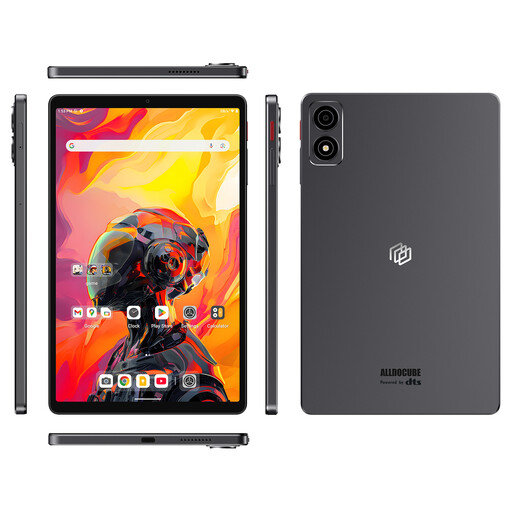
Why It Stands Out: The iPlay 70 mini Ultra packs impressive performance into a highly compact and portable frame, making it an excellent companion for users on the move.
Pros:
Who is it for? This is a great choice for those who prioritise portability above all else. It serves as an excellent smart notepad for work on the go, a convenient e-reader and a capable device for light productivity and entertainment.
View Details for ALLDOCUBE iPlay 70 mini Ultra
If these specific models don't quite match what you're looking for, there is a wider world of tablets to discover. Whether you need a different screen size, operating system or a specific feature set, you can find more choices in our broader collection.
1. What is the main advantage of an E-Ink tablet over a standard tablet for note-taking? The primary advantage is eye comfort. E-Ink screens are not backlit and have a matte, paper-like finish that reduces glare, making them much more comfortable for long reading and writing sessions. They also typically offer significantly longer battery life compared to tablets with LCD screens.
2. Can an AI note taking tablet replace my laptop for work? For many tasks, it can be a powerful supplement or even a replacement. A specialised e-ink writing tablet is excellent for note-taking, reading documents and drafting text in a distraction-free environment. However, for tasks requiring complex software, heavy multitasking or extensive typing, a traditional laptop remains more suitable. They are best viewed as complementary tools in a modern workflow.
3. Do I need an internet connection for the AI features to work? It depends on the feature. Core functions like handwriting and storing notes locally usually work offline. However, more advanced AI capabilities, such as real-time voice to text transcription, cloud synchronisation across devices and AI-powered summarisation, almost always require an active internet connection to process the data.