
24/7 Customer Support

Free returns

Same-day & Next-day Delivery

Quality Guaranteed

Unlock Your Welcome Offers: FREE Delivery | Up to 80% OFF | Free 30-day JoyPlus trial
Download the APP
An AI tennis ball machine can make solo practice more consistent, but the wrong model may become an expensive piece of equipment that stays in the shed. UK buyers should look beyond phrases such as “smart”, “professional” and “high speed” and check how the machine actually fits their court, playing level and training routine.
The main buying traps are often easy to overlook:
A suitable tennis practice machine should support repeatable drills while giving you enough control to progress from basic stroke consistency to movement and match-style exercises.
The speed range is one of the most important specifications, but it should be considered alongside spin, elevation and oscillation. Beginners usually need a manageable feed with a predictable bounce, while club players may want faster balls, topspin, backspin and wider placement.
The Lumistar Tero specification lists:
These figures indicate a broad adjustment range, although actual court performance can also depend on ball condition, court surface, positioning and battery charge. A high-speed tennis ball machine should therefore offer fine control rather than only a headline maximum.
A machine with preset drills can reduce setup time and make each session more structured. Look for separate modes for repetition, random movement and rally simulation.
The Lumistar Tero includes 259+ built-in drills, described as skill drills and combination drills for a range of NTRP levels. Its three listed AI modes are:
This type of smart tennis training machine may suit players who prefer guided sessions instead of manually changing settings after every few balls. However, buyers should confirm which drills are included as standard and whether additional features require a separate module or app update.
For UK users travelling between home courts, clubs and coaching sessions, portability matters. Check the machine’s dimensions, weight, carrying method, battery runtime and ball capacity together.
The Lumistar Tero has an all-in-one suitcase-style design, a listed main-unit weight of 9.96 kg, and a stated battery life of up to four hours. Its storage capacity is listed as approximately 80–100 balls, depending on the ball arrangement and model configuration.
Before using any automatic tennis ball machine, place it on a flat, stable, dry court. The supplied guidance advises against use in rain, snow, fog, hail, strong winds or extreme temperatures. Also check the app, firmware and wristband battery before a session. For UK purchases, verify the product’s electrical markings, supplied charger, warranty terms and responsible-person information before ordering.
The right choice depends less on marketing language and more on how often, where and why you will use it. The following options are arranged by practical user profile.
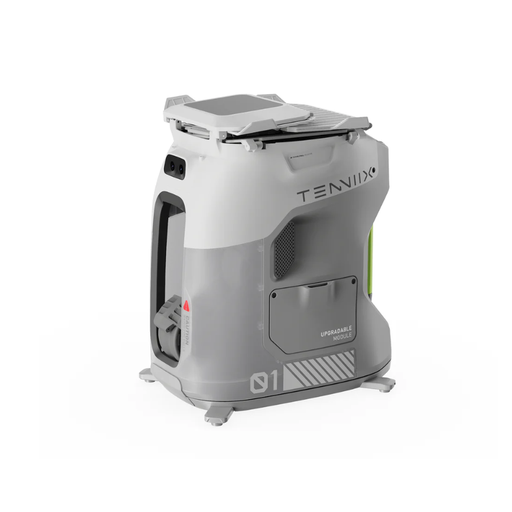
Why This Fits Their Persona: Its listed app and bracelet dual-control format gives new players two ways to operate a tennis coaching machine while developing an independent practice routine at a club or outdoor court.
The product title specifies app and bracelet control, helping buyers avoid a machine that relies only on manual adjustments. Confirm the included functions and compatibility before purchase.
Listed as an 8.5 kg machine with app and bracelet controls; the product title also specifies speeds up to 120 km/h.
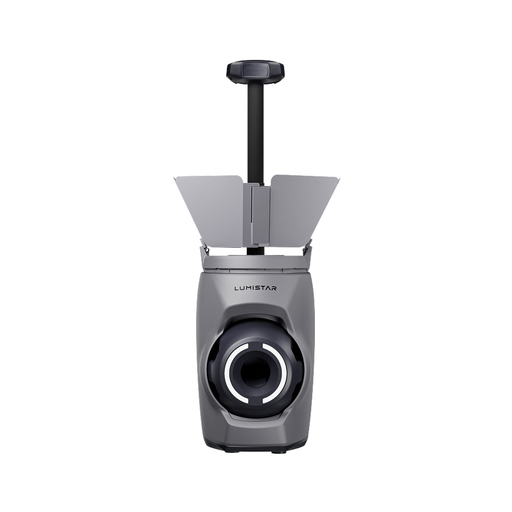
Why This Fits Their Persona: Players seeking detailed control may value its stated combination of preset drills, app adjustments, wristband voice control and performance reporting for planned sessions.
Its listed settings cover speed, spin, landing spots, ball groups and interval time, so buyers can assess specific controls rather than relying on the word “AI” alone.
259+ listed drills, three AI modes, up to 140 km/h, ±3600 RPM spin and a stated four-hour battery life.
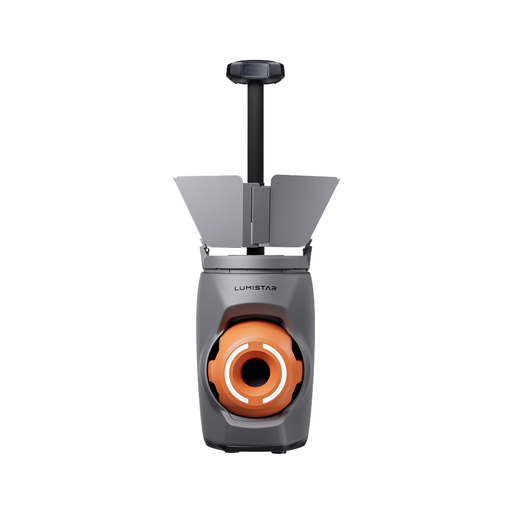
Why This Fits Their Persona: Coaches, academies and serious players can use the listed drill library and adjustable feed settings to create repeatable individual or group practice plans.
The design lists anti-jamming and anti-empty-ball functions, while the app and wristband allow adjustments away from the main unit. Users should still confirm firmware support and replacement-accessory availability.
All-in-one suitcase format, stated 80–100-ball storage, adjustable elevation and oscillation, plus sports-report functions.
To get more consistent results from a portable tennis ball machine, position it carefully. The Lumistar guidance recommends aligning the machine’s side markings with the court lines and, where applicable, the baseline centre line. A flat surface helps the unit remain stable and supports more predictable landing spots.
Use suitable, undamaged tennis balls and avoid mixing heavily worn balls with newer ones if you want more consistent feeds. Keep the machine dry, allow ventilation around the unit and use the supplied or approved accessories. App-connected products may also need occasional firmware updates, so check that your phone runs the required iOS or Android version before buying.
Yes, provided it offers low-speed settings, adjustable intervals and predictable placement. Beginners should start with slower feeds and shorter sessions before introducing spin, random locations or faster speeds.
The main running costs are electricity for charging, court hire and replacement tennis balls. Battery runtime affects convenience rather than necessarily determining total cost. A machine with a four-hour stated battery life may reduce interruptions, but actual runtime varies with speed, spin, temperature and usage.
Lifespan depends on storage, ball quality, weather exposure, charging habits and maintenance. Avoid rain and damp courts, inspect the machine before each session, keep software updated and follow the manufacturer’s instructions. Before ordering, check the warranty, UK support contact and availability of original accessories.