
24/7 Customer Support

Free returns

Same-day & Next-day Delivery

Quality Guaranteed

Unlock Your Welcome Offers: FREE Delivery | Up to 80% OFF | Free 30-day JoyPlus trial
Download the APP
AI translation earbuds can make multilingual conversations more convenient, but the product descriptions often tell only part of the story. A pair may advertise support for 150 languages, Bluetooth connectivity and “real-time” translation, yet still require a smartphone app, an internet connection or a particular conversation mode.
For UK travellers, international professionals, students and language learners, the right choice depends on how the earbuds work in everyday situations—not simply on the largest language number. This guide explains the main buying traps, the specifications worth checking and our top recommendations for different users.
A listing that says it supports 150 languages does not necessarily mean every language works in every mode or with identical performance. Translation may vary according to the app, language pair, pronunciation, background noise and internet connection.
Treat “about 150 languages” as a compatibility figure rather than a guarantee of perfect conversation. For important business, legal or medical discussions, confirm key information independently rather than relying solely on an AI translator headset.
Most Bluetooth translator earbuds depend on a dedicated mobile application. You may need to scan a QR code in the manual, install the app, pair the earbuds and select the source and target languages before use.
This matters when travelling abroad. A weak mobile signal, unavailable Wi-Fi or roaming restrictions could affect translation features. Check whether the product requires an internet connection and whether the app is compatible with your Android or iOS device before purchasing.
Translation earbuds are still audio products. If they feel loose, block too much outside sound or run out of charge during a long journey, the translation function becomes inconvenient.
Also check the stated protection level carefully. Sound isolation is not the same as waterproofing, while “water-resistant” does not usually mean suitable for swimming or prolonged exposure to rain. Keep charging cases and earbuds dry unless a clearly stated rating supports your intended use.
Look for practical modes such as two-way translation, speaker mode or free-talk mode. Two-way translation earbuds are designed for face-to-face exchanges, while speaker mode can suit short questions and answers. Automatic language detection may reduce manual settings, but it should not be treated as infallible.
Before a trip or meeting, download the supporting app, pair the earbuds through Bluetooth 5.4 or later, test the relevant languages and download any available updates. Some models marketed as Bluetooth translation earphones use the phone for processing, so the earbuds themselves may not perform translation independently.
For day-to-day travel, compare both single-charge playback and case capacity. Several products in this guide state around 5–7 hours of playback, while other wireless translation headphones offer different figures depending on calls, music, translation and noise control.
Battery performance can change with volume, app activity and connection conditions. A charging case is useful for commuting or sightseeing, but remember to charge it before leaving home. For long-haul flights or full working days, prioritise charging convenience and consider carrying a suitable USB charging cable.
In-ear designs can provide passive sound isolation, while ear-hook styles may feel more secure during walking or light activity. Touch control can make it easier to switch songs, answer calls or activate a translation mode, although accidental touches are possible.
If you also want music and calls, check audio hardware such as 13mm dynamic drivers, microphone count, multipoint pairing and supported Bluetooth codecs. These features do not automatically improve translation accuracy, but they can make the product more useful between conversations.
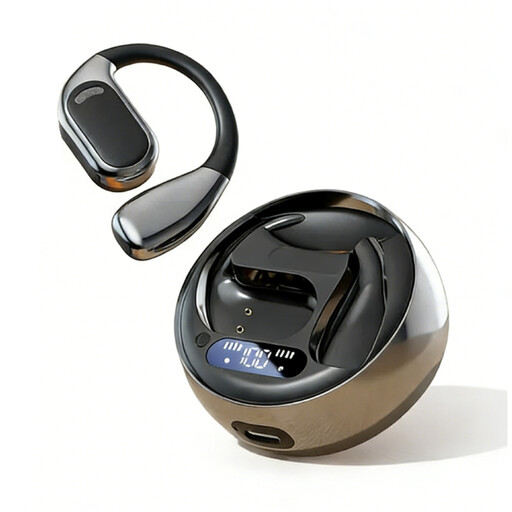
Why This Fits Their Persona: A straightforward option for first-time buyers who want translation earbuds for travel, study or occasional conversations without adding a bulky headset.
The listing clearly states that app download and in-app pairing are required, helping buyers plan setup before departure rather than expecting standalone translation.
Bluetooth 5.4, touch control, approximately 150 supported languages and stated 5–7-hour playback with a 300mAh charging case.
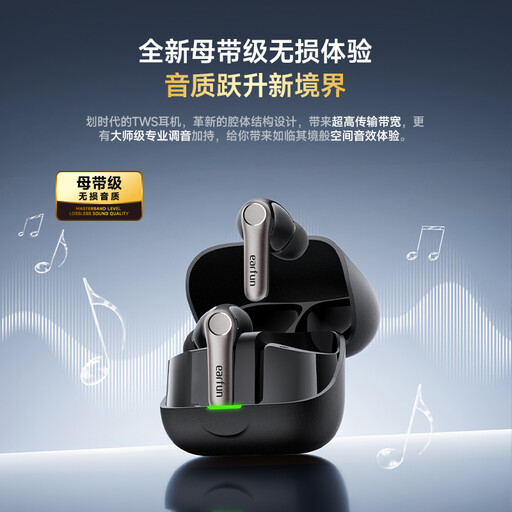
Why This Fits Their Persona: Suitable for buyers who want translation alongside advanced everyday audio for commuting, flights, meetings and entertainment.
The product information notes that translation requires an updated app and internet connection, so the feature is presented with practical conditions rather than as an offline guarantee.
Bluetooth 6.0, adaptive ANC, multipoint connectivity, IP55 resistance and app support for more than 140 spoken languages.
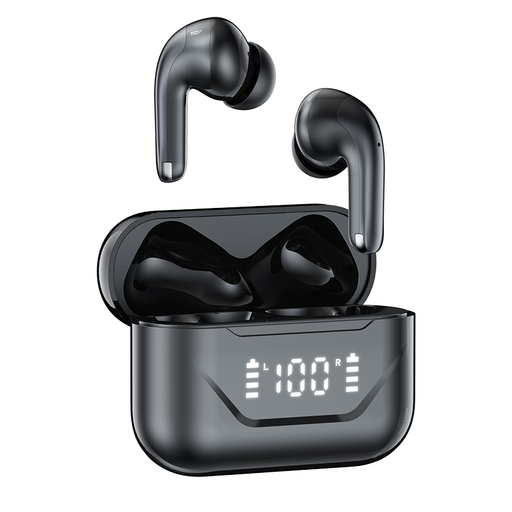
Why This Fits Their Persona: A practical match for international business users, commuters and students switching between calls, translation apps and learning content.
Its stated dual-device connection helps reduce repeated pairing when moving between a work phone, personal phone or tablet, while translation remains app-based.
Bluetooth 5.4, 13mm dynamic drivers, smart touch controls, two-way translation through the app and approximately 7–8 hours of music playback.
We have compiled a complete, real-time list of products that fully satisfy these strict selection criteria and UK safety regulations.
Use this checklist before travelling or attending a multilingual meeting:
Avoid using translation earbuds while driving, cycling or walking in places where full awareness is necessary. Keep volume at a comfortable level and follow the product’s care instructions.
Often, yes. Many real-time translation earbuds use a companion app and an internet connection to process speech. Requirements vary by model and language, so check the product listing and app information before relying on them overseas.
The products listed here state figures ranging from approximately 3.5 hours to around 7–8 hours, depending on the model and whether you are listening to music, taking calls or translating. Charging cases can extend overall use, but battery performance depends on volume, connection conditions and feature use.
They can assist with everyday conversations, introductions and informal discussions. However, translation can be affected by accents, specialist terminology, slang and background noise. For contracts, safety instructions or other high-consequence communication, use a qualified human interpreter or verify the meaning through a reliable secondary source.