
24/7 Customer Support

Free returns

Same-day & Next-day Delivery

Quality Guaranteed

Unlock Your Welcome Offers: FREE Delivery | Up to 80% OFF | Free 30-day JoyPlus trial
Download the APP
An AIO CPU cooler can help manage processor heat while adding a clean appearance to a gaming PC or workstation. However, choosing one based only on radiator size, fan speed or RGB lighting can lead to compatibility problems, unnecessary noise and disappointing value.
Before buying a liquid CPU cooler, check the specifications that affect everyday use: case clearance, CPU socket support, radiator dimensions, fan control and installation requirements. The following guide explains the main buying pitfalls and matches several options to different UK PC-building needs.
A 360mm AIO CPU cooler normally uses three 120mm fans and a radiator measuring roughly 360mm in length. In practice, the required installation space can be greater because of end tanks, fittings, fan frames and cable routing.
A case may list support for a 360mm radiator but only allow it at the front, or create clearance issues with the motherboard, graphics card or memory. A 240mm AIO liquid cooler is physically easier to accommodate, particularly in mid-tower and compact ATX cases.
Always check:
A higher quoted RPM does not automatically mean lower CPU temperatures. Fan design, radiator fin density, airflow, static pressure, pump operation and the case’s airflow layout also influence results.
For quieter CPU cooling, look for PWM fans that can adjust speed according to CPU temperature. Published noise figures should be treated as reference measurements rather than a guarantee of the sound level in your own room. Dust filters, fan curves, pump settings and ambient temperature all make a difference.
ARGB and RGB are not interchangeable. Most addressable lighting uses a 3-pin 5V ARGB header, while traditional RGB commonly uses a 4-pin 12V connection. Connecting the wrong type may damage the lighting circuit.
A cooler with a display may also require a USB connection, proprietary software or additional internal cable routing. Check the included controller, motherboard headers and software requirements before choosing a CPU cooler with display.
A 240mm radiator with two 120mm fans can suit mainstream gaming, office work and many productivity systems. It is also a practical choice when case space is limited.
A 360mm radiator with three 120mm fans provides more radiator surface area and can be a suitable match for sustained gaming, rendering, compiling or other demanding workloads. It may also allow a gentler fan curve in some builds, but the final result depends on the processor, case airflow and cooler design.
Do not select a 360mm unit solely for appearance. Confirm that the case supports the complete radiator-and-fan assembly.
Current buyers should verify support for their exact platform, not just the CPU brand. Products in this selection include compatibility with combinations of:
Mounting hardware can vary between revisions, so check the product listing and included bracket system before installation. A cooler designed for one socket may require a separate bracket for another.
Look for clear information about:
Sealed AIO systems are pre-filled and should not be opened or refilled. During installation, power off and unplug the computer, avoid bending radiator fins and inspect tubes and fittings for visible damage. Follow the manufacturer’s instructions on radiator orientation, as incorrect positioning can allow air to collect around the pump.
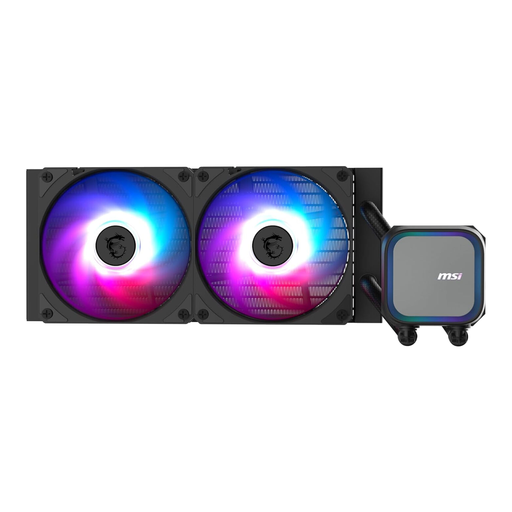
Why This Fits Their Persona: A 240mm format is practical for a first custom PC build, especially where a UK mid-tower has limited top or front clearance. It includes ARGB lighting and supports Intel LGA 1700/LGA 1851 plus AMD AM4/AM5 sockets.
Its listed 240mm radiator size avoids the space commitment of a 360mm model, while PWM support allows fan speed to respond to load rather than running constantly at full speed.
240mm aluminium radiator; two 120mm fans; 3-pin ARGB and PWM connections; supports four listed socket families.
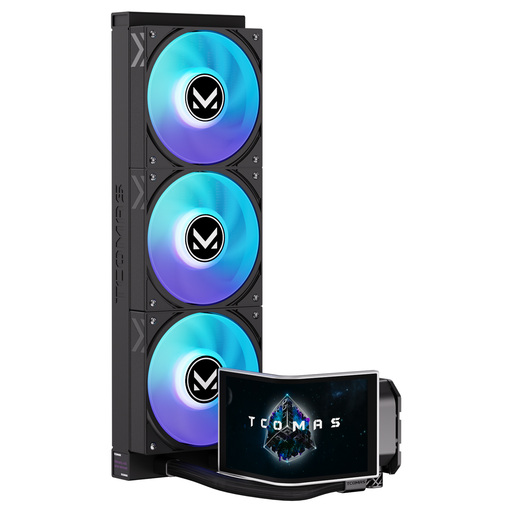
Why This Fits Their Persona: This suits builders who want a substantial radiator and a prominent visual feature for a showcase gaming PC or content-creation workstation. Its listed 6.67-inch curved AMOLED display supports customisable screen content.
The display is identified as a specific hardware feature rather than an implied cooling benefit. Buyers can check case clearance and connection requirements separately before purchase.
360mm radiator; curved AMOLED display; ARGB lighting; compatibility listed for Intel LGA 1851/LGA 1700 and AMD AM5/AM4.
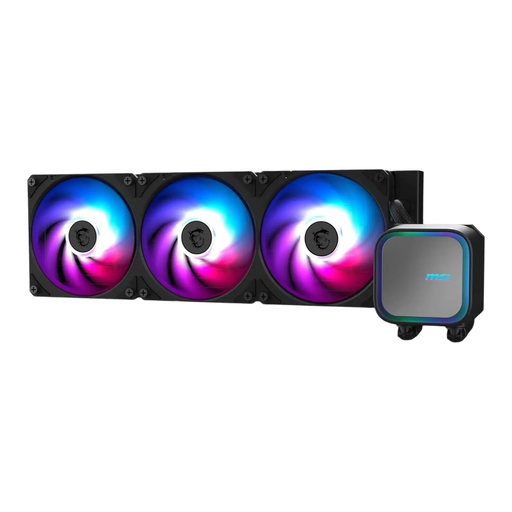
Why This Fits Their Persona: Three 120mm fans and a 360mm radiator are suited to builders prioritising sustained cooling capacity for demanding gaming, rendering or other prolonged workloads, provided the case supports the installation.
The recommendation is based on radiator and fan count, not an unsupported temperature promise. Its integrated pump design is listed as a feature intended to reduce noise transmission and improve durability.
360mm radiator; three-fan layout; integrated pump; addressable RGB lighting; designed for listed Intel and AMD sockets.
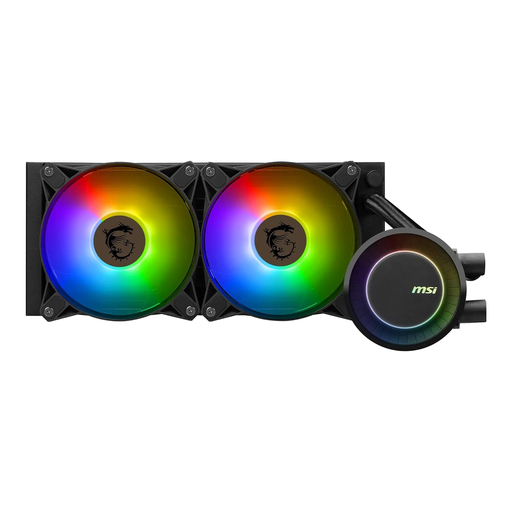
Why This Fits Their Persona: This 240mm option combines a smaller installation footprint with ARGB lighting that can synchronise through MSI Mystic Light, making it suitable for a visually coordinated gaming PC.
The listing provides practical details including two PWM fans, a 240mm aluminium radiator and a stated noise level of no more than 30 dBA. Buyers can compare these figures with their case and fan-curve preferences.
500–2000 RPM PWM fan range; ARGB and Mystic Light compatibility; pre-applied thermal paste; five-year warranty listed.
An AIO is usually easier to install than a custom water-cooling loop because it arrives sealed and pre-filled. It still contains a pump, fans and electronic connections, so it is not maintenance-free in every sense. Clean dust from the radiator and fans periodically using appropriate, non-liquid methods, and monitor unusual pump noise or temperature changes.
Electricity use depends on pump speed, fan speed, lighting and daily operating hours. ARGB lighting adds a small load, while aggressive fan curves can increase both noise and consumption. For a quieter setup, connect PWM fans to suitable motherboard headers and configure a gradual temperature-based curve in BIOS or the relevant control software.
Neither size is automatically right for every system. A 240mm cooler is easier to fit and can suit many gaming builds. A 360mm model offers a larger radiator and three-fan configuration for users with a compatible case and sustained heavy workloads. Check processor power limits, case clearance and airflow before choosing.
Lifespan varies with pump, fan and tubing design, usage and operating conditions. Fans can generally be replaced more easily than the sealed liquid loop. Inspect the unit for unusual noise, visible damage or rising temperatures, and follow the manufacturer’s warranty and maintenance guidance.
The pump and fans consume considerably less power than the CPU or graphics card, although the exact amount depends on the model and speed settings. RGB or display functions add to the total. PWM control and sensible lighting settings can help limit unnecessary operation.
We have compiled a complete, real-time list of products that fully satisfy these strict selection criteria and UK safety regulations.