
24/7 Customer Support

Free returns

Same-day & Next-day Delivery

Quality Guaranteed

Unlock Your Welcome Offers: FREE Delivery | Up to 80% OFF | Free 30-day JoyPlus trial
Download the APP
An AIO CPU cooler can make a high-performance desktop easier to manage, but choosing one based only on radiator size or RGB lighting can lead to an expensive mismatch. UK PC builders should check cooling capacity, socket support, case clearance and installation requirements before placing an order.
A liquid CPU cooler for a gaming PC is not automatically suitable for every processor or chassis. A 360mm radiator may offer more fan area than a 240mm model, but it also needs additional mounting space. Meanwhile, an air CPU cooler can be more straightforward for users who prioritise simplicity and low maintenance.
A 360mm AIO CPU cooler normally uses three 120mm fans and a radiator measuring roughly 360mm in length, before allowing for the radiator thickness, fan frame and mounting clearance. Some cases support a 360mm radiator only at the front, while others allow it on the top.
Before buying, check:
A 240mm AIO liquid cooler is often easier to install in mid-tower and compact ATX cases. It uses two 120mm fans and can provide a practical balance for mainstream gaming and productivity systems.
Noise figures are usually measured under defined conditions, which may not reflect your room, fan curve or case airflow. Pump noise, fan motor noise and vibration can all affect the final result.
Look for products with:
A “quiet CPU cooler” should be judged alongside your CPU power level and fan curve. A cooler may be quiet at light loads but become more audible during rendering or extended gaming sessions.
A CPU cooler with display can show temperatures, animations or system information, but the screen may require an internal USB connection and additional software. Check whether your motherboard has a spare USB 2.0 header and whether the display’s controls work with your operating system.
ARGB lighting also needs the correct 3-pin 5V ARGB header. It should not be connected to a 12V RGB header, as the different electrical standards are not interchangeable.
Confirm the cooler supports your exact platform rather than relying on a general “Intel” or “AMD” label. Current product specifications may include Intel LGA 1851, LGA 1700, LGA 1200 and older sockets, alongside AMD AM5 CPU and AM4 support.
For a new AMD Ryzen CPU, check both the AM5 mounting system and your motherboard model. For Intel systems, verify LGA 1851 or LGA 1700 compatibility where applicable. A compatible bracket is essential for even cold-plate contact and secure installation.
A 240mm unit may suit a mid-range processor and many gaming systems. A 360mm model offers a larger radiator and three fans, which can be useful for sustained high-performance CPU cooling, heavy multitasking and demanding content-creation workloads.
However, radiator size is only one part of the equation. Fan speed, radiator thickness, pump design, case ventilation and the processor’s power behaviour also influence temperatures and noise. For example, the AMD Ryzen 9 9950X has a stated 170W default TDP and does not include a cooler, so a high-capacity aftermarket solution is appropriate.
AIO units arrive pre-filled and are generally designed as closed loops, but they still contain a pump, tubing and coolant. Before installation, power off and unplug the PC. Fit the correct mounting hardware, tighten the block evenly and connect the pump and fans to the appropriate motherboard headers.
Check tubing and fittings during installation, and monitor CPU temperature after the first boot. Keep the radiator and fans free from dust. An air cooler has fewer components that can fail, which may make it more suitable for a long-term, low-maintenance build.
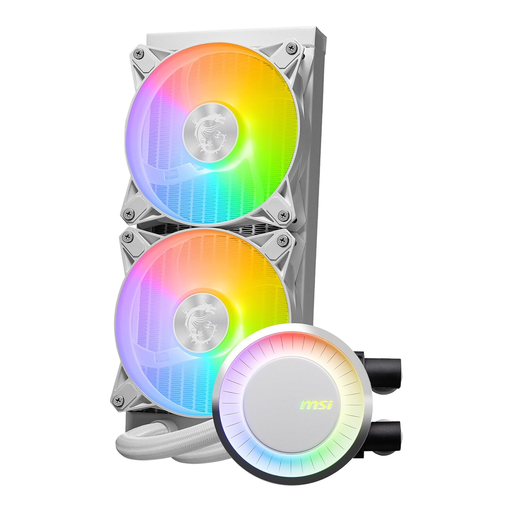
Why This Fits Their Persona: A 240mm format is suitable for builders with a compatible mid-tower case who want liquid cooling and ARGB styling without moving to a larger 360mm installation.
Its stated compatibility includes Intel LGA 1700 and AMD AM5/AM4, while the specifications identify PWM fans and a 240mm radiator.
Two 120mm fans, ARGB lighting and a white finish; the listed noise level is up to 27.6 dBA under its stated test conditions.
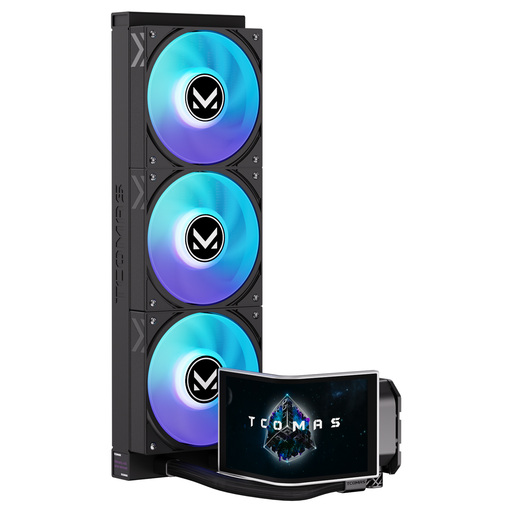
Why This Fits Their Persona: Suitable for showcase builds where a large radiator and configurable visual features are part of the design brief.
The product specification identifies Intel LGA 1851/1700 and AMD AM5/AM4 support, helping buyers check compatibility before focusing on appearance.
360mm radiator format; 6.67-inch curved AMOLED display with customisable screen content and ARGB lighting.
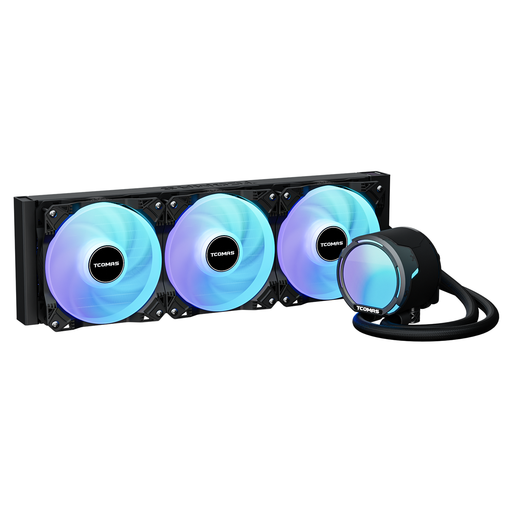
Why This Fits Their Persona: A practical match for users building systems around demanding CPUs, extended workloads or manual tuning, provided the case accepts a 360mm radiator.
The listing provides measurable fan information instead of relying only on appearance, including 2,500 RPM PWM fans, 81.8 CFM airflow and 3.2 mmAq pressure.
360mm radiator, three-phase pump and support for Intel LGA 1851/1700 and AMD AM5/AM4.
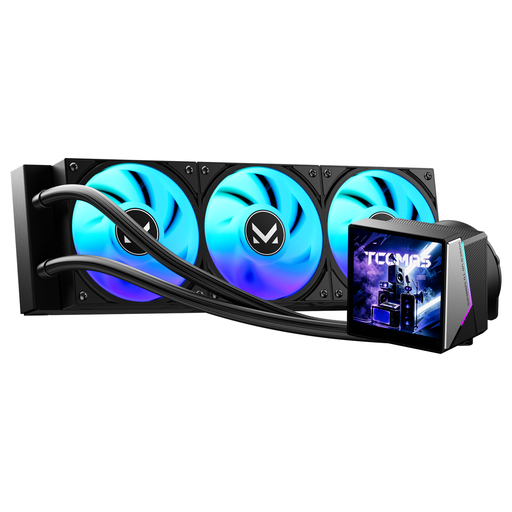
Why This Fits Their Persona: Designed for builders who want a large-format cooler with an information display and coordinated lighting in a visual gaming setup.
The product name states its socket coverage, so buyers can verify Intel LGA 1851/1700 or AMD AM5/AM4 support before ordering.
3.95-inch IPS display pump head, dynamic ARGB lighting and a 360mm radiator.
We have compiled a complete, real-time list of products that fully satisfy these strict selection criteria and UK safety regulations.
Choose an AIO when you need a clean visual layout, a larger radiator for sustained workloads, or features such as an ARGB CPU cooler or display. Confirm that you are comfortable routing radiator tubes and connecting pump, fan, ARGB and USB cables.
An air CPU cooler can be a sensible alternative for simpler gaming, office and productivity builds. The Cooler Master COOL Hyper 212 Pro, for example, uses four 6mm copper heatpipes, a 120mm PWM fan and supports processors in the stated 65–150W range. Its listed 19–30 dBA noise range and compact 154 × 116 × 79mm dimensions make case and motherboard clearance easier to assess.
It requires more steps than a basic air cooler. You need to mount the radiator, secure the CPU block, connect pump and fan headers, and possibly connect ARGB or USB cables. Always follow the supplied instructions and check temperatures after the first boot.
Lifespan varies with pump design, usage, dust levels and manufacturer support. The loop is sealed, so users should not normally refill it. Inspect tubes, fittings and the pump area periodically, and replace the unit if you notice unusual noise, visible damage or signs of leakage.
Usually, a 360mm unit has an additional fan, so its total fan power can be higher. Actual running cost depends on fan speed, pump consumption, daily usage and your electricity tariff. Using a sensible PWM curve can reduce unnecessary fan speed during light workloads.