
24/7 Customer Support

Free returns

Same-day & Next-day Delivery

Quality Guaranteed

Unlock Your Welcome Offers: FREE Delivery | Up to 80% OFF | Free 30-day JoyPlus trial
Download the APP
An AIO liquid CPU cooler can help manage processor heat while giving a desktop build a cleaner appearance than a large tower heatsink. However, selecting the right model involves more than comparing radiator size, fan count or RGB effects.
UK PC builders commonly encounter three purchasing traps:
The following points can help you compare a 240mm AIO cooler, a 360mm AIO cooler and other liquid CPU cooler formats with fewer surprises.
A 240mm radiator usually uses two 120mm fans, while a 360mm radiator generally uses three 120mm fans. The radiator itself is also thicker than a standard case fan, so measure the available mounting area rather than relying only on the case’s advertised fan support.
Before purchasing, check:
A 240mm AIO cooler is often easier to accommodate in compact or mid-sized cases. A 360mm model can provide more radiator surface area and an additional fan, which may suit higher sustained workloads, provided the chassis supports it.
Socket support must match both the processor and the mounting hardware supplied with the cooler. Current platforms commonly include:
For example, the MSI MAG CORELIQUID A13 240 lists support for LGA 1700, LGA 1851, AM4 and AM5. Always check the exact product specification and included bracket before installation, particularly when reusing a cooler across different PC generations.
A cooler may include separate pump, fan and lighting cables. Confirm that your motherboard has the appropriate headers and that the cable lengths suit your case layout.
Useful specifications include:
Copper cold plates are commonly used to transfer heat from the CPU, while aluminium radiators help keep the overall design practical and lightweight. A sealed AIO should not be opened or refilled by the user.
A 240mm liquid CPU cooler can suit mid-range gaming PCs, productivity systems and cases where space is limited. Two 120mm fans may also be easier to balance for noise and airflow in a smaller chassis.
A 360mm AIO cooler is more appropriate when the case has the required mounting space and the processor will regularly run demanding workloads such as rendering, compiling, simulation or extended gaming sessions. The additional radiator area does not remove the need for good case airflow, correct fan orientation and sensible fan curves.
Lighting should be treated as an aesthetic feature rather than a measure of thermal capability. An ARGB CPU cooler or RGB CPU cooler can coordinate with compatible motherboard software, but the lighting connection is separate from cooling performance.
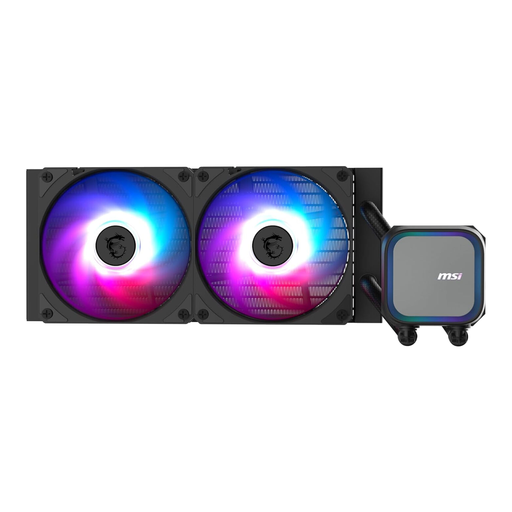
Why This Fits Their Persona: Its 240mm radiator and two 120mm fans suit many compact and mid-sized gaming or productivity cases, while support for Intel LGA 1700/1851 and AMD AM4/AM5 covers several current desktop platforms.
The product specification states its 240mm radiator dimensions as 27.7cm wide, 12cm deep and 2.7cm high, making case measurement straightforward before purchase.
Integrated radiator pump, PWM support, copper base plate and addressable multi-colour lighting.
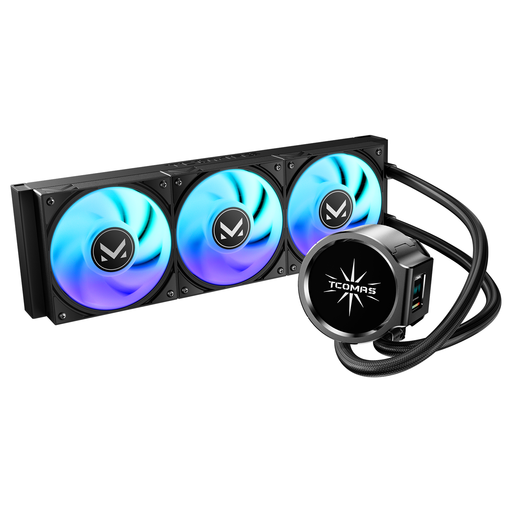
Why This Fits Their Persona: The dual-screen pump design and ARGB fans are suited to builders who want their cooler to become a visible part of a showcase gaming PC.
It is listed for Intel LGA 1851/1700 and AMD AM5/AM4, helping buyers avoid selecting a visually appealing cooler with the wrong socket bracket.
360mm radiator format and dual-screen pump presentation with ARGB fan lighting.
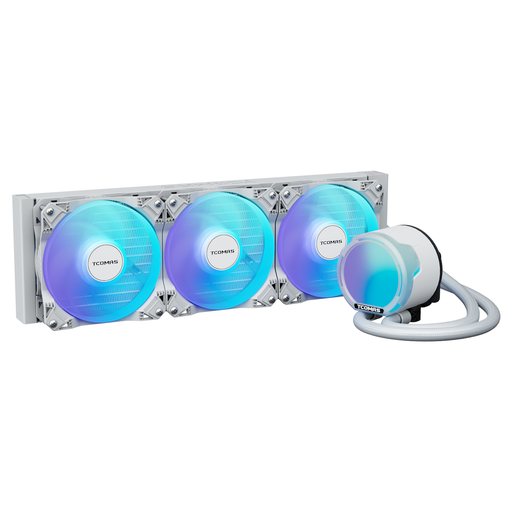
Why This Fits Their Persona: A 360mm format with three 2500RPM PWM fans, 81.8CFM airflow and 3.2mmAq pressure is aimed at powerful builds handling extended gaming, rendering or other sustained workloads.
Its listed specifications make the fan performance easier to evaluate than relying solely on a general “high performance” label.
Supports LGA 1851/1700/1200/115X and AM5/AM4, with full-cover ARGB lighting.
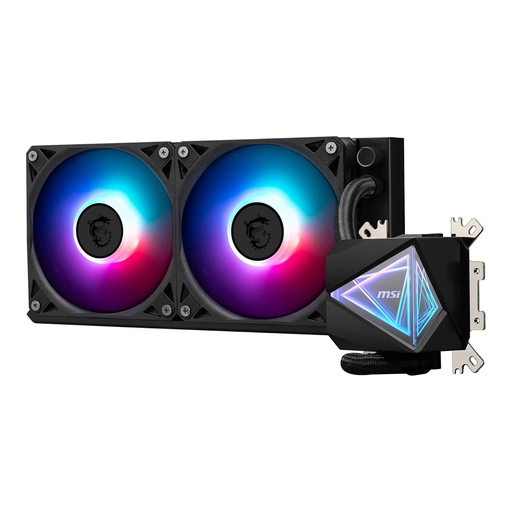
Why This Fits Their Persona: The 240mm layout is designed for users who need liquid cooling and ARGB customisation without moving to a larger 360mm chassis arrangement.
The product lists compatibility with LGA 1700, LGA 1200, AM4 and AM5, plus installation guidance for 240mm top, front or side mounting.
Copper base, PWM fan control, pre-applied thermal paste and a stated pump noise level of 20 dB.
We have compiled a complete, real-time list of products that fully satisfy these strict selection criteria and UK safety regulations.
Before fitting a CPU water cooler, shut down the computer, unplug it from the mains and discharge static electricity safely. Install the radiator and fans according to the case airflow plan, then secure the pump block evenly over the CPU.
Keep the following in mind:
A liquid cooler may operate for several years, but lifespan depends on pump wear, fan bearing condition, dust levels, operating temperatures and warranty terms. Clean dust from the radiator and fans with the PC powered off, and investigate unusual noise or temperature changes promptly.
A 240mm model can suit many mid-range and performance gaming systems, particularly when the case has good airflow and the processor is operated within its normal power limits. More demanding CPUs or sustained rendering workloads may justify considering a 360mm AIO cooler, provided the case supports it.
Not automatically. An AIO combines pump noise with fan noise, whereas an air cooler generally uses fans only. Look at the pump and fan specifications, then configure a sensible PWM curve. A low pump noise figure should not be interpreted as the total sound level of the completed PC.
Power consumption varies by pump, fans and lighting. The cooler’s specification may list separate pump and fan wattage, while ARGB lighting adds a relatively small additional load. The graphics card and CPU usually account for a much larger share of a gaming PC’s electricity use.