What to check before buying
Start with access to the reservation and your provider’s contact options. Then check the mobile connection you will use and whether the screen and charging setup suit the journey to collection.
| Concern |
What to check |
Who this matters to |
| Booking access |
Check your rental provider’s app or website requirements and sign in before travelling. Keep the booking reference and branch contact details accessible. |
If I need to find my pickup time or contact the branch while moving through the airport, reliable access to the reservation comes first. Around 42% of consumers would put booking access first. |
| Travel connectivity |
Check destination coverage and roaming terms with your provider. For a second line, confirm the exact handset variant and carrier support the intended SIM or eSIM setup. |
When I travel abroad, I need booking messages and mobile data to work without losing access to my usual number. For around 33% of consumers, that connection is the primary concern. |
| Screen and power |
Compare display specifications for the exact model and check its charging standard and box contents. Treat stated battery figures as specifications, not a travel-day guarantee. |
After a long journey, I still need to read the confirmation and directions before collecting the car. Screen readability and keeping the phone powered would come first for around 25% of consumers. |
Phones for booking access
These Joybuy smartphones offer different combinations of screen size, stated battery capacity and SIM arrangements for accessing a car-hire booking while travelling. Check your rental provider’s app requirements and your intended carrier before selecting a model.
 No image available
Google Pixel 9a, 128 GB, Obsidian
Consider this unlocked Pixel if you want to keep your usual number available while arranging travel data; confirm the SIM setup with your carrier. Google advertises a 30+ hour battery for Pixel 9a, but actual endurance depends on use.
View on Joybuy
 No image available
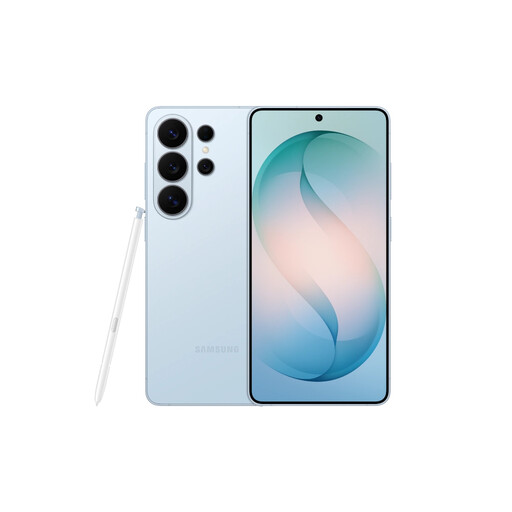
Samsung Galaxy S26 Ultra, 12GB, 256GB, Sky Blue
This is an option if you want a Galaxy handset for booking and branch-contact access. The selected variant is Sky Blue with 12GB and 256GB; check your rental app, intended mobile network and charging arrangement for this exact model.
View on Joybuy
 No image available
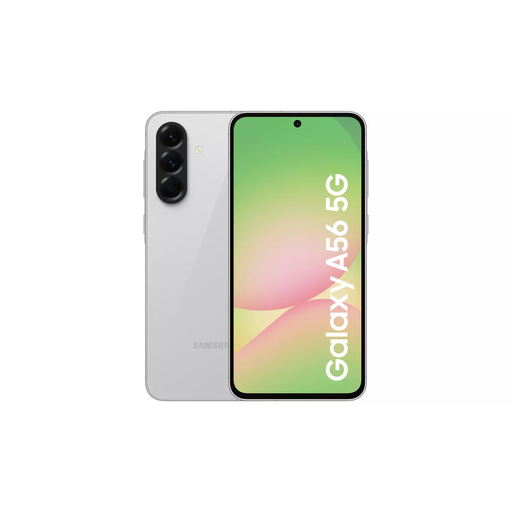
Samsung Galaxy A56 5G, 8GB, 128GB, Light Grey
Consider the Galaxy A56 5G if you prefer a larger screen for reservation details. Samsung specifies a 6.7-inch display, a 5,000 mAh typical battery and 45 W charging support for this model; it says a travel adapter is not included.
View on Joybuy
 No image available
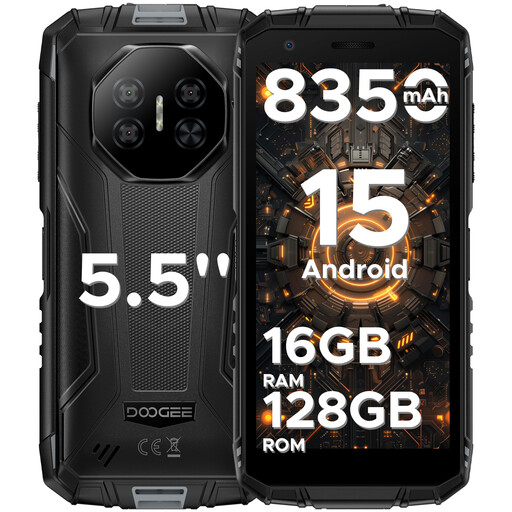
DOOGEE Fire 3 Pro Android 15, 16GB+128GB
Its stated 5.5-inch HD+ display may suit you if you prefer a smaller screen for checking a reference or contact number. The product name specifies a 4G dual-SIM setup, an 8,350 mAh battery and 18W charging. Check network compatibility and outdoor legibility for your intended use; battery capacity does not establish travel-day endurance.
View on Joybuy
 No image available
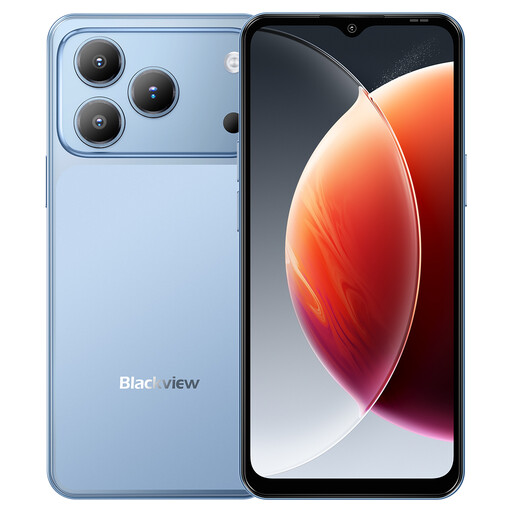
Blackview Wave 7C Android 16, 128GB, Blue
This model has a stated 6.56-inch display for viewing booking information. Its product name specifies 4G dual-SIM support and a 5,000 mAh battery; confirm carrier compatibility and assess the screen for the bright conditions in which you expect to use it.
View on Joybuy
Common questions
Can my phone replace the documents needed to collect a hire car?
Do not assume it can. Enterprise Rent-A-Car UK says it requires a valid driving licence, ID and a credit or debit card, and does not accept digital licences. Check your actual rental provider’s collection terms before travelling.
What should I set up before reaching the rental desk?
Make sure you can sign in and retrieve your booking reference and confirmation email before you travel. If you plan to use an app, check its requirements and available functions; Enterprise says its app can show rental times, directions, changes and support contacts, but other providers may differ.
Do I need eSIM or dual-SIM for an airport booking?
Not for every trip. It is worth considering if you need travel data while retaining access to your usual number for calls or booking messages. Google says eligible Pixel phones support a physical SIM and eSIM; simultaneous use of two eSIM profiles requires an eligible Pixel 7-or-later model and carrier support.
What should I check before using mobile data abroad?
Check your provider’s destination coverage, roaming terms, allowances and spend controls before departure. Ofcom warns that roaming can incur extra charges; a phone’s eSIM capability does not determine the terms of your mobile plan.
Will a fast-charging phone come with a suitable plug?
Not necessarily. Samsung says a travel adapter is not included with the Galaxy A56 5G. Check the box contents and charging standard of the exact phone you choose before relying on an existing plug for a short airport top-up.


