What matters when buying?
For airport tram checks, decide how you will reach current operator information before choosing a screen size and charging setup.
| Concern | What to check | Who this matters to |
|---|
| Connection away from Wi-Fi |
Check the exact variant for cellular support, compatible mobile networks and the data plan it requires. |
If I need to check a route after leaving Wi-Fi coverage, I want the tablet to have its own way online. Around 31% of consumers put independent connectivity first. |
| Current service information |
Check your tram operator’s update channels and whether you can use them on the tablet. |
When a tram is delayed or diverted, I need the operator’s current information to adjust my journey. For around 31% of consumers, access to service updates is the primary concern. |
| Carrying and reading |
Compare the exact model’s dimensions and weight, and consider whether you will check routes while moving or plan while seated. |
With luggage to manage, I want to bring up a route without struggling to hold the screen. Around 23% of consumers place carrying convenience first. |
| Power for the journey |
Check the battery claim’s test conditions, charging connection and whether the charger you need is included. |
After a flight and transfer, I need the tablet to stay usable when it is time to find the tram. Keeping it powered is the leading need for around 15% of consumers. |
Joybuy tablet choices
These tablets offer different screen sizes and listed connectivity options for checking tram information. Choose by the connection you can use during your transfer, then check whether the size works with your luggage and route-planning habits.
 No image available
TABWEE W90 11-inch 4G tablet, 256GB
Consider this listed cellular option if you want an 11-inch screen for route pages and need data away from Wi-Fi. The title specifies Android 16, dual 4G SIM support and 256GB storage; check UK network compatibility and your data plan before relying on it for live updates.
Confirm the battery specification and expected runtime for your journey before buying.
View on Joybuy
 No image available
Samsung Galaxy Tab A11+ 11-inch 128GB Wi-Fi, Grey
Consider this 11-inch Wi-Fi model for reading route pages when you can use airport Wi-Fi or a phone hotspot. Its title specifies 128GB storage; live updates away from Wi-Fi need another connection.
View on Joybuy
 No image available
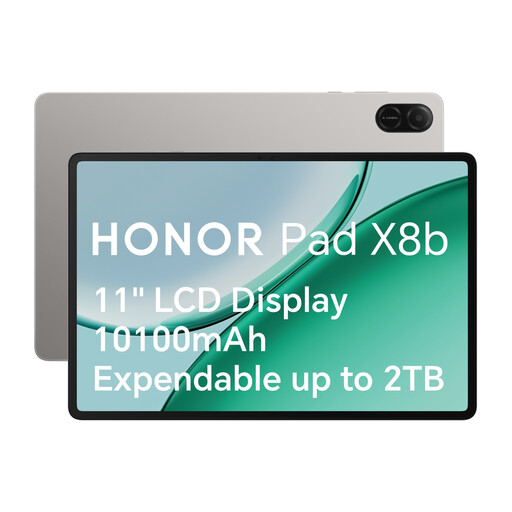
HONOR Pad X8b 128GB, Space Grey
Consider this 128GB tablet for viewing saved travel details and route information when you have a connection. If you need live updates without Wi-Fi or a phone hotspot, confirm the exact model’s cellular configuration before choosing it.
View on Joybuy
 No image available
TECLAST T70 2025 Edition 14-inch 4G tablet
The listed dual-SIM 4G LTE support may suit live route checks if you have a compatible plan and coverage. The title specifies a 14-inch 1920 × 1200 display, Android 15 and 256GB storage; consider whether a screen this size suits a luggage-heavy transfer.
Check UK network compatibility and the exact version before relying on its mobile connection.
View on Joybuy
 No image available
TECLAST ArtPad Pro 2025 Edition 12.7-inch 4G tablet with stylus
Consider the 12.7-inch 2K screen if you expect to read maps and timetable pages while seated. The title specifies dual-SIM 4G LTE, Android 15, 256GB storage and an included stylus; check UK network compatibility and the tablet’s dimensions if you will carry it between stops.
View on Joybuy
Common questions
Can a Wi-Fi-only tablet check airport tram routes?
Yes, if it can connect through Wi-Fi or a phone hotspot when you need current information. Google Maps Help says downloaded areas do not provide offline transit directions, so a saved map alone will not provide tram routing or live disruption updates.
When is a cellular tablet worth considering for tram travel?
Consider one if you need live operator updates after leaving Wi-Fi coverage and cannot depend on phone tethering. Check the exact tablet variant, network compatibility, mobile-data plan and coverage along your journey.
Will an offline map help if the tram service changes?
An offline map is not a substitute for current tram-service information: Google Maps Help says transit directions are unavailable offline. Save useful addresses and route details beforehand, but check your operator’s live channels for disruptions when you can connect.
What should I check before travelling with a tablet by air?
Check your airline’s instructions for carrying and using electronic devices, and keep the tablet charged for your journey. Follow crew instructions on board rather than assuming the same usage rules apply throughout the trip.


