
24/7 Customer Support

Free returns

Same-day & Next-day Delivery

Quality Guaranteed

Unlock Your Welcome Offers: FREE Delivery | Up to 80% OFF | Free 30-day JoyPlus trial
Download the APP
Buying an AI tennis ball machine can make solo practice more convenient, but the product descriptions often focus on headline figures rather than day-to-day usability. A launcher that reaches a high speed may still be unsuitable if it is difficult to move, has limited battery life or cannot produce the drills you actually need.
For UK players, court access, changing weather and storage space also matter. The right smart tennis ball machine should match your playing level, training goals and practical routine—not simply carry the longest feature list.
AI is used inconsistently across the category. Some machines use the term to describe preset drills or app-based adjustments, while others include features such as camera vision, wearable tracking or adaptive feeding. Check exactly what is included in the package.
A “vision module shipped separately”, for example, may mean that real-time tracking is not available from the standard unit. Also confirm whether voice control requires a separate bracelet or wristband.
A top speed figure is only one part of a training machine’s performance. Beginners may need slower, repeatable feeds, while advanced players may prioritise spin, elevation, oscillation and changing landing positions.
A tennis ball launcher with a wide adjustment range is generally more flexible, but only if the controls allow you to set suitable intervals and ball placement. Consider whether the machine can support controlled forehand drills, backhand repetition, movement practice and match-style variation.
A heavy machine can become inconvenient if you need to carry it from a car park to a court. Hopper capacity also affects how often you stop to reload. Meanwhile, battery claims can vary according to speed, spin, temperature and usage.
For British conditions, check the operating guidance carefully. Machines should generally be used on a flat, dry court and protected from rain, standing water, strong wind and extreme temperatures. Indoor use may be practical, but only where there is sufficient clearance and appropriate permission.
Look for clearly stated adjustment ranges rather than vague terms such as “realistic” or “professional”. Useful specifications include:
A tennis training machine that offers these controls can be used for technical repetition as well as more demanding practice sessions.
A larger hopper reduces interruptions, particularly during coaching sessions or structured solo workouts. Models in this guide list capacities ranging from approximately 80–100 balls to more than 100, although actual capacity depends on ball size and loading arrangement.
For regular UK court use, also check:
App control is useful when you want to change speed, spin, landing areas or intervals without walking back to the machine. Voice control can be convenient during a session, but confirm the activation method, supported phone system and whether a wristband is included.
Do not assume that every app offers performance analysis. Some provide basic parameter control, while others list motion reports, drill records or camera-based tracking. Read the supplied specification and product documentation before paying extra for a feature that may require an upgrade.
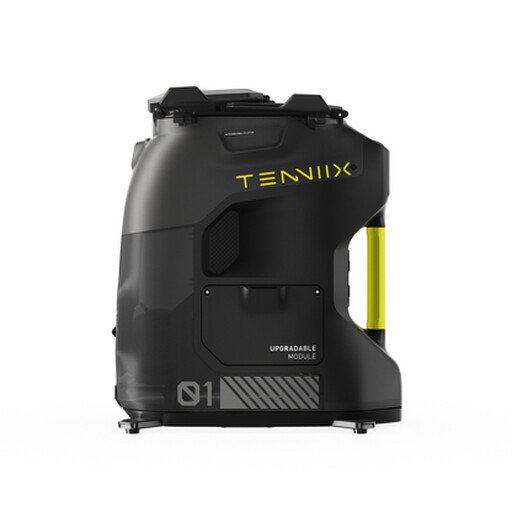
Why This Fits Their Persona: Its portable 18.7 lb design and approximately four-hour playtime suit beginners who want structured practice without transporting a bulky club machine around UK courts.
The listed smart feeding system holds 100+ balls and supports speed, spin and trajectory adjustment, rather than offering only one repetitive feed.
App and voice control are listed, alongside an LED display, swappable battery and more than 100 customisable training modes.
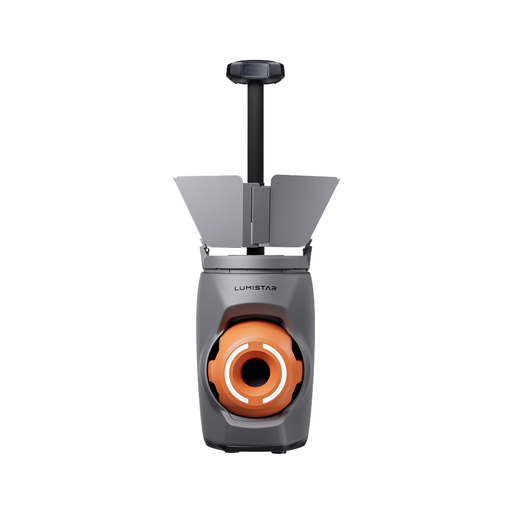
Why This Fits Their Persona: Players, coaches and academies seeking detailed drills and hands-free operation may value its app, wristband and suitcase-style transport format.
Its listed 259 preset drills, three AI modes and adjustable landing spots provide more detail than a basic fixed-direction tennis practice machine.
Specifications list speeds from 20–140 km/h, spin of ±3600 RPM, 80–100-ball storage and approximately four hours of battery life.
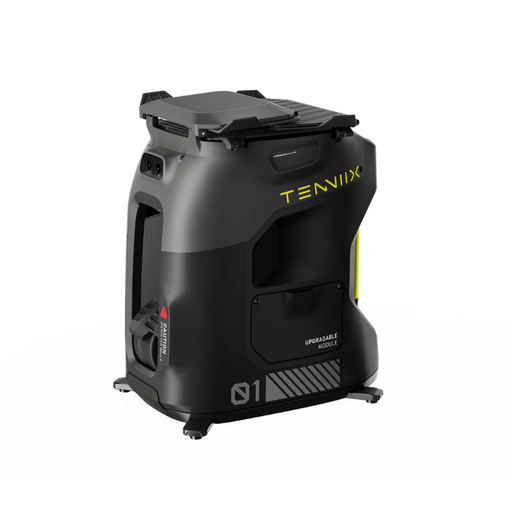
Why This Fits Their Persona: Advanced players and coaches looking for match-style variation may prefer a high-capacity system with app and voice controls.
The product listing specifies that the vision module is shipped separately, making the upgrade requirement clear before purchase.
Listed features include 100+ ball capacity, speeds up to 75 MPH, up to 5,000 RPM spin and more than 1,000 customisable modes.
We have compiled a complete, real-time list of products that fully satisfy these strict selection criteria and UK safety regulations.
Before using an automatic tennis ball machine, inspect the battery, controls, cables and ball feed. Place it on a flat, dry surface and align it with the court markings. Begin with a slower feed and wider interval until you understand the trajectory.
Keep players, children and animals away from the launch path. Use suitable tennis balls in good condition, as damaged or wet balls may feed inconsistently. Follow the supplied manual for charging, firmware updates, cleaning and storage. For outdoor use, bring the unit inside after the session rather than leaving it exposed to damp conditions.
Yes, provided it offers low-speed settings, predictable feeds and simple controls. Beginners should prioritise repeatable forehand and backhand drills before using random or high-speed modes.
The main running costs are electricity, replacement batteries where applicable, tennis balls and court hire. A machine with a rechargeable or swappable battery can reduce the need for disposable power sources. Court booking fees will usually have a greater effect on total cost than ordinary charging.
Service life depends on storage, cleaning, frequency of use, ball condition and battery care. Keep the machine dry, avoid overloading it, inspect moving parts and replace worn balls. Check the retailer’s warranty, spare-part availability and UK support arrangements before ordering.