
24/7 Customer Support

Free returns

Same-day & Next-day Delivery

Quality Guaranteed

Unlock Your Welcome Offers: FREE Delivery | Up to 80% OFF | Free 30-day JoyPlus trial
Download the APP
An AI tennis ball machine can turn solo practice into a structured session, but the headline features do not always tell the whole story. High serving speed, app control and “intelligent” training modes can sound impressive while hiding practical limitations such as poor portability, restricted battery life or expensive add-on modules.
For UK players, the right choice depends on where you train, how often you use the machine and whether you need simple repetition or more responsive match-style practice. This guide explains the key specifications to check before buying an automatic tennis ball machine, followed by recommendations matched to different user profiles.
A machine advertised with a very high top speed may not be suitable for every player or drill. Beginners and club players usually need a broad adjustment range, gradual progression and manageable intervals rather than maximum pace at every session.
Check the full speed range, not only the top figure. Also confirm whether speed, frequency, elevation and spin can be adjusted independently. This gives you more control for forehands, backhands, volleys, returns and footwork exercises.
AI terminology can describe preset programmes, automated ball feeding or adaptive training. These functions can still be useful, but they are different from an AI tennis ball machine with AI vision that uses cameras or sensors to follow a player.
Read the product description carefully. Some models include AI modes as standard but offer a vision module separately. If player tracking is important, check what is included in the box and whether additional hardware or software is required.
A machine may be described as portable, yet a heavy body, separate ball hopper or awkward wheels can make it inconvenient for a UK club, public court or home driveway. Outdoor use also requires a flat, dry court and suitable weather.
Look at the machine’s weight, folded dimensions, ball capacity and battery runtime. A model that can be moved easily and stored in a cupboard may receive more regular use than a larger unit with additional theoretical features.
A practical tennis ball launcher should provide enough adjustment for your current ability and future progression. For example, the Lumistar Tero lists a speed range of 20–140 km/h, spin adjustment up to ±3600 RPM, elevation from 0–50° and horizontal oscillation of ±25°.
Spin is particularly important for realistic practice. A tennis ball machine with spin can be configured for topspin or backspin, helping you work on timing, racket preparation and handling different bounce patterns. However, RPM figures should be considered alongside trajectory control and landing accuracy.
A basic tennis practice machine may repeatedly feed balls from one position. More advanced models can offer random oscillation, rally sequences, preset drills and match-style patterns.
The Lumistar Tero includes 259 or more built-in drills, with Rally, Random and Match modes. Its Match mode is described as adjusting return frequency around the player’s hitting rhythm, while Random mode covers 35 court positions. These features may suit players who want a guided session without manually changing every setting.
The TENNIIX Pro Smart AI machine lists 1,000+ customisable training modes, with controls for speed, spin, elevation, frequency and oscillation. Its dual-camera vision module is shipped separately, so confirm the package contents before ordering.
An app-controlled tennis ball machine is useful when you need to change settings from the baseline. Voice control can be convenient during a drill, but it depends on correct pairing, battery charge and a suitable environment.
The Lumistar Tero includes a wristband for voice commands and lists approximately four hours of battery life, with storage for around 80–100 balls. The TENNIIX Pro Smart AI model lists a hopper capacity of 100+ balls and app and voice controls.
For indoor or outdoor users, also check noise information, charging arrangements and whether the battery is removable. Keep the machine on a level, dry court and avoid rain, fog, snow, strong wind and extreme temperatures unless the manufacturer specifically states otherwise.
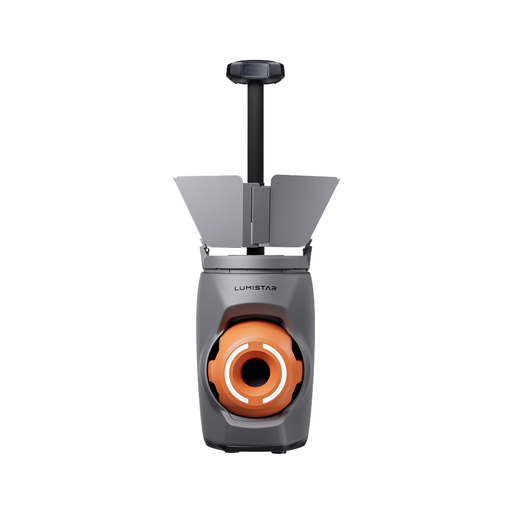
Why This Fits Their Persona: A portable all-in-one design, app adjustment and preset drills make it suitable for players building a regular solo routine at a club or home court.
The specification lists its adjustment range, battery runtime and ball capacity rather than relying only on a maximum-speed headline.
20–140 km/h speed range; 259+ drills; app and wristband voice control.
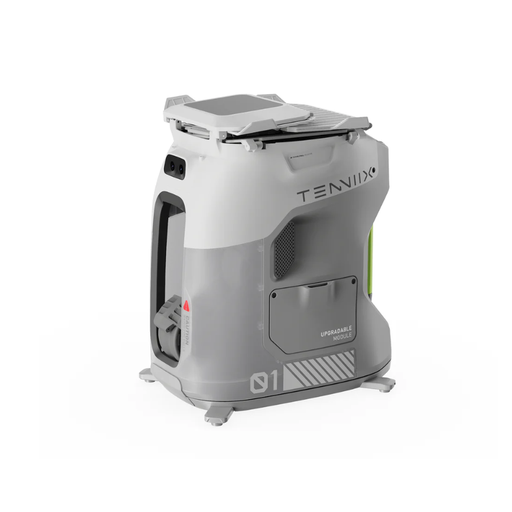
Why This Fits Their Persona: Players seeking detailed customisation and a larger ball supply may prefer this option for extended sessions and structured performance work.
The listing clearly states that the dual-camera vision module is shipped separately, helping buyers check the complete purchase requirement.
Up to 75 MPH; up to 5,000 RPM; 100+ ball capacity; app and voice control.
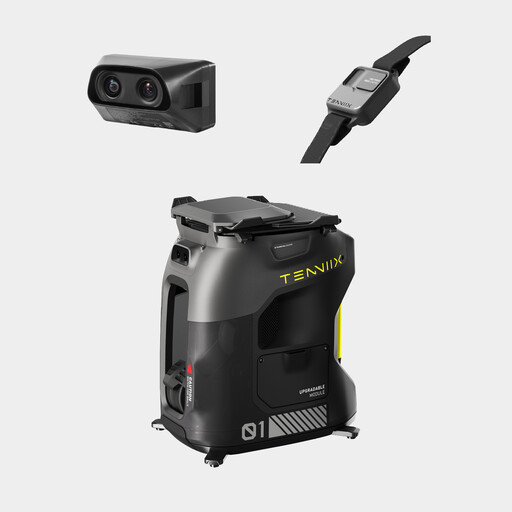
Why This Fits Their Persona: Coaches, academies and serious home users can consider a machine specified for high-speed spin serving, with dual-control options for sessions where frequent adjustments are needed.
Its product title identifies AI vision, app and bracelet control, allowing buyers to compare these functions directly with simpler automatic feeders.
Listed speed of up to 120 km/h; AI vision smart follow-training; 8.5 kg stated weight.
We have compiled a complete, real-time list of products that fully satisfy these strict selection criteria and UK safety regulations.
Before starting a session, inspect the machine, charge the battery and update the app or firmware where required. Position the unit on a flat, dry tennis court and align its guide marks with the court lines. Begin with a slower feed and wider interval, then increase pace or spin as your technique remains controlled.
Running costs usually include electricity for charging, replacement tennis balls and possible accessories or modules. Using worn or inconsistent balls can affect feed reliability, so budget for a suitable supply and store balls away from heat, moisture and direct sunlight. Never stand directly in front of the launcher while it is operating, and keep other players, children and animals clear of the feeding area.
Yes, provided it has adjustable speed, frequency and trajectory. Start with slower feeds and predictable positions before introducing random oscillation or heavy spin. Preset drills can make solo practice easier to organise.
Runtime varies by model, settings and battery condition. The Lumistar Tero specification lists approximately four hours. Higher speeds, frequent oscillation and continuous operation may change actual usage time, so check the charging instructions before every session.
Not necessarily. App-controlled feeding, preset drills and voice commands may be sufficient for repetition training. A vision module is more relevant if you specifically want player tracking or responsive follow-training. Always confirm whether the module is included or sold separately.