
24/7 Customer Support

Free returns

Same-day & Next-day Delivery

Quality Guaranteed

Unlock Your Welcome Offers: FREE Delivery | Up to 80% OFF | Free 30-day JoyPlus trial
Download the APP
Buying an all-in-one inkjet printer can look straightforward until you compare ink systems, paper formats, connection options and running costs. A low purchase price may be attractive, but it does not always represent good value over several years of household or office use.
This guide explains the practical details to check before choosing a print, scan and copy printer, with recommendations matched to different UK users.
Printer packaging may highlight figures such as 30 pages per minute, but this can refer to draft or black-only output. For a more realistic comparison, check the ISO print speed for both mono and colour pages.
For example, the Epson EcoTank ET-2951 lists ISO speeds of up to 15 pages per minute in black and 8 pages per minute in colour. Its higher headline speeds refer to different printing conditions. This distinction matters if you regularly print coursework, invoices or multi-page reports.
A cartridge-based colour inkjet printer may cost less initially, but frequent cartridge replacement can become expensive for households with regular printing needs. Individual cartridges are more practical than tri-colour cartridges because you replace only the colour that has run out.
For heavier usage, a refillable ink tank printer can reduce interruptions and packaging waste. However, bottle yield depends on page coverage, print settings and the type of documents produced. Treat manufacturer yield figures as estimates rather than guaranteed results.
A wireless multifunction printer may support Wi-Fi, Wi-Fi Direct, USB, Ethernet or mobile services, but compatibility differs between models and devices. Before buying, check whether it supports the services you use, such as Apple AirPrint, Mopria, Epson Smart Panel or a manufacturer’s mobile app.
For a shared home office or small business, Ethernet can be useful because it provides a wired network option if Wi-Fi coverage is unreliable.
Most UK households need an A4 printer for letters, schoolwork, forms and photographs. Compact models such as the Epson Expression Home XP-4200 and XP-3200 are designed around this format and generally have a smaller footprint.
An A3 inkjet printer is more suitable for posters, design drafts, folded leaflets, spreadsheets and larger photography. The Brother MFC-J6760DW and MFC-J6540DWE support A3 printing, scanning and copying. They are physically larger and heavier, so measure the available surface, including space for the paper tray and scanner lid.
There are three common approaches:
The Epson EcoTank range uses refillable tanks, while the Canon MegaTank GX6150 uses Canon’s refillable bottle system. The Brother models listed here use separate ink cartridges, with optional supply services available on selected models.
Automatic duplex printing prints on both sides of compatible paper without manually turning each sheet. It can reduce paper use for reports and notes, although some photo and specialist media may not support duplex operation.
Also check:
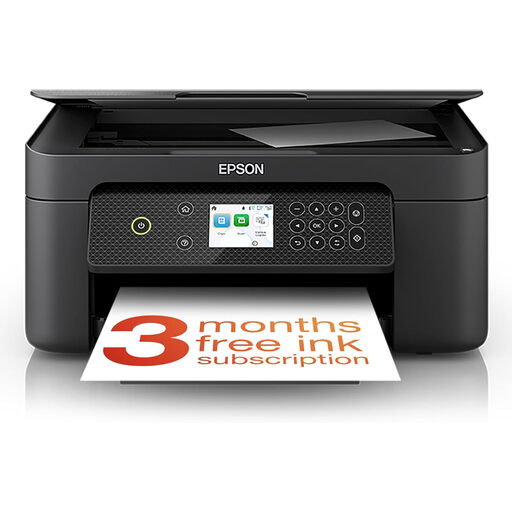
Why This Fits Their Persona: This compact A4 model suits students, families and occasional home-office users who need printing, scanning and copying without a large office footprint.
Individual inks avoid replacing an entire colour set when only one cartridge is empty. Automatic duplex printing also helps reduce paper consumption.
A4 print, copy and scan functions; Wi-Fi and mobile printing; 100-sheet rear tray; automatic duplex printing.
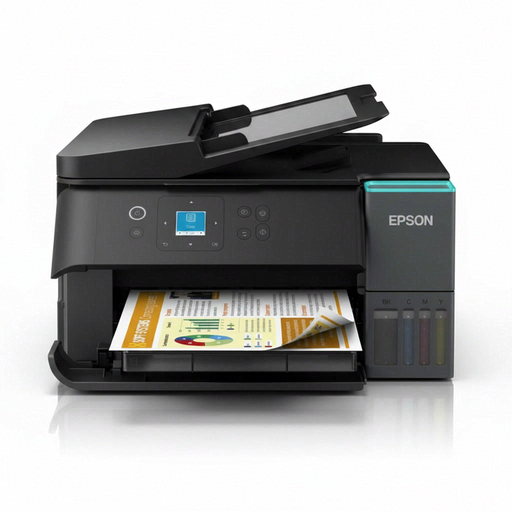
Why This Fits Their Persona: A sensible match for home offices, shared households and users printing regularly enough to benefit from refillable tanks rather than repeated cartridge purchases.
Its four-colour refillable tank system reduces cartridge changes. Actual yield still varies with coverage, so compare your typical documents before calculating costs.
Automatic A4 duplex; Wi-Fi, Wi-Fi Direct and USB; 100-sheet input tray; flatbed colour scanner.
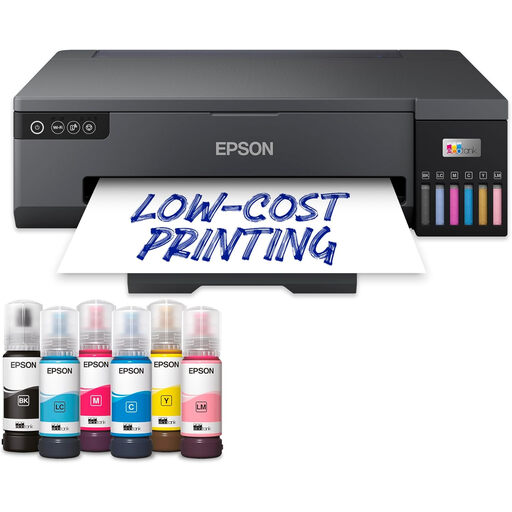
Why This Fits Their Persona: Photographers, designers and creative professionals who need A3+ output and six-colour photo printing may value its larger format and dedicated photo ink system.
It makes the required A3+ format explicit, avoiding the assumption that every colour inkjet printer handles larger media.
A3+ borderless printing; six individual dye-based inks; Wi-Fi and Ethernet; 250-sheet input capacity.
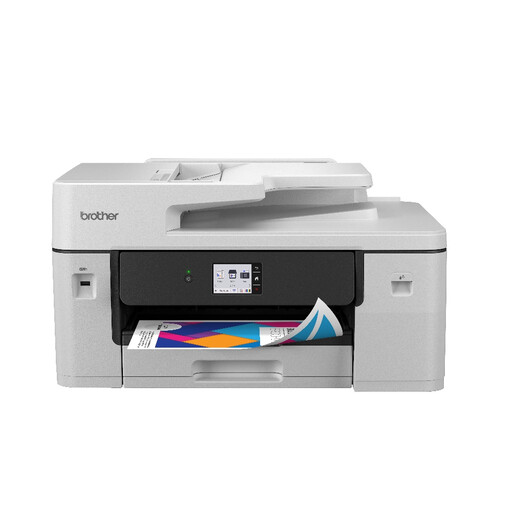
Why This Fits Their Persona: A suitable option for small businesses and office workgroups needing A3 documents, multi-page scanning, faxing and wired or wireless networking.
The 50-page ADF and 250-sheet input tray address the limitations of small home printers when processing longer documents.
A3 print, copy, scan and fax; automatic duplex; USB, Ethernet, Wi-Fi and NFC; up to 31 ppm mono and 22 ppm colour.
For a compact business setup, the Canon MAXIFY GX6150 combines a refillable MegaTank system with a 50-sheet ADF, 350-sheet total paper capacity, Ethernet and automatic duplex printing. Its published maximum speeds are up to 24 ipm in black and 15.5 ipm in colour.
The Brother MFC-J6540DWE offers A3/A4 print, copy, scan and fax functions, a 50-sheet ADF and expandable paper capacity up to 500 sheets. It may suit workgroups that need larger paper handling and an active ink-delivery subscription option.
Before ordering, check the printer’s dimensions, included ink, compatible operating systems, warranty terms and UK power requirements. Keep ink bottles and cartridges away from children, follow the supplied installation instructions and use suitable paper for duplex or photo printing.
We have compiled a complete, real-time list of products that fully satisfy these strict selection criteria and UK safety regulations.
Many are, particularly A4 models with Wi-Fi, automatic duplex printing and scanning. If you print multi-page reports frequently, consider a larger paper tray or an ADF. A business-focused model may also provide Ethernet and higher supply capacity.
A refillable ink tank printer can be practical for regular colour printing because it uses bottles rather than standard cartridges. Occasional users may prefer individual cartridges, as the initial purchase price and maintenance process can be simpler. Compare ink prices and realistic page yields for your own printing habits.
Lifespan depends on print volume, maintenance, paper quality and how often the printer is used. Keep the device level and dry, follow cleaning instructions, use compatible supplies and avoid exceeding the stated duty cycle. A warranty provides protection for the specified period, but it does not remove the need for suitable care.