
24/7 Customer Support

Free returns

Same-day & Next-day Delivery

Quality Guaranteed

Unlock Your Welcome Offers: FREE Delivery | Up to 80% OFF | Free 30-day JoyPlus trial
Download the APP
Choosing between all-in-one printers can be more complicated than comparing the price on the product page. A low purchase price may hide expensive cartridge replacements, while a high page-per-minute figure may only apply to draft mode. UK buyers also need to consider desk space, paper sizes, wireless setup and whether the device can handle their monthly workload.
This guide explains the specifications that matter and matches different types of users with suitable options.
A cartridge-based colour printer may appear affordable, but replacement ink can become the larger expense if you print regularly. Check the price and stated yield of replacement cartridges or bottles before buying. Refillable systems such as an ink tank printer, including EcoTank and MegaTank models, may be more practical for frequent colour printing because they use bottles rather than standard cartridges.
Yield figures are estimates based on stated usage conditions. Actual results vary according to page coverage, print quality, images and cleaning cycles.
Print speeds can be quoted for draft mode or under specific testing conditions. For a more useful comparison, look for an ISO pages-per-minute figure and check whether it applies to black, colour or both. A mono laser printer is generally designed around fast black-and-white document output, whereas a colour inkjet printer is more suitable for photos, charts and mixed documents.
Wireless connectivity may include Wi-Fi, Wi-Fi Direct, AirPrint, Mopria or a manufacturer app. These features are not identical. Check that the printer supports your devices and operating system, and consider whether you need Ethernet for a more stable small-office connection.
For occasional household documents and photos, a compact colour printer with individual cartridges may be sufficient. The Epson Expression Home XP-3200, for example, uses four separate cartridges, so only the depleted colour needs replacing.
For regular colour printing, a refillable ink tank printer can reduce the frequency of supply changes. The Epson EcoTank ET-2951 provides print, scan and copy functions, automatic A4 duplex printing, Wi-Fi, Wi-Fi Direct and USB connectivity. Its stated ISO speeds are up to 15 pages per minute in black and 8 pages per minute in colour.
For mainly black text, a mono laser printer can offer fast output and clear document text. Check the recommended monthly duty cycle rather than relying only on the headline print speed.
An automatic duplex printer prints on both sides without requiring you to turn the pages manually. This can help reduce paper use for reports, study notes and internal office documents. Confirm the paper size supported in duplex mode, as some printers restrict automatic double-sided printing to A4 plain paper.
Also check the input tray capacity. A 100-sheet tray may suit a home user, while a 250-sheet tray is more convenient for a busy home office. If you regularly scan or copy multi-page documents, an automatic document feeder (ADF) is more useful than a flatbed scanner alone.
An A4 printer is suitable for standard letters, invoices, coursework and most home documents. If you create posters, spreadsheets or design drafts, an A3 printer may be more appropriate, but it will normally require a larger footprint and a larger budget.
Consider whether you need USB, dual-band Wi-Fi, Wi-Fi Direct, Ethernet or mobile printing. A printer scanner copier with AirPrint, Mopria or a dedicated mobile app can be more convenient for phones and tablets.
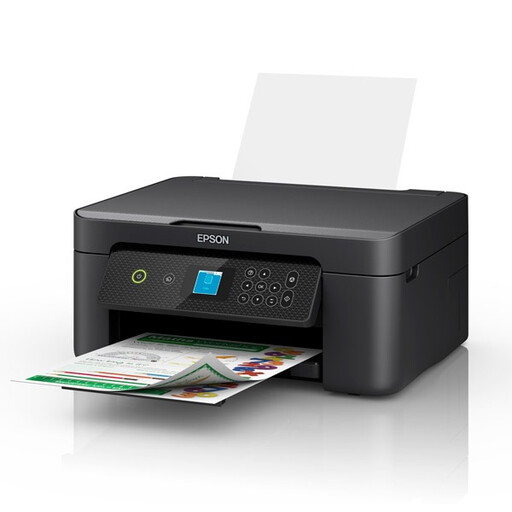
Why This Fits Their Persona: A compact choice for students, occasional home users and people printing coursework, household documents and photographs from a small-footprint workspace.
Its four individual cartridges make colour replacement more targeted than a combined-colour cartridge. Check ongoing 604 or 604XL cartridge costs before purchase.
A4 print, scan and copy; automatic duplex printing; Wi-Fi, Wi-Fi Direct and Apple AirPrint support.
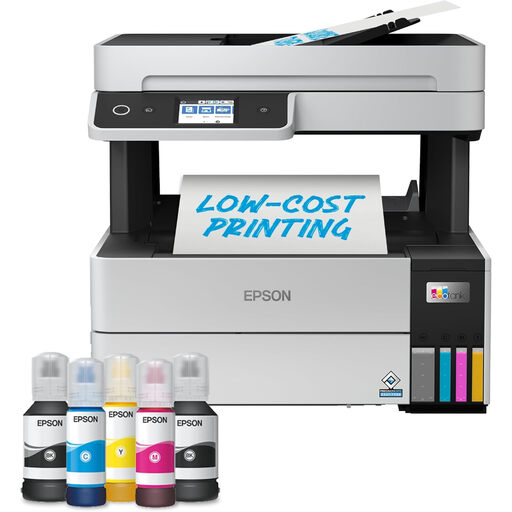
Why This Fits Their Persona: Suitable for remote professionals and home offices that want refillable ink, a larger paper tray and easier multi-page scanning.
The refillable tank system avoids frequent standard cartridge changes. Confirm bottle compatibility and remember that stated page yields vary with coverage.
250-sheet input tray, 35-page ADF, automatic duplex printing, Wi-Fi, Wi-Fi Direct and Ethernet.
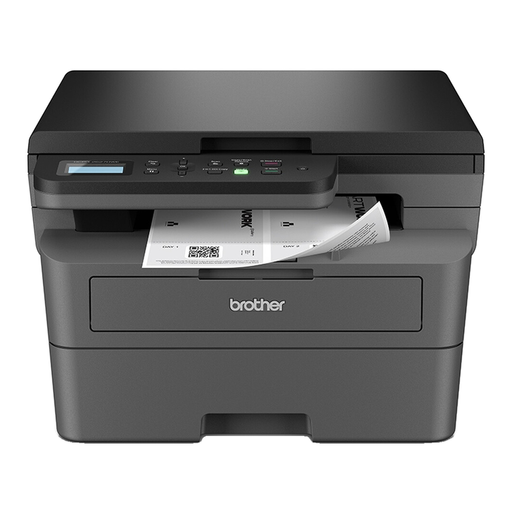
Why This Fits Their Persona: Designed for document-heavy home offices and small businesses that mainly print black-and-white reports, invoices and forms.
It does not charge for colour hardware when your workflow is mono-only. The stated print speed is up to 32 pages per minute, with a 250-sheet input tray.
Automatic duplex printing, 50-sheet ADF, Ethernet, dual-band Wi-Fi and Wi-Fi Direct.
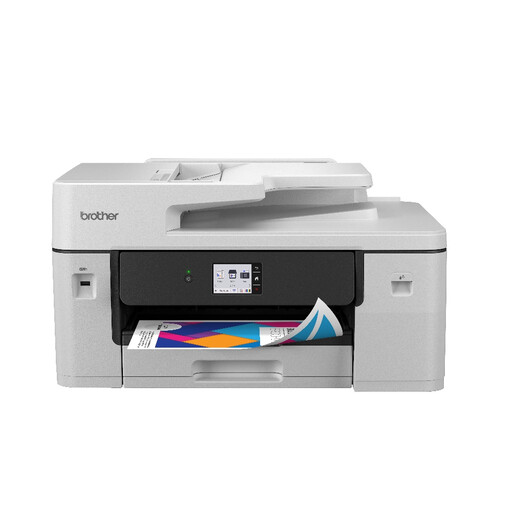
Why This Fits Their Persona: A practical match for users creating A3 documents, spreadsheets, posters or office paperwork alongside standard A4 output.
It provides genuine A3 support rather than relying on enlargement from A4. Its 250-sheet tray and 50-page ADF suit longer office workflows.
Print, copy, scan and fax; automatic double-sided printing; Wi-Fi, Ethernet, USB and NFC connectivity.
We have compiled a complete, real-time list of products that fully satisfy these strict selection criteria and UK safety regulations.
Most are suitable if you need print, scan and copy functions in one device. For regular reports and invoices, prioritise automatic duplex printing, an ADF and a paper tray of at least 150–250 sheets. Occasional users may prefer a smaller A4 model with a lower purchase price.
It can be, particularly for users who print colour documents frequently, because refillable bottles may provide higher stated yields than standard cartridges. However, compare the complete purchase price, bottle cost, expected page yield and your actual monthly volume. Occasional users may not recover a higher upfront price quickly.
Lifespan depends on workload, maintenance, consumables and storage conditions. Check the manufacturer’s recommended monthly duty cycle, warranty terms and spare-part information. Avoid exceeding the stated workload, and replace worn consumables with compatible products specified for the exact model.