What matters when choosing?
Decide whether the harder task is hearing less of the household yourself or being heard clearly on calls, then check fit and connection requirements for your working day.
| Priority |
What to check |
Your needs |
| Outgoing call audio |
Look for documented microphone noise handling and check whether it applies to the exact headset variant. Microsoft Learn distinguishes headset microphone performance in noisy surroundings from listening features. |
People on my calls need to hear me when others are talking nearby; reducing noise in my own headphones will not answer that question. |
| Listening and focus |
Check for listening ANC and assess comfort during the length of session you expect. Which? describes over-ear headphones as typically offering powerful noise cancellation, alongside greater bulk than earbuds. |
I spend more time concentrating or listening than speaking, and I need a fit I can tolerate through a work session. |
| Meeting controls |
Match the exact model and connection method to your app, operating system and available USB port. Microsoft Learn documents call control and mute synchronisation for certified native Bluetooth devices; Zoom Support lists USB headset-button support by device. |
Being able to mute or answer from the headset matters to me, not just hearing meeting audio. |
| Portability and fit |
Compare an earbud fit with the space and weight of an over-ear or boom-mic headset. Which? describes earbuds as highly portable, while noting the bulk of over-ear models. |
I move between rooms or carry my equipment, so I have to balance a compact shape against how it feels to wear. |
| Call duration |
For wireless models, compare talk time per charge with your longest meeting block, not just a figure that includes a charging case. For a wired option, check cable reach and connector type. |
Long calls need to fit around charging breaks—or I need a cable that works at my desk. |
Relevant brand ranges
These ranges illustrate different approaches to work calls and personal listening; features and certifications depend on the model and variant.
Jabra
The Evolve2 range includes work headsets and earbuds, with Microsoft Teams and Unified Communications variants on relevant models.
- Jabra lists ANC, a noise-cancelling microphone and a boom-arm mute function for Evolve2 55.
- Check the exact variant and platform support; manufacturer microphone claims are not independent call-quality results.
Poly
Voyager Focus 2 is a wireless boom-microphone headset range aimed at work calls.
- HP describes Acoustic Fence microphone technology for its Microsoft Teams Edition charging-stand package.
- Confirm the variant and included accessories rather than assuming every Voyager Focus 2 package is the same.
Logitech
The Zone Wired range provides USB headset options for computer calls.
- Logitech describes dual-microphone noise reduction for Zone Wired and ANC with noise-cancelling microphones for Zone Wired 2.
- Confirm the exact model, connector and certified variant before relying on meeting controls.
Bose
QuietComfort Ultra is an over-ear ANC headphone range for personal listening and general calls.
- Bose lists ANC, Bluetooth multipoint connectivity and calling features for QuietComfort Ultra Headphones.
- Those product features alone do not establish how well callers will hear your voice over household sound.
Joybuy options for shared-home work
These options cover over-ear ANC headphones for listening and wired or wireless work headsets for calls in a shared home. Choose by the task and connection you need, rather than treating every option as interchangeable.
 No image available
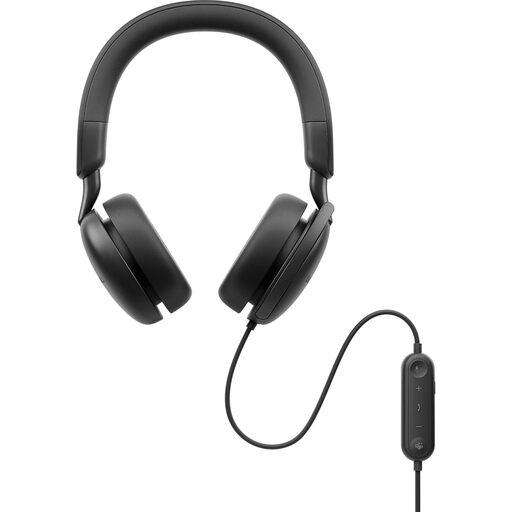
DELL Pro Plus WH5024 Wired ANC Headset
A wired ANC headset to consider when calls and listening at a fixed desk both matter. Check its microphone performance in your surroundings and whether its controls work with your computer and meeting app.
View on Joybuy
 No image available
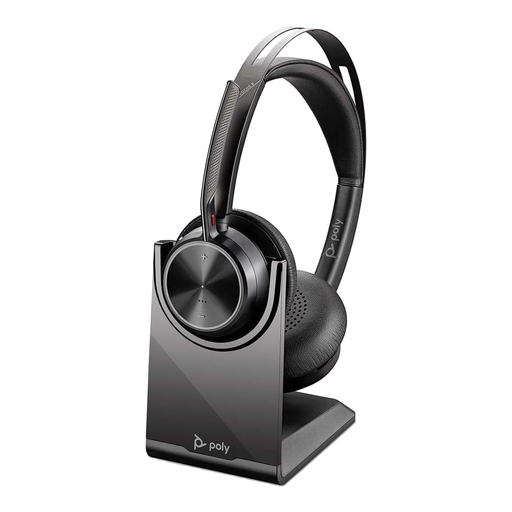
Poly Voyager Focus 2-M USB-C-C Headset with USB-C/A Adapter and Charging Stand
A wireless boom-headset option for frequent calls and movement away from a fixed desk. Check how this exact variant connects to your computer and whether its call controls work with your meeting app.
View on Joybuy
 No image available
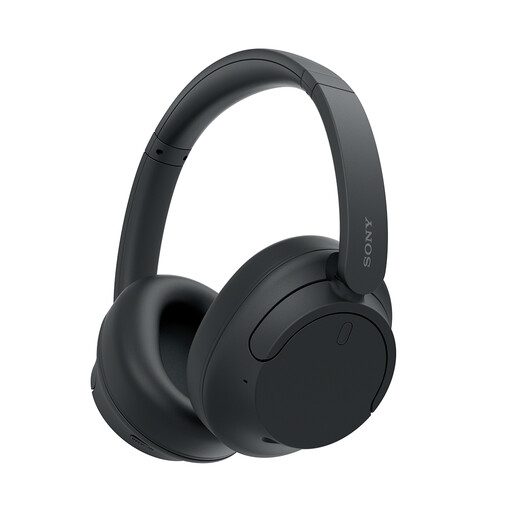
Sony WH-CH720N Noise-Cancelling Over-Ear Headphones (Black)
Consider this over-ear ANC model when concentration and listening come before frequent calls. If calls are central to your day, check what people at the other end hear when your household is active.
View on Joybuy
 No image available
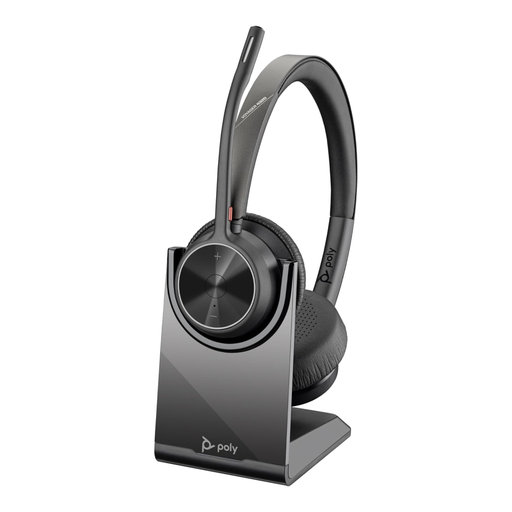
Poly Voyager 4320-M Wireless USB Type-A Bluetooth Headset with Charging Stand (Black)
A wireless work-headset option when you want to move away from your desk during calls. Check microphone performance in your home and confirm the connection and meeting controls you require; do not assume it provides listening ANC.
View on Joybuy
 No image available
Poly Blackwire 3220 Stereo USB-C Headset with USB-C/A Adapter
A wired option for calls at a fixed desk, with USB-C and an adapter identified in the product name. Check the exact adapter connection and call-control compatibility for your setup; do not assume this model provides listening ANC.
View on Joybuy
Common questions
Will ANC stop other people hearing my household during a call?
Not by itself: listening ANC reduces noise reaching you, while microphone noise handling affects what callers hear. For frequent calls, check the headset’s documented microphone features; Microsoft Learn separately describes a Teams headset designation intended to avoid transmitting neighbouring voices.
Do Bluetooth headphones automatically provide meeting controls?
No. Microsoft Learn documents call control and mute synchronisation for certified native Bluetooth devices, rather than all Bluetooth headphones. Check the exact headset and connection method for your meeting app; Zoom Support also notes that other participants may hear lower-quality microphone audio when you use Bluetooth headphones.
Do I need a USB dongle for Teams or Zoom?
That depends on the headset, computer and controls you need. Check the exact model against Microsoft Learn’s Teams device guidance or Zoom Support’s supported-device guidance, then confirm that your computer has the required connection.
Is a wired USB headset worth considering for home work?
Yes, if you work at a fixed desk and prefer a cable to managing headset charging. Check the connector and cable arrangement, and consult Zoom Support’s device-specific USB HID list if synchronised headset buttons matter to you.


