
24/7 Customer Support

Free returns

Same-day & Next-day Delivery

Quality Guaranteed

Unlock Your Welcome Offers: FREE Delivery | Up to 80% OFF | Free 30-day JoyPlus trial
Download the APP
Navigating the market for an Android 15 tablet can feel overwhelming. With so many models promising top-tier features at surprisingly low prices, it's easy to make a purchase you later regret. Many affordable tablets look great on paper but fail to deliver in daily use, leaving you with a slow, frustrating device.
As a Joybuy Product Recommendation Officer, my role is to help you see past the marketing jargon. This guide focuses on the common pitfalls UK buyers face and highlights the key specifications that truly matter, ensuring you find a tablet that serves you well for years to come, whether it's for work, study or entertainment.
Before you add any tablet to your basket, be aware of these common issues that can turn a bargain into a burden:
To make a smart choice, focus on these three non-negotiable areas. They are the foundation of a reliable and enjoyable tablet experience.
The processor (CPU) and physical RAM are the engine of your tablet. For smooth everyday use, look for an Octa-Core processor. This means the chip has eight cores to handle multiple tasks efficiently, from browsing the web to light gaming.
Pay close attention to the RAM specification. A tablet with at least 4GB of physical RAM is a solid starting point for 2026. If you see a figure like "16GB (4GB + 12GB Extended)", understand that the core performance is based on the 4GB of physical RAM. For heavy multitasking or creative work, aiming for 8GB of physical RAM is a much better long-term investment.
For anyone planning to use their tablet for media, a large screen tablet for streaming needs more than just size. Here’s what to check:
Consider how you'll use your tablet. A Wi-Fi-only model is fine for home use, but a 4G LTE tablet with a SIM card slot offers the freedom to stay connected on the go, which is ideal for commuters, students and travellers. Look for models that also support modern 5G WiFi for faster, more stable connections at home.
Battery life is equally important. A capacity of 7000mAh or more should comfortably provide a full day of mixed use, including video playback, browsing and reading.
Here are a few Android 15 tablets that align with different user needs, selected based on the practical criteria discussed above.
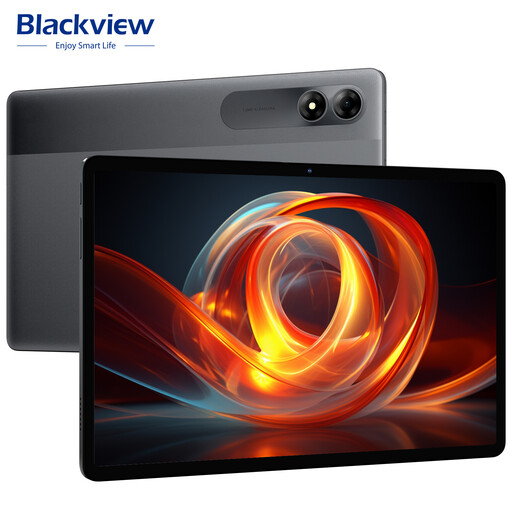
Why This Fits Their Persona: An excellent entry-point for students or families in the UK needing a reliable device for homework, casual browsing and streaming without a hefty price tag. It balances essential features with affordability.
It features Widevine L1 support, ensuring you can stream Netflix and other services in HD. The 8200mAh battery also provides genuine all-day use, avoiding the pitfall of poor battery performance.
A large 8200mAh battery and 128GB of storage (expandable to 1TB) make it a dependable choice for a budget android tablet UK buyers can rely on for media and files.
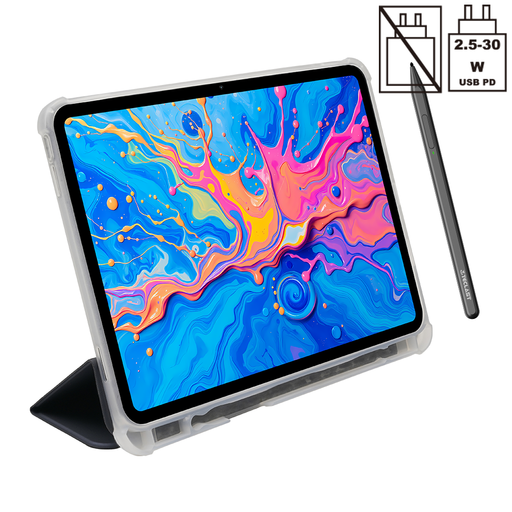
Why This Fits Their Persona: Perfect for aspiring artists or note-takers who need a responsive drawing tablet with stylus. The large, high-resolution screen and pressure-sensitive pen provide a great canvas for creativity.
This model avoids the "incomplete package" trap by including both a stylus pen and a protective case. It also has a powerful Helio G99 processor and 8GB of physical RAM, steering clear of performance bottlenecks.
The standout feature is its support for 4096 levels of pressure sensitivity, offering precise control for drawing and writing. The 10,000mAh battery ensures long creative sessions.
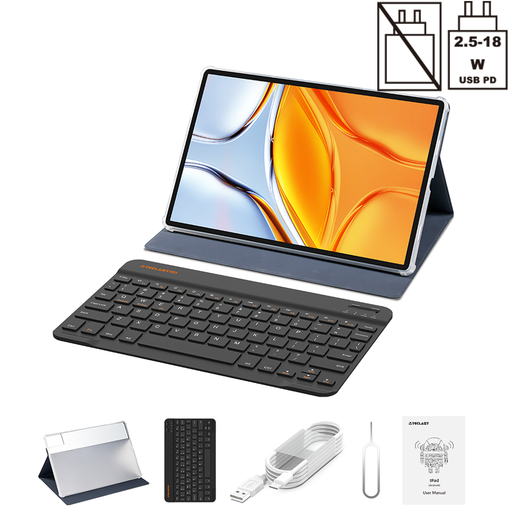
Why This Fits Their Persona: For those who want a laptop alternative for light work and a superb media device. The huge 14-inch screen and included keyboard make it a versatile 10 inch tablet with keyboard alternative, offering much more screen real estate.
It comes as a complete productivity bundle with a protective case and Bluetooth keyboard. Its Helio G99 processor and 8GB of physical RAM provide genuine multitasking power, avoiding the "virtual RAM" slowdown.
The expansive 14-inch Full HD display is exceptional for watching films or working on documents. It also features dual SIM 4G LTE, ensuring you can be productive anywhere.

Why This Fits Their Persona: This is a purpose-built kids android tablet. It's designed from the ground up for safety and durability, giving UK parents peace of mind while their children learn and play.
It sidesteps the "incomplete package" issue by including a tough, child-friendly protective case. The built-in, comprehensive Child Lock software is a key feature, not an afterthought.
The robust parental controls allow you to manage screen time, filter websites and approve apps, creating a safe digital space. The compact 8-inch size is perfect for small hands.
We have compiled a complete, real-time list of products that fully satisfy these strict selection criteria and UK safety regulations.
1. How much RAM is enough for an Android tablet in 2026? For general use like browsing, social media and video streaming, 4GB of physical RAM is sufficient. However, if you plan on heavy multitasking, playing demanding games or using creative apps, opting for a model with 8GB of physical RAM will provide a much smoother, future-proof experience. Be cautious of "virtual RAM" figures and focus on the physical amount.
2. Can I use a budget Android tablet for drawing? Yes, but it's important to choose the right one. Look for a drawing tablet with stylus support that specifies its pressure sensitivity level (e.g., 4096 levels). A higher level means more control over line thickness and opacity, mimicking a real pen. A tablet like the TECLAST ArtPad Pro is designed for this purpose and offers a great entry point for digital art.
3. What does Widevine L1 mean and why is it important for a UK streaming tablet? Widevine is a content protection system used by streaming services. Widevine L1 is the highest level of certification, allowing your device to process and play video in high definition (HD, 1080p) or Ultra HD (4K). Devices with only Widevine L3 certification are restricted to standard definition (around 480p). For anyone in the UK who subscribes to Netflix, Disney+ or Prime Video, L1 certification is essential for a good viewing experience.