What matters when choosing a transfer route?
Start with whether the old phone can still unlock. Then choose a route for the data you need to move and make a separate plan for anything that route does not cover.
| Concern |
What to check |
Who this matters to |
| Direct transfer before failure |
Check the replacement’s setup-transfer options, available storage and whether the old phone can unlock and connect. |
If my old phone may fail soon, I want to move everyday data while I can still use it. Around 33% of consumers would put completing that direct transfer first. |
| A separate copy of files |
Identify files outside the standard transfer; for a computer copy, check that the cable supports file transfer. |
I cannot rely on one phone-to-phone move for photos or local files I cannot replace. About 27% of consumers would make an independent copy their main concern. |
| Account access |
Test sign-in and critical apps on the replacement; confirm an alternative verification method before resetting the old phone. |
If the old phone is my only way to approve a sign-in, wiping it too soon could interrupt access. Roughly 20% of consumers would prioritise keeping account verification working. |
| Device and accessory compatibility |
Compare the old phone’s Android version and port with the maker’s transfer instructions; check any cable or adapter and tool-specific requirements. |
I need the route I choose to work with my actual old phone, not just the new model’s name. For around 20% of consumers, confirming that compatibility would come first. |
Replacement phones and a transfer cable on Joybuy
These Android handsets are options to assess against your storage, app and transfer needs; the USB-C cable is relevant if the phones you need to connect have compatible ports. Check the exact devices’ transfer instructions before relying on any wired or wireless route.
 No image available
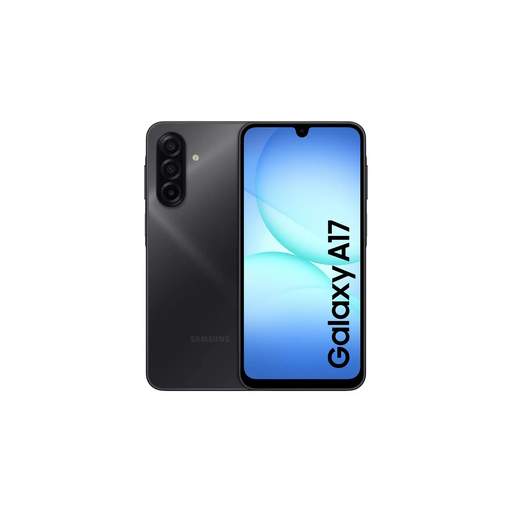
Samsung Galaxy A17 5G A176 Dual SIM, 4GB/128GB, Grey
Consider this Galaxy if you want to check Samsung’s Wi-Fi, USB and computer-based Smart Switch routes against your old phone.
The listed variant has 4GB RAM, 128GB storage and Dual SIM. Samsung says wired Smart Switch requires MTP support, and both devices need at least 500 MB of free internal space. Check critical apps separately: Smart Switch does not move secure or encrypted data such as WhatsApp chats.
View on Joybuy
 No image available
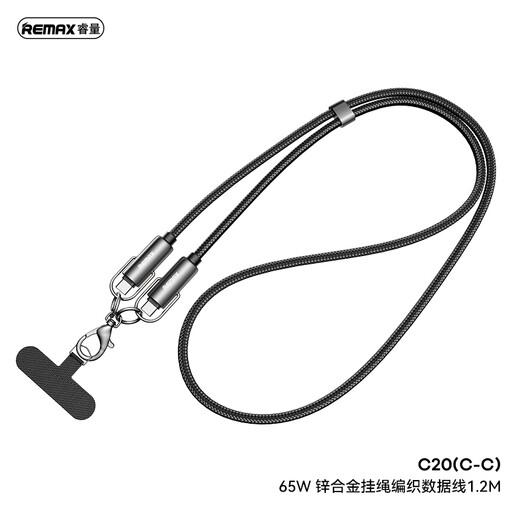
REMAX 65W USB-C to USB-C Braided Data Cable, 1.2 m, Black
This is a cable option to check if both devices can connect through USB-C and you intend to use a wired transfer route.
Its listed connectors are USB-C to USB-C, and the product name identifies it as a 1.2 m data cable. Confirm that your two phones support the intended transfer procedure; the cable alone does not establish which data their software can move.
View on Joybuy
 No image available
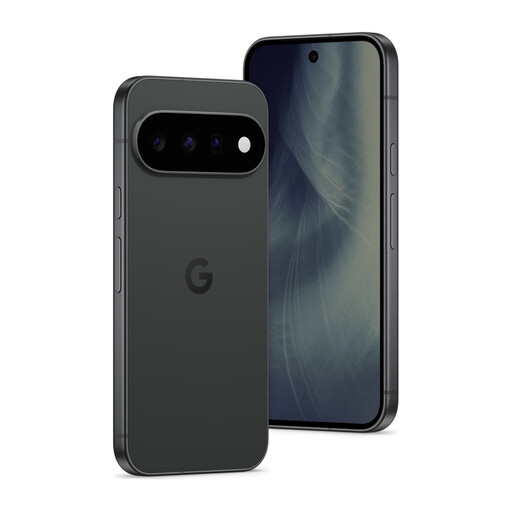
Google Pixel 11 5G, 12GB/512GB, Obsidian
Consider the stated 512GB storage if you expect to keep a substantial amount of eligible content on the replacement.
The product name also specifies 12GB RAM and a 6.3-inch display. Google documents Android-to-Pixel transfer and backup restoration generally; check the instructions for this exact model and your old handset, particularly for apps and files outside standard transfer.
View on Joybuy
 No image available
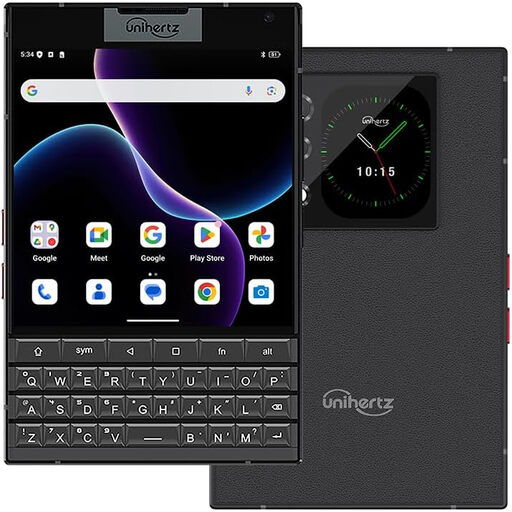
Unihertz Titan 2 5G, QWERTY, 12GB/512GB, Black
This replacement is worth assessing if a physical QWERTY keyboard is part of your phone choice as well as room for retained files.
The product name specifies 12GB RAM, 512GB storage, Dual SIM and OTG support. Check this model’s transfer options against your old phone; those specifications do not establish that protected app data will move.
View on Joybuy
 No image available
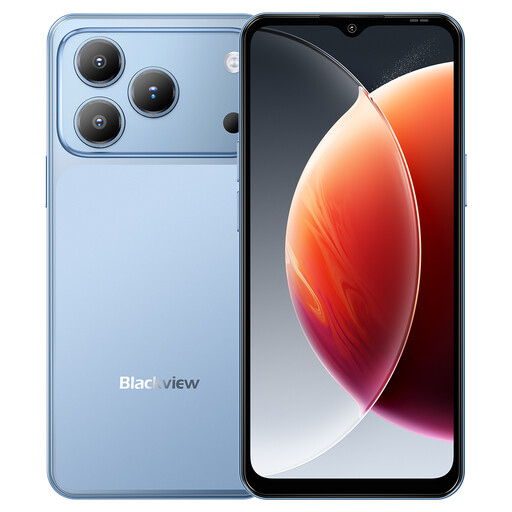
Blackview Wave 7C Android 16, 128GB, Blue
Consider this Android replacement if its stated 128GB storage fits the files and apps you plan to keep.
The product name also specifies 4G and Dual SIM. Before choosing a wired route, confirm the phone’s connector and transfer instructions against your old handset; check important app data separately.
View on Joybuy
Questions before you switch phones
Can I transfer Android data over Wi-Fi instead of using a cable?
Yes, where your devices support Google’s documented wireless setup route; Google says its cable and wireless methods support the same data categories. Check the setup instructions for your exact phones and keep them connected as directed during transfer.
Will all my apps, passwords and files move automatically?
No. Google Android Help lists downloads, hidden-folder media, sideloaded apps, some app data and non-Google account data among items standard setup does not copy. Check each essential app’s own migration instructions and make a separate copy of important accessible files.
What if my old Android phone stops working before the transfer?
An existing Google Account backup can restore eligible information to a compatible Android phone without a direct connection to the old one. Google says a backup from a higher Android version cannot be restored to a phone running a lower version, and not every app restores all its data.
How do I keep two-step verification working when I change phones?
Check that you can sign in on the replacement before wiping the old phone, and retain a legitimate alternative verification method. Google Account Help lists options including another signed-in phone, an added phone number, saved backup codes, a security key or a passkey on another device; availability depends on your account setup. Keep recovery methods secure.
When should I reset a phone I plan to trade in or dispose of?
Reset it only after checking your backup, important files, apps and account access on the replacement. The UK Information Commissioner’s Office advises properly deleting personal information before selling or disposing of hardware; its guidance describes factory reset as an option but notes that secure wiping depends on the manufacturer’s implementation. Check current disposal guidance and your phone maker’s reset instructions before handing the device over.


