
24/7 Customer Support

Free returns

Same-day & Next-day Delivery

Quality Guaranteed

Unlock Your Welcome Offers: FREE Delivery | Up to 80% OFF | Free 30-day JoyPlus trial
Download the APP
Finding an Android drawing tablet that meets the demands of digital art without costing a fortune can be a challenge. You need a device that’s responsive, has a great screen and can handle creative software, but the market is filled with options that can be overwhelming. This guide is designed to help you navigate the choices, understand the key features that matter for artists and students and find a tablet that fits your creative needs and budget.
As the Joybuy Product Recommendation Officer, my role is to sift through the specifications and marketing clutter to offer clear, practical advice. Let's look at what to consider when choosing your next creative tool.
Before we get to our recommendations, here are a few key features to keep in mind during your search. Understanding these will help you make a more informed decision.
For any aspiring or professional artist, the stylus is as important as the tablet itself. Look for a tablet with stylus pen included, as this saves you an extra purchase. The crucial specification here is pressure sensitivity, measured in levels. A 4096 pressure sensitivity tablet can register subtle changes in pressure, allowing you to vary line weight and opacity, much like using a real pencil or brush. This level of control is fundamental for detailed illustration, sketching and painting.
Your screen is your canvas. A large screen drawing tablet, typically 11 inches or more, provides ample space for your projects and reduces the need for constant zooming and panning. Pay attention to the resolution as well. A 2K (around 2000 pixels wide) or higher resolution display ensures your artwork looks sharp, crisp and full of detail. This clarity is also beneficial for general media consumption and detailed tablet for note-taking.
Digital art applications can be demanding. A tablet needs a capable processor and sufficient RAM to run them smoothly without lag, especially when working with multiple layers or large files. Look for octa-core processors and at least 8GB of RAM for a fluid creative experience. Ample storage (128GB or more) is also important for saving your high-resolution artwork and other files.
Here are a few Android tablets that offer a compelling combination of features for creative individuals, selected for their performance, display quality and overall value.
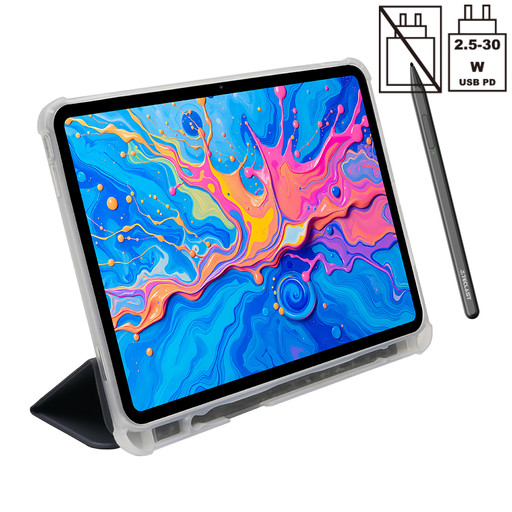
Why It Stands Out: The Teclast ArtPad Pro is specifically geared towards artists. Its main draw is the combination of a large, high-resolution screen and precise stylus support, which are often found in more expensive devices. It comes as a complete package, ready for creative work straight out of the box.
The tablet is built around a generous 12.7-inch 2K display, giving you a vast and detailed canvas. It supports the included T-Pen stylus with 4096 levels of pressure sensitivity, providing the nuance required for expressive digital drawing and painting. Performance is handled by a capable Helio G99 Octa-Core processor and a substantial 20GB of RAM (8GB physical + 12GB virtual), ensuring creative apps like Krita, Sketchbook or Infinite Painter run without a hitch.
Pros:
Who is it for? This is an excellent choice for the affordable drawing tablet for artists and illustrators who need a dedicated creative device. Students in design fields will also appreciate its large screen for both artwork and note-taking.
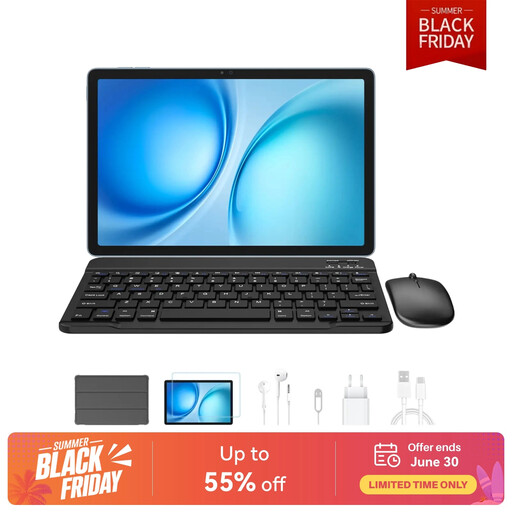
Why It Stands Out: The Blackview Zeno 10 is a versatile powerhouse that balances creative features with productivity. It comes bundled with both a keyboard and a stylus, making it a flexible tool for art, work and study. The PC Mode transforms the Android interface into a more familiar desktop-like experience, enhancing its utility.
Its 11-inch 2K FHD display has a 90Hz refresh rate, which makes scrolling and drawing feel incredibly smooth and responsive. With a massive 24GB of RAM (8GB + 16GB virtual) and 256GB of storage, this tablet is built for heavy multitasking. While the specific pressure sensitivity level isn't highlighted as its primary feature, the included stylus makes it a capable device for digital art and note-taking.
Pros:
Who is it for? This tablet is ideal for users who want a single device for both creative pursuits and productivity tasks like writing, research and managing emails. It's a strong contender for students and professionals who need flexibility.
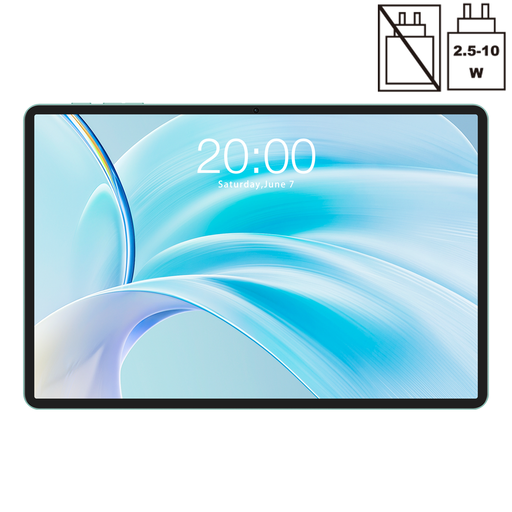
Why It Stands Out: The TECLAST P50 stands out for its remarkable value. It packs modern features like an 11-inch display with a 90Hz refresh rate, a solid octa-core processor and the latest Android 15 into a very accessible price point. While it's not marketed as a specialised digital art tablet, its specifications make it a capable entry-level option.
The 11-inch display with a 90Hz refresh rate is a feature rarely seen in this price bracket, offering a smooth visual experience for media and light creative work. With 8GB of RAM and 128GB of storage, it has enough power for everyday tasks, streaming and running less-demanding drawing or note-taking apps.
Pros:
Who is it for? This tablet is perfect for beginners, casual hobbyists or students looking for a highly affordable device for light drawing, sketching and extensive tablet for note-taking. It's a fantastic entry point into the world of digital creativity without a significant investment.
If the models above aren't quite the right fit, or if you want to explore other tablets with strong performance credentials, we have a wider selection available. For a smooth and responsive experience across all your applications, consider browsing our curated collection of tablets.
? Explore our full range of 8GB RAM Tablet models
Yes, absolutely. Modern Android tablets, particularly those with powerful processors, ample RAM and high-resolution screens, are more than capable of handling professional-grade creative software. The key is to choose a model that supports a pressure-sensitive stylus, as this is crucial for achieving artistic control and detail in your work.
When on a budget, prioritise these three features: a stylus with at least 4096 levels of pressure sensitivity, a screen that is large enough (10+ inches) and has a decent resolution (FHD or higher) and at least 6-8GB of RAM to ensure your drawing apps run smoothly. A tablet that includes the stylus is also a great way to save money.
An Android tablet paired with a stylus is an excellent tool for note-taking. It allows you to write, draw diagrams and annotate documents digitally, just as you would on paper. Apps like OneNote, Nebo or Squid offer powerful features for organising and searching your handwritten notes, making it a popular choice for students and professionals.