Choose a phone with a verified microSD slot if you need to keep using the existing card as removable media; check the exact model, card capacity limit and tray arrangement before buying. If you would rather keep active files in built-in storage, choose a capacity that accommodates them, but keep a separate copy either way: Google says Android setup transfer excludes some files, and Samsung warns that formatting a card erases its contents.
Who needs which storage approach?
People keeping removable media
If photos, videos or music need to remain on a physical card, check the replacement phone’s exact slot, capacity limit and storage mode. Motorola and Samsung document these details by model rather than for every Android phone.
People consolidating files on the phone
If you prefer active files in built-in storage, compare the phone’s storage variant with what you intend to move. Keep an independent backup rather than treating the new phone as the only copy.
People protecting important card files
If the card holds files you cannot replace, make and check a second copy before formatting it or clearing the old phone. Android’s adopted storage can also tie a formatted, encrypted card to one device.
What matters when choosing?
Decide whether the physical card must fit in the new phone or whether moving its files into built-in storage will do. Plan a separate copy before making changes to the card.
| Concern |
What to check |
Who this matters to |
| Keep using the card |
Check the exact model’s microSD or TF-card support, capacity limit and tray arrangement. |
If I want to carry photos and music on the same physical card, the replacement phone needs to accept it. Around 36% of consumers put removable-card continuity first. |
| Built-in space |
Compare the storage variant with the files and apps you plan to keep; labelled capacity is not all available for files. |
I would rather keep active files on the phone than handle a card regularly. For around 29% of consumers, sufficient built-in space is the primary need. |
| Protect files during migration |
Check whether the old card is portable or adopted storage, and verify a separate copy before formatting. |
If my card holds irreplaceable files, I need a checked second copy before changing phones or storage mode; around 21% of consumers put that protection first. |
| Occasional access to old files |
Check reader or adapter compatibility, available space at the destination and access to any chosen backup service. |
I only need to retrieve or archive old-card files occasionally, not keep the card inside the new phone. Around 14% of consumers prioritise that kind of access. |
Mistakes to avoid when moving files
-
Assuming every version of a phone takes the same card
Samsung says maximum SD-card capacity depends on the device and model, while specifications may vary by region. A familiar model name alone does not establish compatibility.
Check the exact UK model number, its supported card capacity and the physical tray layout.
-
Formatting the only copy of a card
Samsung warns that formatting erases card data. Android adopted storage also formats and encrypts a card for one device, so moving that card is not the same as moving portable storage.
Make and verify another copy of important folders before formatting, adopting the card or clearing the old phone.
-
Treating setup transfer as a complete archive
Google lists downloads and media in hidden folders among the files excluded from Android setup transfer.
Inspect those folders and any app-specific files separately, and check that required files open at their destination before erasing the old card.
-
Assuming a microSD slot adds app storage
Motorola describes the moto g85 5G card as portable media storage and says apps cannot be stored on it. Android adopted storage is a different mode with formatting and encryption implications.
Decide whether you need space for removable files, apps or both, then check the exact phone’s supported storage modes.
Relevant brands for reference
Motorola
Motorola’s documentation gives model-specific examples for shoppers considering removable storage.
- Motorola specifies optional microSD of up to 1TB on the moto g85 5G for portable media storage and lists microSD expansion of up to 1TB for the moto g05.
- The moto g85 5G documentation says apps cannot be stored on its card. Check the exact model and market variant rather than applying either specification to every Motorola phone.
Samsung
Samsung’s UK guidance helps distinguish Galaxy models and tray arrangements when card support matters.
- Samsung lists 128GB or 256GB internal storage and microSD support up to 1TB for the Galaxy A35 5G.
- Card limits differ by model, and some trays require a choice between a second SIM and an SD card. Samsung’s consumer purchase page marks the Galaxy A35 5G as no longer available there, so check the specification and availability of any model you are considering.
Sony
Sony offers a documented example for considering built-in capacity and card expansion together.
- Sony’s UK Xperia 1 VIII specification states up to 1TB of onboard storage and microSD support up to 2TB.
- Those figures describe the named model, not every Xperia phone or every storage variant.
Joybuy products for these storage routes
These choices include phones listed with card expansion, phones with stated built-in storage capacities and a USB drive that may help with file copies. Check how the existing card will connect and whether the exact phone supports the storage arrangement you need.
 No image available
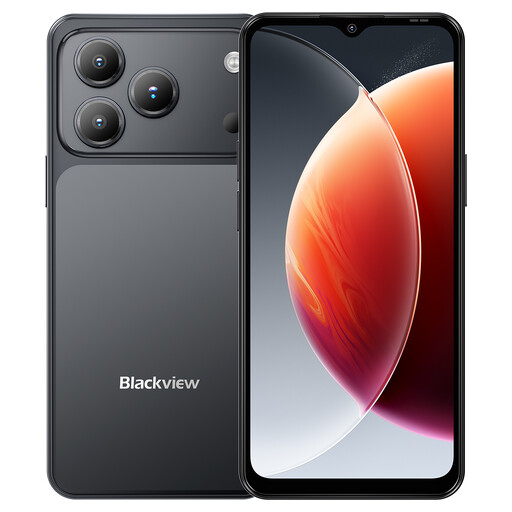
Blackview Wave 7C, 128GB, black
Consider this Android phone if you want to assess card use alongside dual-SIM use. Its title lists 128GB storage, 4G dual SIM and three card slots; confirm the exact card format, storage mode and UK network compatibility before relying on the old card.
View on Joybuy
 No image available
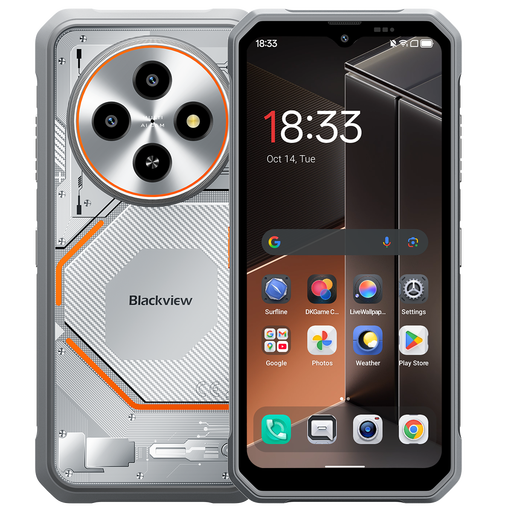
Blackview Fort 2, 256GB, TF-card expansion
Consider this phone if you want both built-in space and a stated card-expansion option. Its title lists 256GB storage and TF-card expansion up to 2TB; confirm the exact variant’s slot arrangement and whether it can use your existing card as portable storage.
View on Joybuy
 No image available
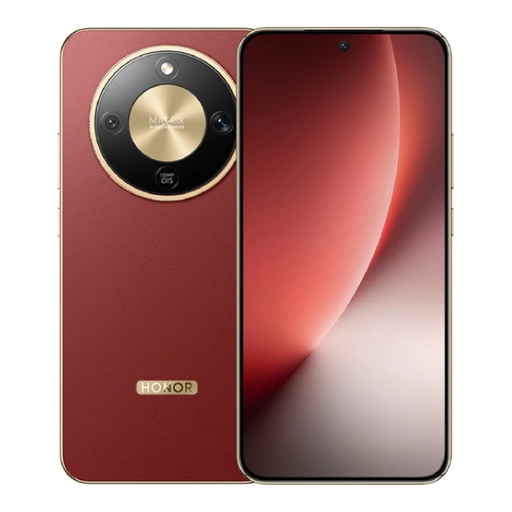
HONOR Magic8 Lite, 8GB+512GB, Reddish Brown
The stated 512GB storage makes this a phone to consider if you plan to move active files into built-in storage. Check available space and confirm microSD compatibility separately if inserting the old card is essential.
View on Joybuy
 No image available
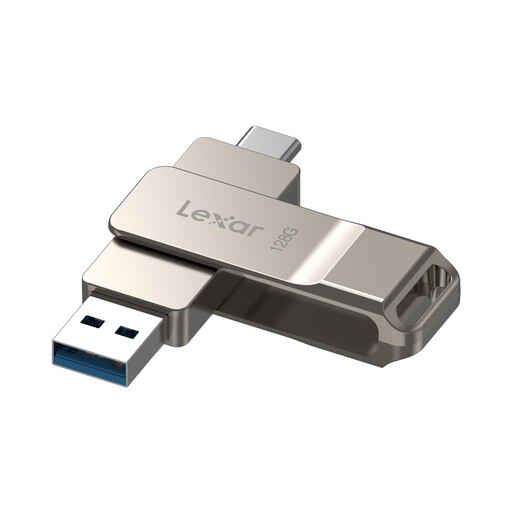
Lexar D40E 128GB Dual USB 3.2 Gen 1 Type-C Drive (LJDD40E128G-BNSNG)
This external drive may provide a separate destination for copied files if your phone supports USB OTG. It is not a microSD reader, so check how you will access the old card before choosing it for a transfer.
View on Joybuy
 No image available
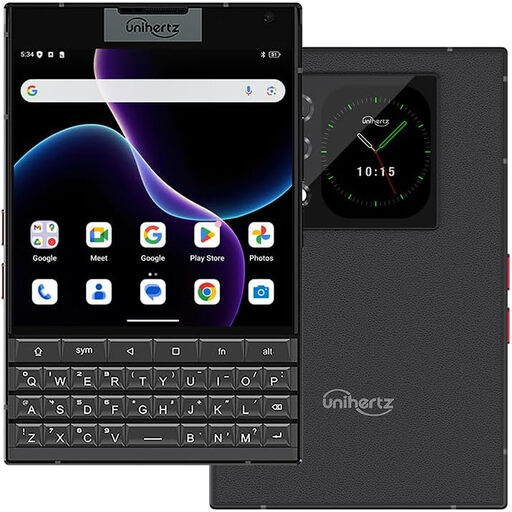
Unihertz Titan 2, 12GB+512GB, black
Consider the stated 512GB storage if you want files on the phone and also want a physical QWERTY keyboard. Confirm microSD support if the old card must fit directly, and check the exact variant’s UK network compatibility.
View on Joybuy
Common questions
Can I move my old microSD card straight into a new Android phone?
Only if the new phone accepts the card and the old card is usable as portable storage. The Android Open Source Project explains that adopted storage is formatted and encrypted for one device, so an adopted card cannot simply be mounted in another phone.
What should I copy before formatting the card?
Copy the files you need to keep and check that they open from the separate copy before formatting. Samsung says formatting permanently erases card data; Google also lists downloads and hidden-folder media among the exclusions from Android setup transfer.
Will Android setup transfer move everything to the new phone?
No. Google says several categories can transfer, but downloads, media in hidden folders and some app or account data may not. Check the required folders separately and make sure the destination has enough space.
Do I need a paid cloud plan for a backup?
Not necessarily. Google says a Google account includes up to 15GB of storage at no charge; whether that accommodates your selected backup depends on how much content you need to store.


