
24/7 Customer Support

Free returns

Same-day & Next-day Delivery

Quality Guaranteed

Unlock Your Welcome Offers: FREE Delivery | Up to 80% OFF | Free 30-day JoyPlus trial
Download the APP
An Android tablet with SIM card slot can be a practical alternative to relying on public Wi-Fi, phone tethering or a second laptop. It suits students moving between campus and home, professionals travelling for work and households wanting a larger screen for streaming and casual gaming.
However, tablet listings can make specifications appear more impressive than they are. Before choosing a 4G LTE Android tablet, check the details behind the headline numbers.
“5G Wi-Fi” often means dual-band Wi-Fi that supports the 5GHz frequency, rather than a tablet that connects to a 5G mobile network. A tablet may offer fast 5GHz Wi-Fi while only supporting 4G LTE through its SIM slot.
For UK use, check the listing for:
A tablet with 5GHz Wi-Fi can provide quicker connections on a compatible home router, but it does not replace cellular connectivity.
Listings may advertise figures such as 20GB, 24GB or 32GB RAM. These totals can combine physical RAM with memory borrowed from internal storage. Virtual RAM may help keep more apps available, but it is not equivalent to the same amount of physical RAM.
Look for the breakdown. For example, 8GB + 12GB virtual RAM means 8GB is physical memory. Storage speed, processor performance and software optimisation also affect how smoothly a tablet handles multitasking.
Battery capacity is measured in mAh, but actual running time depends on screen brightness, mobile signal strength, gaming, streaming resolution and background apps. A tablet used on a weak mobile signal may consume more power than one connected to a strong Wi-Fi network.
Also check the charger included in the box. A tablet may support fast charging while the supplied adapter has a lower output or charging accessories are sold separately.
A dual SIM tablet can be useful when travelling, separating work and personal data or keeping a second network available. Yet dual SIM support does not automatically mean both SIMs can use mobile data simultaneously.
Check whether the tablet has:
A tablet with GPS can be helpful for mapping, but it should not be treated as a substitute for a dedicated navigation device in every situation.
A large-screen Android tablet can make split-screen documents, video calls and films more comfortable. A 12- to 14-inch display is useful for productivity, but it will normally be heavier and less convenient to hold for long periods.
Refresh rate is another important distinction:
For streaming, check whether the device supports the required certification, such as Widevine L1, if you want compatible services to display higher-resolution content.
For a tablet for gaming and entertainment, review the processor model rather than relying on phrases such as “AI-powered” or “octa-core”. Casual games and streaming generally require less power than demanding 3D titles.
A tablet with expandable storage can be more convenient for downloaded films, photos, lecture materials and large game files. Confirm the maximum microSD capacity and whether the slot is shared with a second SIM. Internal storage is usually faster, so keep frequently used apps there where possible.
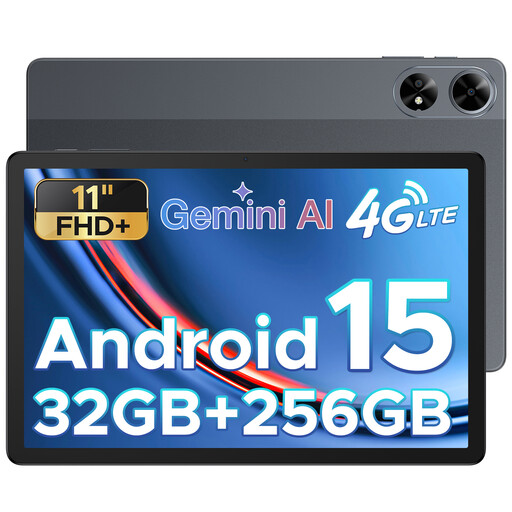
Why This Fits Their Persona: Its 11-inch FHD+ screen and SIM support suit students and first-time buyers who want mobile access for notes, browsing and entertainment without carrying a laptop.
The specification identifies cellular connectivity, GPS, 5G Wi-Fi support and an 8,000mAh battery separately, making the key features easier to compare.
11-inch 1920 × 1200 display; 256GB storage; 13MP rear camera; listed as unlocked for all carriers.
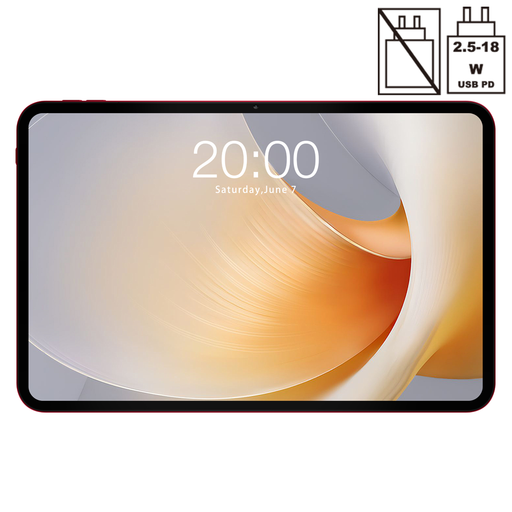
Why This Fits Their Persona: The expansive display is suited to users prioritising comfortable viewing for films, documents, video calls and supported games at home or while travelling.
The listing distinguishes dual SIM 4G LTE from 5G Wi-Fi and specifies a 120Hz display, helping avoid misleading connectivity and refresh-rate assumptions.
13.4-inch 120Hz display; Android 15; dual SIM 4G LTE; 256GB ROM; GPS and Bluetooth 5.2.
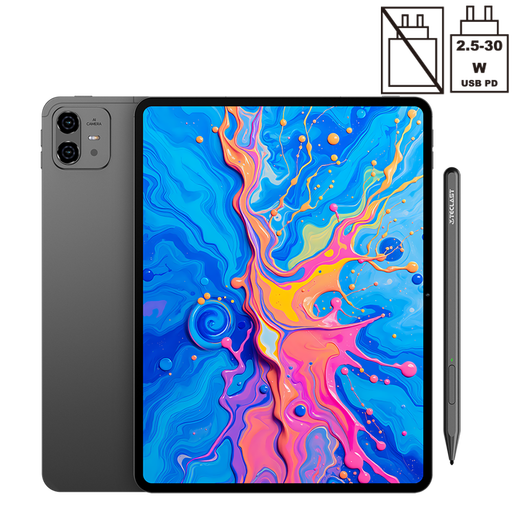
Why This Fits Their Persona: Freelancers, creative users and professionals may value the higher-resolution display, stylus compatibility and large battery for drawing, annotation and mobile work.
Its specification separates 8GB physical RAM from 12GB virtual memory and lists 256GB storage, dual SIM 4G LTE and microSD-related flexibility for practical comparison.
12.7-inch 2K display; support for 4,096 pressure levels with T-Pen; 10,000mAh battery; Android 15 and GPS.
We have compiled a complete, real-time list of products that fully satisfy these strict selection criteria and UK safety regulations.
Before inserting a SIM, confirm that your mobile plan allows data use in tablets and check whether it has a separate data allowance. Insert the SIM while the tablet is switched off if the manual recommends this, then follow the on-screen mobile-network setup.
If mobile data does not work, check:
A SIM card is not always included with the tablet. You may need a data-only plan and roaming charges can apply when travelling outside the UK.
It can be worthwhile if you regularly work, study or stream away from reliable Wi-Fi. Mobile data adds flexibility, but the ongoing cost of a SIM plan should be included in your budget. If you mainly use the tablet at home, a Wi-Fi-only model may be sufficient.
Often, yes, provided the SIM size, network plan and supported bands are compatible. Some mobile contracts restrict tablet use or apply different data allowances, so check the provider’s terms before moving the SIM.
The physical device may remain usable for several years, but its practical lifespan depends on battery condition, software support, app compatibility and storage capacity. A protective case, sensible charging habits and avoiding extreme heat can help preserve the hardware. Before purchase, check the seller’s warranty, return terms and any stated software-update information.