
24/7 Customer Support

Free returns

Same-day & Next-day Delivery

Quality Guaranteed

Unlock Your Welcome Offers: FREE Delivery | Up to 80% OFF | Free 30-day JoyPlus trial
Download the APP
Finding an Android tablet with SIM card support seems straightforward, but the market is filled with options that can be misleading. Many UK shoppers, especially students and families looking for a good deal, end up with a device that underperforms or incurs unexpected costs. As a Joybuy Product Recommendation Officer, my role is to help you navigate past the marketing clutter and focus on what truly matters for a device that serves you well on the go.
Before you add any tablet to your basket, be aware of these common purchasing pitfalls:
large screen android tablet.tablet with keyboard and case included offers far better upfront value.To ensure you get a versatile and future-proof device, focus on these core specifications.
The primary advantage of an Android tablet with SIM card is freedom. A 4G LTE tablet allows you to stay connected wherever you have a mobile signal—on the train, in a park, or at a café with unreliable Wi-Fi. Many models offer dual SIM slots, giving you the flexibility to use two different network plans, perhaps one for data and another for calls, or a local SIM when travelling. This makes it an ideal tool for mobile professionals, students attending lectures on different campuses or families on a road trip.
For a great tablet for streaming, look beyond just the size and resolution. The two key features to verify are:
When assessing performance, look at the processor and the physical RAM. An octa-core processor is the standard for smooth multitasking. Pay attention to the physical RAM (e.g., 6GB or 8GB) rather than the combined virtual figure. For students and professionals, finding an affordable tablet for students that bundles a keyboard and case is a significant advantage, ensuring you have a complete, protected workstation from day one.
Based on these practical criteria, here are a few options from our catalogue matched to different user needs.
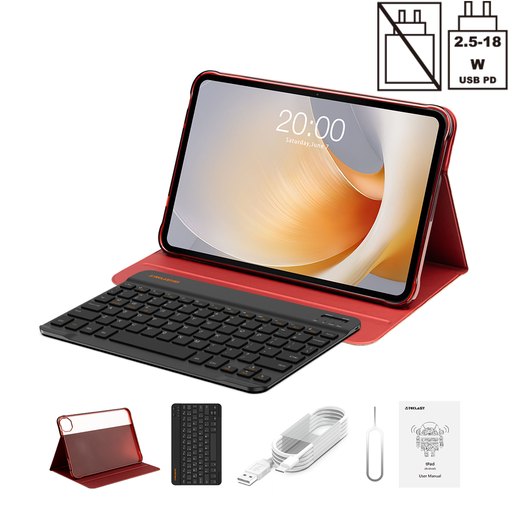
Why This Fits Their Persona: This is an all-in-one package for anyone who needs to work or study on the move. The included keyboard and case mean it's ready for typing lecture notes or reports on the train, while the 4G LTE keeps you online without hunting for Wi-Fi.
It directly counters the hidden cost pitfall by bundling the protective case and Bluetooth keyboard, providing a complete setup straight out of the box.
A large 13.4-inch screen with a 120Hz refresh rate offers a premium viewing and user experience, while the Helio G99 processor provides solid performance for productivity.
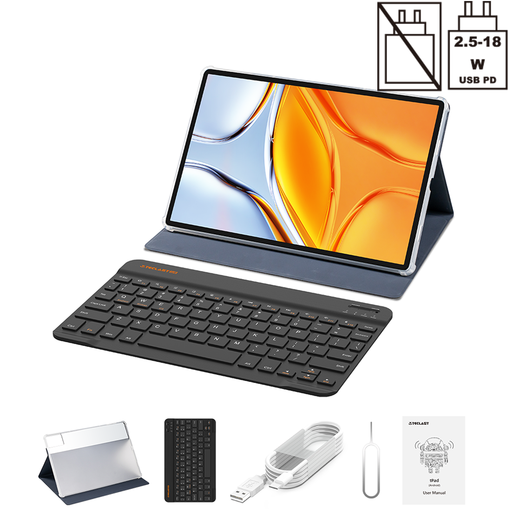
Why This Fits Their Persona: For those wanting a cinematic experience at home or on the go, this is an excellent choice. The huge 14-inch screen and 10,000mAh battery are perfect for binge-watching series or sharing films with the family.
It avoids the poor streaming quality trap by featuring a high-resolution 2.2K display and Widevine L1 support, ensuring you can watch content in the crisp quality you expect.
The expansive 14-inch screen is its standout feature, offering a much more immersive viewing experience than typical 10 or 11-inch tablets. The large battery supports extended use.
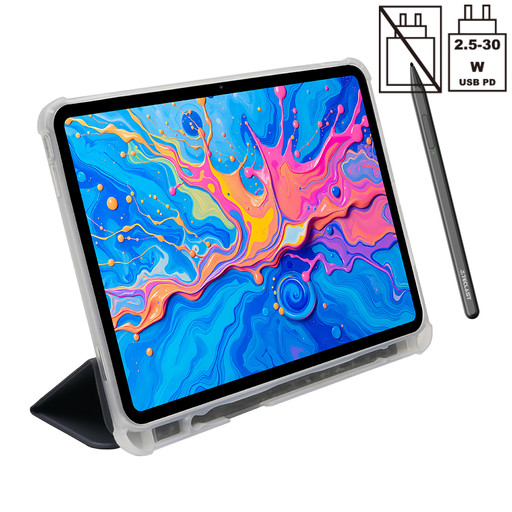
Why This Fits Their Persona: This tablet is geared towards creativity. With its support for 4096 levels of pressure sensitivity and an included stylus, it's a great starting point for digital drawing, graphic design or detailed note-taking in lectures.
It includes both the pressure-sensitive stylus and a protective case, avoiding the common pitfall of having to buy expensive, proprietary creative accessories separately.
The 4096-level pressure sensitivity is a standout feature at this price point, offering nuanced control for drawing and writing. The powerful Helio G99 processor handles creative apps well.
We have compiled a complete, real-time list of products that fully satisfy these strict selection criteria and UK safety regulations.
Most 4G LTE tablet models sold in the UK are unlocked, meaning they should work with SIM cards from all major UK networks (like EE, O2, Vodafone and Three) as well as smaller virtual networks (like Giffgaff or Tesco Mobile). However, it is always wise to check the specific 4G bands supported by the tablet and ensure they match your chosen network, especially for optimal coverage in rural areas.
While using your phone's hotspot is a viable option, it has drawbacks. It drains your phone's battery very quickly and can cause it to overheat. A dedicated Android tablet with SIM card has its own data connection and a much larger battery, making it a more reliable and efficient solution for prolonged use, especially during travel or for remote work.
Widevine is a content protection system owned by Google. Widevine L1 is the highest level of certification, which allows a device to stream video content in high definition (HD) or ultra-high definition (UHD). Devices with only Widevine L3 certification are restricted to standard definition (typically 480p), regardless of how good their screen is. For anyone who plans to use their tablet for streaming, L1 certification is an essential feature to look for.