
24/7 Customer Support

Free returns

Same-day & Next-day Delivery

Quality Guaranteed

Unlock Your Welcome Offers: FREE Delivery | Up to 80% OFF | Free 30-day JoyPlus trial
Download the APP
Navigating the market for an android tablet UK can feel overwhelming. With countless models promising different features, it’s difficult to know which device truly fits your needs, whether for work, study or unwinding with a good film. This guide is designed to cut through the clutter, offering practical advice and highlighting a few standout options to help you make an informed choice.
We'll explore what to look for in terms of screen, performance and features, and then present our recommendations for 2026, covering different uses and budgets.
Before diving into specific models, let's consider a few key factors that will influence your decision. Focusing on these will help you narrow down the options to find a tablet that serves you well for years to come.
A tablet's primary interface is its screen, so its size and quality are paramount. A smaller tablet (around 8-9 inches) is highly portable, perfect for reading on the commute or for children's use. A large screen tablet for movies (11 inches or more) offers a more immersive experience for streaming and can double as a productivity tool when paired with a keyboard.
Pay attention to the display technology. Dynamic AMOLED screens, often found on premium Samsung tablets, deliver deep blacks and vibrant colours, while LCD screens offer solid performance at a more accessible price. A high refresh rate (120Hz) makes scrolling and gaming feel noticeably smoother.
A tablet's performance is determined by its processor, RAM (memory) and internal storage.
budget android tablet might start at 64 GB, which is sufficient for basic use. However, if you download lots of apps, games or media, consider 128 GB or 256 GB. Many Android tablets also offer a microSD card slot, allowing you to expand storage affordably.Consider what else you want to do with your tablet. A tablet with stylus support is a game-changer for students and creatives, making it easy to take handwritten notes or sketch ideas. Brands like Samsung often include their S Pen, adding significant value.
Features like Samsung DeX can transform your tablet into a desktop-like workstation by connecting it to an external monitor, making it a viable option for professionals.
Here are a few models that stand out for their features, performance and value across different categories.
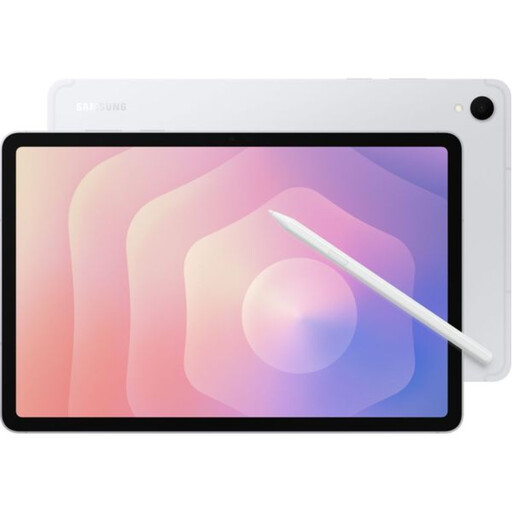
Why It Stands Out: The Galaxy Tab S11 is a powerhouse built for productivity and creativity. Its 10.9-inch Dynamic AMOLED 2X display is stunningly sharp and bright, with a 120Hz refresh rate for fluid motion. The inclusion of the redesigned S Pen and powerful AI features like Drawing Assist and Note Assist make it a top-tier choice for professionals and artists. This is a device that truly blurs the line between tablet and laptop, especially when using Samsung DeX.
Pros:
Who is it for? Creatives, professionals and tech enthusiasts looking for a high-performance tablet that excels at everything from digital art and note-taking to gaming and productivity. If you're looking for a detailed Samsung Galaxy Tab S11 review, its feature set speaks for itself.
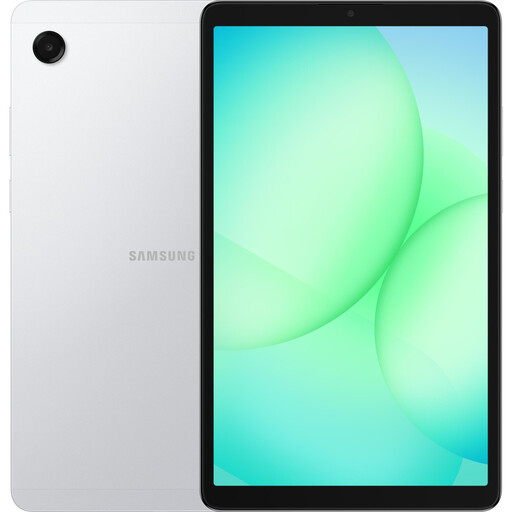
Why It Stands Out: The Galaxy Tab A11 proves that a budget android tablet doesn't have to compromise on user experience. Its compact 8.7-inch size makes it incredibly portable, while the 90Hz refresh rate provides a smooth feel that is uncommon at this price point. With expandable storage and a reliable battery, it's an excellent all-rounder for everyday use.
Pros:
Samsung tablet deals.Who is it for? This is an ideal choice for the best tablet for students, families or anyone needing a dependable and affordable device for media consumption, browsing and light tasks on the go.
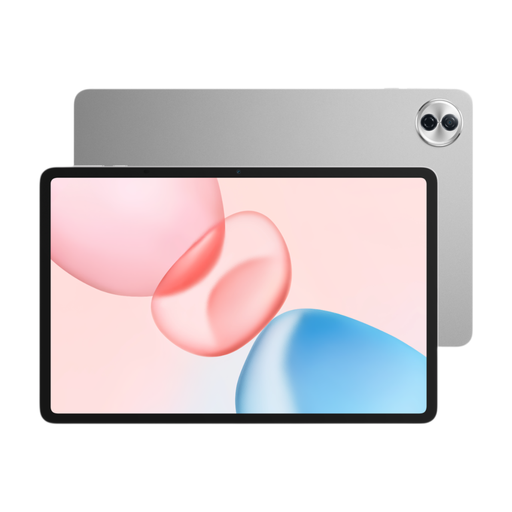
Why It Stands Out: The HONOR Pad 10 is built for entertainment. Its expansive 12.1-inch 2.5K display and six-speaker audio system create a cinematic experience for films and games. With a generous 256 GB of storage out of the box and a powerful processor, it’s also well-equipped for productivity and multitasking, offering a large digital canvas for work or study.
Pros:
Who is it for? Media lovers who want a large, high-quality screen for streaming. It's also a strong contender for students and professionals who need a large display for multitasking and document viewing.
These three tablets represent some of the most compelling choices for 2026, but the market is vast. If you're looking for a different screen size, cellular connectivity or simply want to compare more models, there are plenty of other great devices available.
Explore our complete range of android tablets to find the perfect fit for your needs and budget.
1. Are Android tablets good for students in the UK? Absolutely. An Android tablet is a versatile tool for students. Models that support a stylus are excellent for taking handwritten notes in lectures, while access to apps like Google Docs, Sheets and Microsoft 365 makes them great for writing essays and managing projects. Their portability and often lower price point compared to laptops make them a very popular choice.
2. How much storage do I need for an Android tablet? This depends on your usage. For streaming, browsing and light app use, 64 GB is a reasonable starting point. If you plan to download films for offline viewing, install large games or store many photos and documents, 128 GB or 256 GB is a safer bet. Always check if the tablet has a microSD card slot, as this allows you to expand storage easily and cost-effectively.
3. Can an Android tablet replace my laptop? For many people, yes. With the right accessories and software, a high-performance Android tablet can handle most tasks traditionally done on a laptop, such as emailing, web browsing, video calls and document editing. Features like Samsung DeX even provide a desktop-like interface when connected to a monitor. However, for users who rely on specialised desktop software (like advanced video editing or coding IDEs), a traditional laptop may still be the more suitable primary device.