
24/7 Customer Support

Free returns

Same-day & Next-day Delivery

Quality Guaranteed

Unlock Your Welcome Offers: FREE Delivery | Up to 80% OFF | Free 30-day JoyPlus trial
Download the APP
Navigating the world of tablets can feel overwhelming. With so many screen sizes, technical specifications and price points, it’s easy to get lost in the details. Are you looking for a simple device for browsing on the sofa, a durable family tablet for entertainment and learning or a powerful productivity tablet to replace your laptop on the go?
As the Joybuy Product Recommendation Officer, my role is to help you find the right device for your needs. This guide cuts through the marketing jargon, focusing on practical features and real-world use cases to help you make an informed choice. We will explore what to look for in an Android tablet and highlight a few standout options available in 2026.
Before diving into specific models, let's cover a few key considerations that will help narrow down your search.
The display is your window to everything you do on a tablet, so its size and quality are paramount.
10 inch tablet is often considered the standard, offering a great balance between portability and comfortable viewing for watching films, reading and browsing the web.11 inch tablet or a large screen tablet (12 inches or more) provides a more immersive experience, ideal for multitasking with split-screen apps, detailed creative work or enjoying cinematic content. Pay attention to resolution—a higher resolution (like Full HD 1920x1200 or above) means sharper text and more vibrant images.A tablet's processor and RAM (Random Access Memory) determine how smoothly it runs.
budget android tablet for light tasks like checking email, streaming video and social media, a device with 4GB to 6GB of RAM is generally sufficient.productivity tablet intended for demanding apps, heavy multitasking or gaming, look for models with 8GB of RAM or more and a more powerful processor. This ensures a lag-free experience.family tablet should have enough performance for multiple user profiles and a variety of apps, from educational games to video streaming services.Beyond the basics, certain features can significantly enhance your experience.
WiFi tablet is essential for home, office and public hotspot use. Ensure the model supports modern Wi-Fi standards (like Wi-Fi 5 or 6) for faster, more stable connections.tablet with stylus support is a must-have. Check if the stylus is included or sold separately.tablet for kids, look for devices with dedicated parental controls, content filters and durable construction to withstand daily use.Based on a combination of features, user-friendliness and value, here are our recommendations for different needs and budgets.
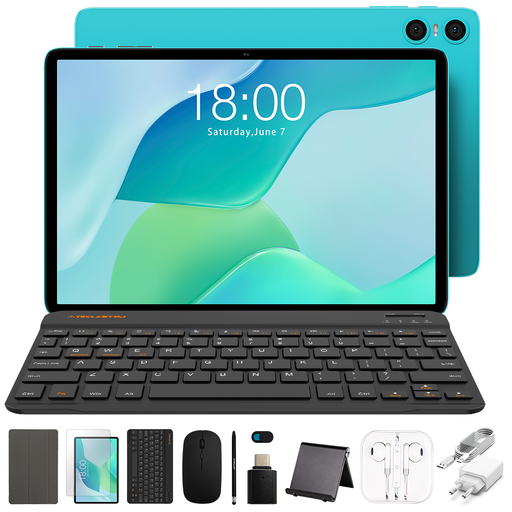
Why It Stands Out: The TECLAST P33 is an excellent entry point into the world of tablets, offering solid core functionality for everyday tasks without a high price tag. It’s a straightforward and practical device.
Pros:
budget android tablet.Who is it for? This tablet is ideal for budget-conscious individuals, students needing a simple device for research and media or as a secondary household tablet for casual use.
View the TECLAST P33 on Joybuy
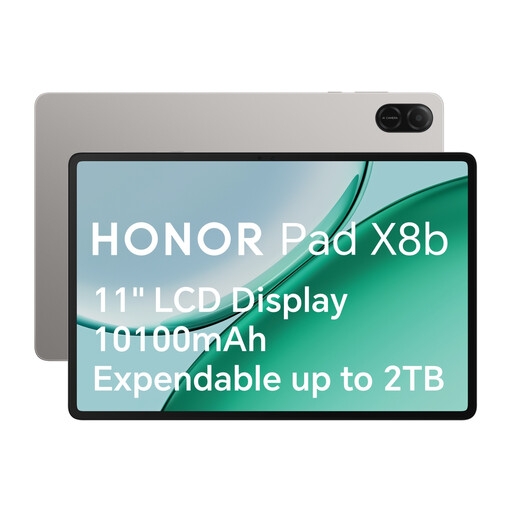
Why It Stands Out: The HONOR Pad X8b is a versatile all-rounder that excels as a family tablet, blending robust entertainment features with thoughtful, child-friendly controls and a durable design.
Pros:
Who is it for? Perfect for families looking for a shared device that caters to both adults and children. It's also a great choice for users who prioritise a quality media consumption experience.
View the HONOR Pad X8b on Joybuy
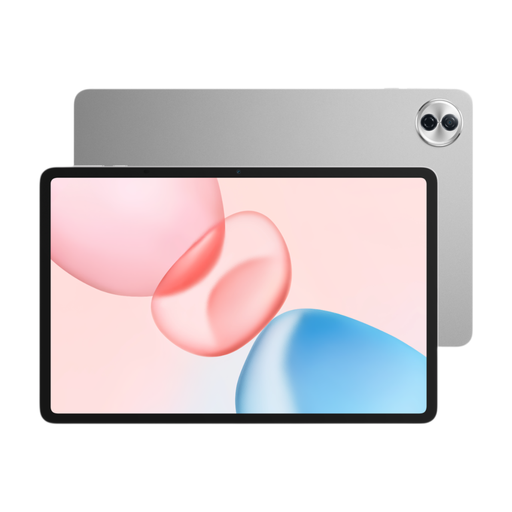
Why It Stands Out: This is a high-performance productivity tablet designed for those who demand more. Its large, high-resolution screen and powerful internals make it a capable tool for work, creativity and premium entertainment.
Pros:
tablet with stylus support and AI productivity tools, making it a strong contender for professional and academic use.Who is it for? Professionals, students and creatives who need a large screen tablet that can handle serious work, from document editing and digital art to complex project management.
View the HONOR Pad 10 on Joybuy
These recommendations cover a range of common needs, but the world of tablets is vast. If our picks don't quite match what you're looking for, there are many other models to consider with different features and specifications.
Explore our full range of tablets to find the perfect fit for your lifestyle and budget.
A good budget android tablet prioritises core functions like web browsing, streaming and light app usage. Look for devices with a clear display (at least 1280x800 resolution) and enough RAM (4GB or more) to ensure smooth operation for these basic tasks. The TECLAST P33 is a strong example of a device that delivers on these essentials.
Yes, for many people, an 11 inch tablet is an excellent size for productivity. It offers enough screen space for split-screen multitasking and comfortable document editing while remaining more portable than a typical laptop. For intensive creative or analytical work, a large screen tablet of 12 inches or more, especially one with stylus support, can provide an even better experience.
Absolutely. Many Android tablets are designed to be a great family tablet. Key features to look for include dedicated 'kids mode' software, which allows parents to manage screen time and filter content. A durable build and eye-comfort display modes are also important for a shared tablet for kids. The HONOR Pad X8b, with its comprehensive HONOR Kids mode, is a great illustration of this.