
24/7 Customer Support

Free returns

Same-day & Next-day Delivery

Quality Guaranteed

Unlock Your Welcome Offers: FREE Delivery | Up to 80% OFF | Free 30-day JoyPlus trial
Download the APP
Finding a versatile Android tablet with stylus support that doesn't carry a premium price tag can feel like a challenge. You need a device that can handle everything from detailed digital art and diligent note-taking to seamless multitasking for work or study, all while offering a great entertainment experience. Many people feel they have to choose between high cost and limited functionality, but the market is full of capable alternatives.
As a Joybuy Product Recommendation Officer, my role is to help you navigate these options. This guide focuses on practical features and specifications, cutting through the marketing jargon to help you find a tablet that genuinely fits your needs and budget. We will explore what to look for and highlight a few models that deliver impressive performance and features.
Before diving into specific products, let's outline a few key considerations. Focusing on these areas will help you make a more informed decision.
For anyone interested in a drawing tablet with screen or a tablet for note taking, the display and stylus performance are paramount. Look for a screen with at least a Full HD (1920x1080) or 2K resolution for sharp, clear images. An 11 inch Android tablet or larger provides ample space for creative work and split-screen multitasking. Equally important is the stylus's pressure sensitivity, measured in levels. A higher number (like 4096 levels) allows for more nuanced control over line thickness and opacity, mimicking the feel of traditional drawing tools.
A tablet's performance is dictated by its processor and RAM. For smooth multitasking—switching between research, writing and streaming—a high RAM tablet is essential. Modern tablets often use virtual RAM expansion to supplement the physical RAM, providing a significant boost for demanding applications. An octa-core processor is the standard for handling modern apps and games efficiently. Also, look for devices running a recent version of the operating system, such as an Android 15 tablet, to ensure access to the latest features and security updates.
The ideal tablet should adapt to your needs. Features like a dedicated PC Mode can transform your tablet into a laptop-like environment, boosting productivity. The inclusion of accessories like a keyboard and pen straight out of the box adds significant value, turning your device into a complete workstation. This makes it a compelling iPad alternative with pen for students and professionals. Connectivity options like dual SIM 4G and 5G WiFi ensure you can stay connected wherever you are.
Here are a few Android tablets that offer a compelling combination of features, performance and value.
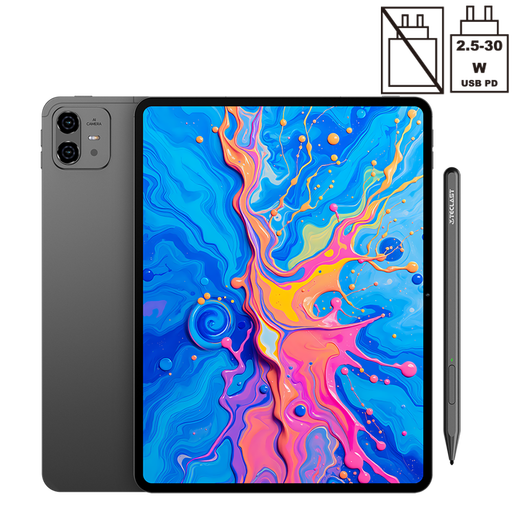
Why It Stands Out: The ArtPad Pro is built for creators. Its expansive 12.7-inch 2K display provides a massive canvas for drawing and design. Paired with the included T-Pen stylus, which supports 4096 levels of pressure sensitivity, it offers a precise and responsive drawing experience, making it an excellent affordable drawing tablet.
The Helio G99 processor and a substantial 20GB of RAM (8GB physical + 12GB virtual) ensure that even demanding creative software runs smoothly. Its enormous 10,000mAh battery is designed for long sessions, whether you're sketching in a park or binge-watching your favourite series.
Pros:
Who is it for? Digital artists, designers and students who prioritise a large, high-quality screen and precise stylus input for creative work.
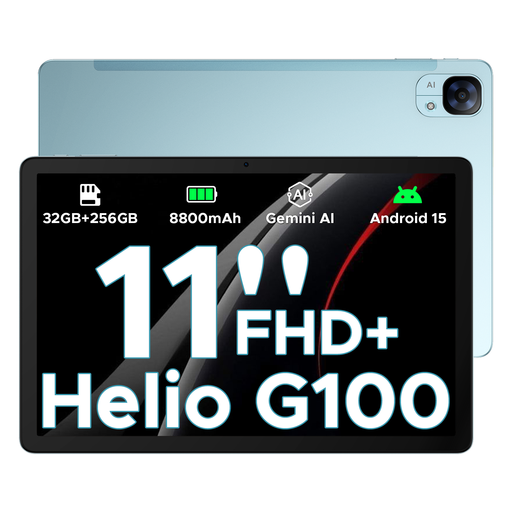
Why It Stands Out: The DOOGEE Tab E3 packs a remarkable amount of memory into a sleek, 7.5mm ultra-slim metal body. With a headline figure of 32GB of RAM (physical plus virtual) and a Helio G100 AI gaming processor, this tablet is geared for high-performance tasks and entertainment.
Its 11-inch FHD+ display features a 90Hz refresh rate, which makes scrolling, gaming and video playback feel exceptionally smooth. Running on Android 15, it offers the latest software experience, while Widevine L1 support ensures you can stream content from services like Netflix and Disney+ in high definition.
Pros:
Who is it for? Power users, mobile gamers and media consumers who demand top-tier performance, a fluid display and the latest Android features in a portable package.
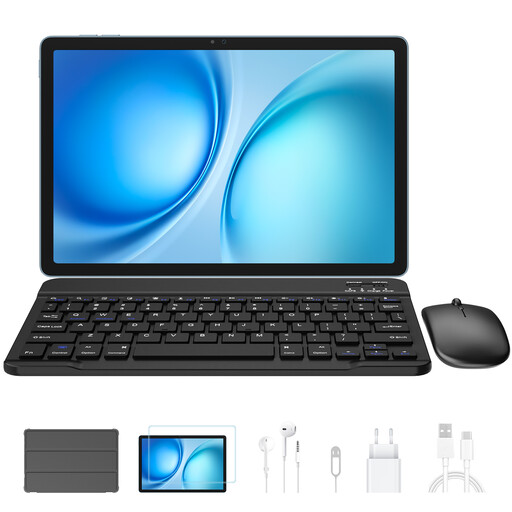
Why It Stands Out: The Blackview Zeno 10 is a complete productivity package straight out of the box. It comes with both a keyboard and stylus, making it an exceptional value proposition for anyone needing a tablet with keyboard and pen. Its PC Mode transforms the Android interface into a familiar desktop-like experience, perfect for managing documents and emails.
The 11-inch 2K display with a 90Hz refresh rate is both sharp and fluid, while the 24GB of combined RAM provides plenty of power for work and play. With dual SIM 4G and 5G WiFi, it offers versatile connectivity for professionals on the move.
Pros:
Who is it for? Students, mobile professionals and anyone seeking a versatile 2-in-1 device that can function as both a tablet and a laptop without extra purchases.
The models above represent a great balance of features and value, but the world of tablets is vast. If you're interested in exploring more devices, particularly those with the latest in mobile connectivity, be sure to check out our broader selection.
? Explore our full range of 5G tablets here
1. Can you use any stylus with an Android tablet? Not all styluses are compatible with all tablets. There are two main types: capacitive (passive) styluses, which mimic a finger and work on any touchscreen, and active styluses, which offer advanced features like pressure sensitivity and palm rejection. For drawing and writing, an active stylus designed for your specific tablet model, like those included with the products above, will provide a much better experience.
2. Are Android tablets good for note-taking at university? Absolutely. An Android tablet with stylus is an excellent tool for students. Apps like OneNote, Evernote or Google Keep allow you to write notes by hand, annotate PDFs and record lectures. The ability to organise all your notes digitally, combined with the portability of a tablet, makes it a powerful study aid.
3. What is the difference between a dedicated drawing tablet and a regular Android tablet with a stylus? A dedicated drawing tablet (without a screen) connects to a computer and acts as an input device. An Android drawing tablet with screen, like the TECLAST ArtPad Pro, is a standalone device. It combines the functionality of a computer and a drawing surface into one portable unit, allowing you to see what you're drawing directly on the screen, which many artists find more intuitive.