If your old Android phone still unlocks and stays connected, start the replacement phone’s setup with a cable or Wi-Fi transfer, but do not treat a completed transfer as proof that everything has moved. Check your photo backup, local files, account recovery and critical apps separately, and keep the old phone until you have tested access on the new one. If the old phone is unreliable, prioritise a completed cloud backup and an additional copy of accessible files before attempting a longer transfer.
Who needs a migration plan?
People with irreplaceable photos and files
Check that photo and video backup has finished, identify downloads and other local files, and compare the space they need with the replacement phone’s available storage. Google Android Help lists downloads and media in hidden folders among content that standard setup transfer does not copy.
People dependent on banking and account access
Prepare a sign-in fallback before changing devices. Google Account Help describes backup codes for two-step verification, while Google Wallet Help says a payment card may need verification when it is added to a phone. Check banking and other essential apps’ own recovery steps too.
People moving to a different Android brand
Compare the standard Android setup route with the new brand’s transfer tool, checking the connection method, storage and app-data limits. Google, Samsung and OnePlus describe different migration options; none makes every app’s data or credentials automatically portable.
What matters when choosing a phone and transfer method?
Choose a route according to how long the old phone can remain usable, then check what needs a separate backup. Whichever route you use, the replacement needs enough available storage for the data you intend to move.
Phone-to-phone transfer
Choose it when: The old phone still unlocks, charges and can stay connected during the new Android phone’s initial setup.
Trade-off: Google Android Help says some content will not copy and the setup transfer option may not be available later.
Cloud restoration
Choose it when: The old handset may not last through a direct transfer, or you want a backup before beginning one.
Trade-off: Google Android Help says restoration varies by phone and Android version, and not all apps restore all their settings and data.
Computer-assisted copy
Choose it when: You want an additional copy of accessible files, or plan to use Samsung’s PC or Mac Smart Switch workflow for a Galaxy.
Trade-off: The old phone must still provide access to the files; Google Android Help notes that not every USB cable transfers data.
| Concern |
What to check |
Who this matters to |
| Photos and local files |
Compare the old phone’s used storage with space available on the replacement. Confirm the intended Google Photos account and completed backup; inspect downloads and hidden folders separately. |
If my photos or documents exist only on the failing phone, I need a copy I can actually open before it stops working. Around 36% of consumers put photo and file preservation first. |
| Account and payment access |
Check Google Account recovery and two-step verification fallbacks. Keep access to the old phone and relevant SIM or eSIM arrangement while testing essential apps and wallet cards. |
I cannot rely on restored app icons if I might be locked out of banking or verification codes. Account-access continuity is the primary concern for around 29% of consumers. |
| Everyday data and settings |
Check the old and new Android versions and the transfer methods available during initial setup. Review app-specific transfer instructions for content that standard setup does not copy. |
When replacing my main phone, I want contacts, messages and usable apps without rebuilding more than necessary. Around 21% of consumers prioritise this broader transfer. |
| A fallback for a failing handset |
Complete any accessible cloud backup or separate file copy promptly. For a computer copy, check that the phone unlocks and the cable supports data transfer. |
If my old phone may fail partway through setup, I need another recoverable copy before attempting the move. Having that fallback comes first for around 14% of consumers. |
Mistakes to avoid before retiring the old phone
-
Assuming setup transfer includes every file and app
Google Android Help lists downloads, hidden-folder media and app data that does not use Android backup among items standard setup transfer will not copy. Samsung says Smart Switch does not transfer most secure or encrypted data, including WhatsApp chats.
List the files and critical apps you need, follow any app-specific migration steps, and open the transferred content on the new phone before wiping the old one.
-
Choosing storage by the old phone’s advertised capacity
The old phone’s capacity is not the amount of data you need to move, and some of the new phone’s capacity will already be in use. Google Pixel Phone Help says a transfer can pause when the destination fills up.
Check how much storage the old phone is using and whether the replacement will have enough available space for the content you intend to transfer.
-
Erasing the old phone before testing sign-ins
Account recovery and card verification may still depend on methods you used with the old device. Google Account Help describes backup codes for two-step verification, and Google Wallet Help says added cards may require verification.
Keep the old handset and relevant number access until you have tested essential accounts, authenticator codes, banking apps and payment methods. The Information Commissioner’s Office advises properly deleting personal information before selling or disposing of a device.
-
Assuming any charging cable can move files
Google Android Help says not all USB cables support file transfer. A wired plan also depends on connectors that fit the devices involved.
Check connector compatibility and use a data-capable cable. For a computer file copy, unlock the old phone and select its file-transfer mode.
A compatible data cable or adapter may be needed.
Relevant phone brands and transfer options
Google Pixel
A relevant route if you are moving from an Android phone to a Pixel and want Google’s guided cable, wireless or account-restoration options.
- Google Pixel Phone Help describes cable and wireless transfer from a previous Android device.
- Google says transfer can pause if the Pixel fills up; app data and sign-ins still need separate checks.
Samsung Galaxy
A relevant route if a Galaxy replacement makes Samsung’s Smart Switch methods useful to your migration plan.
- Samsung UK describes Smart Switch transfers by Wi-Fi or USB, plus PC or Mac backup and restore.
- Samsung says most secure or encrypted data, including WhatsApp chats, does not transfer through Smart Switch.
OnePlus
A relevant route if you are moving to a OnePlus handset and want to consider its own migration tools alongside Android backup.
- OnePlus describes Clone Phone and backup options for selected contacts, messages, files and other data.
- OnePlus says compatibility limits which data formats can transfer, so check important apps individually.
Android replacement phones on Joybuy
These Android replacement phones provide stated storage capacities to compare with your current phone’s used space. Choose a handset and migration method together: check available space after setup, connection options and the transfer instructions for your old and new devices before relying on a particular route.
 No image available
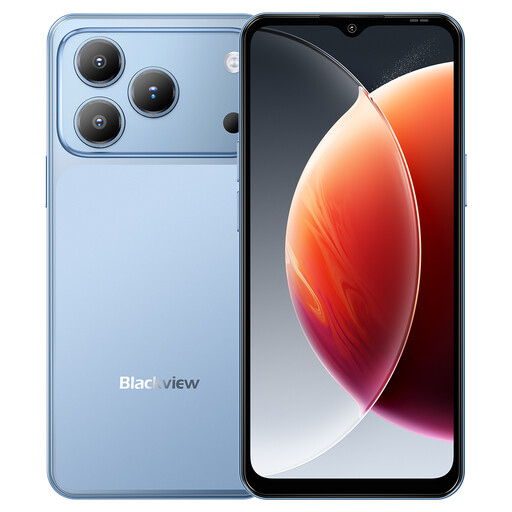
Blackview Wave 7C, 128GB, Blue
Consider its stated capacity against the files you intend to keep on the replacement. The title specifies Android 16 and 128GB storage; check available space after setup and the transfer method compatible with your old phone.
View on Joybuy
 No image available
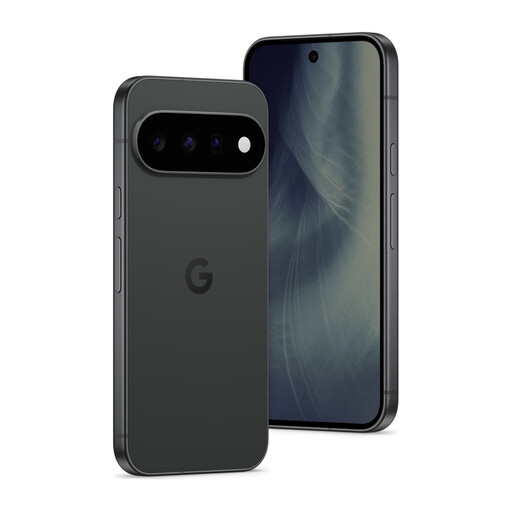
Google Pixel 11 5G, 512GB, Obsidian
Its stated 512GB storage is a figure to compare with the data you plan to move. Google describes Pixel transfer by cable or wirelessly from Android devices generally; check this model’s setup instructions, available storage and compatibility with your old phone.
View on Joybuy
 No image available
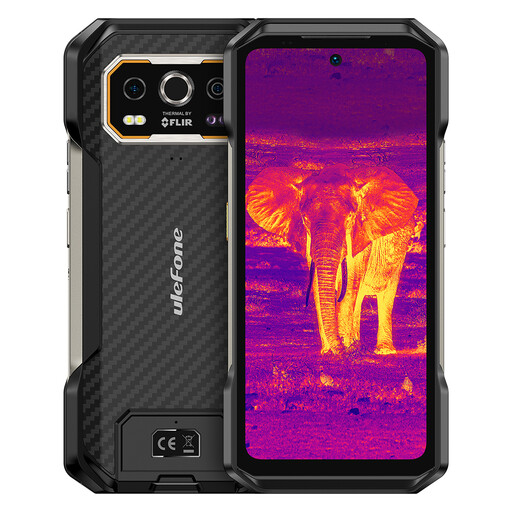
Ulefone Armor 27T Plus 4G, 256GB
Compare its stated storage with the amount of data on your old handset. The title specifies Android 15 and 256GB storage; confirm usable space and a compatible phone-to-phone or backup-restoration method before choosing it for a move.
View on Joybuy
 No image available
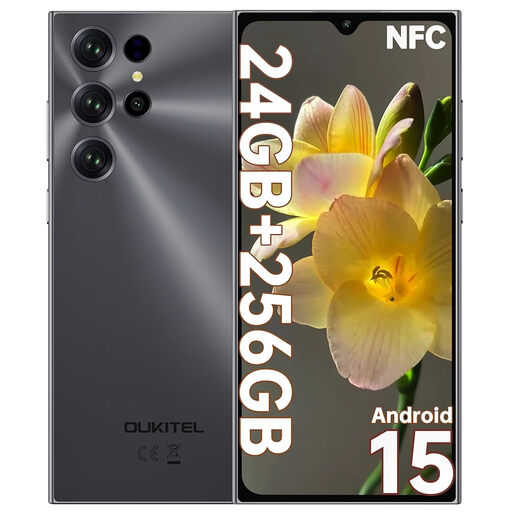
OUKITEL C61 Pro, 8GB RAM, 256GB, Black
Use the stated 256GB storage to assess whether your planned files will fit, allowing for space used after setup. Check which migration method works with your old phone rather than treating a charging connection as confirmation of data-transfer support.
View on Joybuy
 No image available
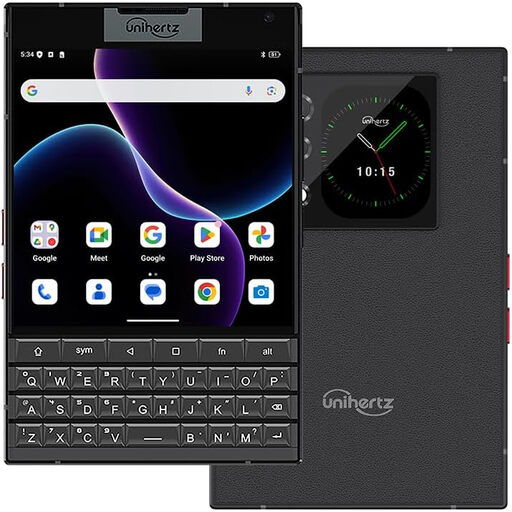
Unihertz Titan 2, 12GB RAM, 512GB, Black
Consider this model if you want the physical QWERTY keyboard stated in its title as well as a replacement Android phone. It lists 512GB storage; compare usable space with your files and check migration compatibility with the old handset separately.
View on Joybuy
Questions about moving to a new Android phone
Will Android setup transfer copy everything from my old phone?
No. Google Android Help says setup can copy categories such as contacts, messages, apps and some settings, but lists downloads, hidden-folder media and app data that does not use Android backup among exclusions. Check essential files and apps on the new phone individually.
What should I do about two-step verification before changing phones?
Set up and check a recovery method while you can still access the old phone. Google Account Help says backup codes can help when you cannot receive a verification code through your usual phone or Google Authenticator route; other services may require their own transfer or recovery steps.
Will my Google Wallet cards work immediately on the replacement?
They may need verification when you add them. Google Wallet Help says verification can involve a bank-issued code or another method supported by the bank, so check that you can access the bank’s required contact or authentication route.
Can I erase or recycle the old phone once transfer finishes?
Wait until you have tested the contacts, files and account access you need on the replacement. The Information Commissioner’s Office advises properly deleting personal information before selling or disposing of a device and warns that even a phone that will not turn on may still contain accessible data.


