For animation work beside a bright window, start with screen-surface treatment, ordinary SDR brightness and a position that avoids direct reflections; an HDR peak-brightness figure cannot answer that everyday visibility question. Then match the display to your work: colour-critical delivery calls for suitable colour modes and a repeatable calibration workflow, while general production may place more weight on workspace detail, connections and adjustment.
Who this is for
Animators working beside strong daylight
If window reflections interrupt drawing, compositing or frame checks, concentrate on screen treatment, SDR brightness and the ability to change the screen angle. RTINGS explains why brightness matters in well-lit rooms; the right position still depends on your desk and window.
Colour-critical animation and motion designers
If your work must meet a defined colour target, check the relevant colour modes and calibration method for the exact monitor. ASUS and BenQ document these features for particular creator displays, not for every model in their ranges.
Mac-based creative workspace users
If you use a compatible Apple-silicon Mac, Apple Studio Display offers a 5K workspace, P3 colour and reference modes. Check Apple’s supported-host list and choose the required stand or VESA configuration before ordering.
What to check when buying
Decide whether daylight visibility, repeatable colour or workspace fit is the need that would most affect your animation work. Whichever comes first, check the other two against the exact model and your desk setup.
| Concern |
What to check when buying |
Who this matters to |
| Daylight visibility |
Compare screen treatment and ordinary SDR brightness, then check whether the stand or arm lets you angle the display away from the window. |
If daylight makes frames hard to judge, I need a screen I can position and see clearly during ordinary desktop work; around 42% of consumers put daylight visibility first. |
| Colour consistency |
Match documented colour modes to the delivery target, and check calibration support and any compatible meter requirement. |
For work delivered to a defined colour standard, I need settings I can reproduce rather than relying on a wide-gamut label alone; roughly 33% of consumers prioritise colour consistency. |
| Workspace fit |
Check native resolution, desk space, mounting and whether your computer supports the required video connection. |
When timelines and artwork compete for screen space, I need enough detail without a display or connection that disrupts my desk setup; about 25% of consumers make workspace fit their primary concern. |
Buying pitfalls
-
Choosing by HDR peak brightness alone
HDR peak output does not describe how bright ordinary application windows will look. RTINGS identifies brightness as relevant to combating glare in a well-lit room.
Compare SDR brightness and screen treatment for the exact model. Where possible, assess the intended desk position within the retailer’s applicable return terms.
-
Assuming wide gamut means accurate delivery colour
A gamut figure does not establish that the selected mode matches your project or remains consistent over time. ASUS notes that display colour can drift.
Identify the required output colour space, then check the model’s modes, calibration method and whether your workflow needs a compatible meter.
-
Overlooking computer and mounting compatibility
Connection capabilities and stand options differ between monitors. Apple also specifies compatible hosts for Studio Display.
Check your computer’s display output, any charging requirement, desk dimensions and the included or selectable mounting configuration before ordering.
A different cable, dock or mounting option may be needed for the chosen setup.
-
Expecting anti-glare treatment to remove every reflection
Screen treatment and brightness can help in a bright room, but a window reflected directly in the panel remains a difficult viewing position.
Check how far you can move or angle the monitor at your desk before relying on its surface treatment for colour-sensitive work.
Brands to consider for these workflows
ASUS ProArt
The PA32UCX-PK illustrates ASUS’s professional-display approach for bright-room and colour-managed work.
- ASUS lists a 32-inch 4K anti-glare IPS Mini-LED screen, 600 cd/m² typical brightness, 1,200 cd/m² HDR peak brightness and hardware calibration for the PA32UCX-PK.
- Its 32-inch size needs suitable desk space, and its listed maximum refresh rate is 60 Hz. Do not transfer these specifications to other ProArt models.
Dell UltraSharp
The U2725QE is a 27-inch 4K workstation option with documented anti-glare treatment and hub features.
- Dell lists an IPS Black panel, an ambient-light sensor and a 120 Hz refresh rate for the U2725QE.
- For work with contractual colour requirements, establish a suitable colour mode and calibration workflow rather than treating workstation features as a substitute.
BenQ DesignVue
The PD2706UA provides documented colour modes and an ergonomic arm for creative desk setups.
- BenQ lists 4K resolution, 100% sRGB, 100% Rec.709, 95% P3 and an Animation mode for the PD2706UA.
- Its listed typical brightness is 350 cd/m². Assess its screen position carefully if strong daylight falls across your desk.
Apple Studio Display
Apple’s 5K display is a Mac-centred route with P3 colour and reference modes.
- Apple lists 600 nits brightness and anti-reflective finish options alongside its reference modes.
- Check the specified compatible Apple-silicon Macs or iPads, the 60 Hz refresh rate and the stand or VESA configuration before choosing it.
Joybuy product choices for animation work
These monitors offer different combinations of workspace detail and creator-focused features. For a desk beside a bright window, check each exact model’s SDR brightness, screen treatment and physical fit before deciding; an HDR peak figure or a matte-colour finish cannot settle the reflection question.
 No image available
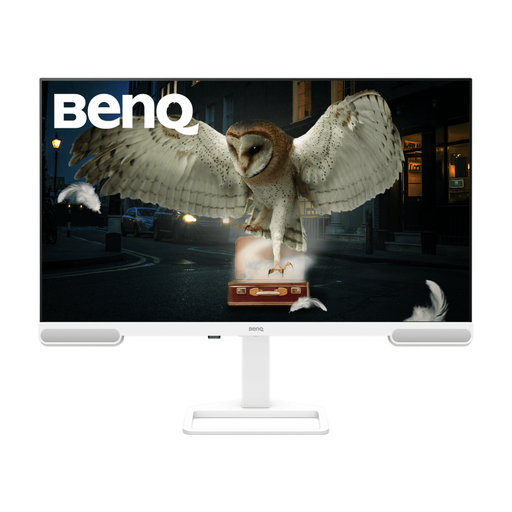
BenQ EW3290U 31.2-inch 4K display, white
Consider this for a larger 4K animation workspace if it fits your desk. The product title specifies 3840 × 2160 resolution and a 31.2-inch display; confirm the exact screen size, SDR brightness and screen treatment for your window-side position.
View on Joybuy
 No image available
ASUS ProArt PA278CV IPS WQHD monitor
Consider this for animation work where WQHD workspace detail meets your needs. Its title identifies an IPS WQHD model, not a 4K model; check the exact display’s SDR brightness and positioning options for your desk.
View on Joybuy
 No image available
ASUS ProArt Display PA32UCG-K 32-inch 4K HDR Mini LED monitor
Consider this for a larger creative workspace if your desk can accommodate a 32-inch display. The title specifies 4K, an IPS Mini LED panel and 120 Hz; check ordinary SDR brightness rather than using its HDR peak claim to judge daytime visibility.
View on Joybuy
 No image available
ASUS ProArt PA27DCE-K OLED 4K UHD monitor
Consider this 4K OLED model if its display characteristics suit your creative workflow. For a bright-window desk, check its SDR brightness and how its screen surface handles reflections; a peak-brightness figure does not answer either question.
View on Joybuy
 No image available
iiyama ProLite XUB2792UHSU-B6 27-inch 4K monitor
Consider this for a 27-inch 4K workspace if it fits your animation setup. The title specifies a 16:9 display and a matte-black finish; check the screen treatment separately, along with SDR brightness and the adjustment needed to avoid window reflections.
View on Joybuy
Common questions
Is HDR peak brightness enough for animation beside a bright window?
No: HDR peak brightness alone does not tell you how visible ordinary desktop work will be. Check SDR brightness, screen treatment and whether you can position the display away from direct reflections; RTINGS notes the importance of brightness in well-lit rooms.
Do I need a colour calibrator for animation?
A calibrator is most relevant when your work needs repeatable colour over time or across displays, rather than for every animation task. ASUS notes that display colour can drift; check the exact monitor’s supported calibration method and whether it requires a compatible meter.


