
24/7 Customer Support

Free returns

Same-day & Next-day Delivery

Quality Guaranteed

Unlock Your Welcome Offers: FREE Delivery | Up to 80% OFF | Free 30-day JoyPlus trial
Download the APP
Navigating the Apple iPad lineup can feel complex. With various sizes, processors and features, choosing the right model for your needs—whether you're a student, a creative professional or someone looking for a premium device for daily tasks—requires careful consideration. This guide is designed to clarify the key differences between the latest models and help you identify the iPad that aligns with your lifestyle and workflow.
We will explore the factors that matter most, from screen size and processing power to storage capacity, providing practical information to support your decision.
Before looking at specific models, it's helpful to understand the core features that differentiate the iPad family. Focusing on these three areas will help narrow down your options.
The physical size of an iPad is often the first and most important decision. A larger screen, like that on a 13-inch iPad, provides an expansive canvas ideal for multitasking with Split View, detailed creative work or enjoying films. However, a larger device is naturally less portable.
Conversely, a smaller tablet like the iPad Mini offers excellent portability. It's a lightweight tablet that fits easily into a small bag, making it perfect for reading, taking notes on the go or as a compact entertainment hub. The 11-inch iPad models strike a balance, offering a generous display that remains convenient for travel and daily commutes.
The processor inside your iPad determines its speed and capability. For 2026, the lineup includes several powerful options:
Your storage needs depend entirely on how you plan to use your iPad. A 128GB iPad is often sufficient for users who primarily stream media, browse the web and use cloud-based storage for documents. If you plan to download large apps, games or store extensive photo and video libraries directly on the device, a 512GB iPad or larger is a more suitable long-term option.
Additionally, consider your need for accessories. If you intend to draw or take handwritten notes, ensure the model you choose has Apple Pencil Pro support, which offers advanced features like barrel roll and squeeze gestures. For those planning to use their iPad for extensive typing, compatibility with the Magic Keyboard is also a key factor.
Here are a few standout models from the current lineup, selected to meet a range of different user needs.
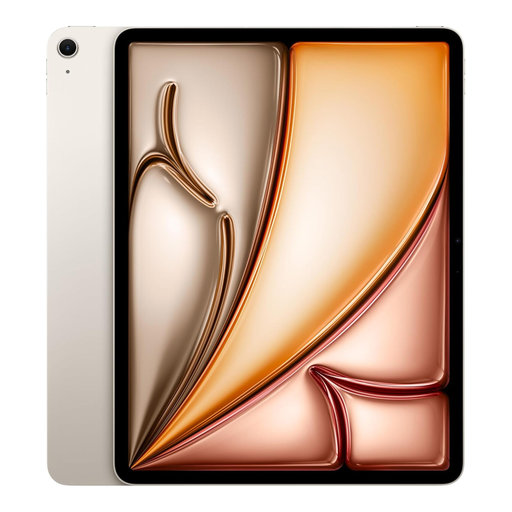
Why It Stands Out This model brings the large 13-inch Liquid Retina display to the iPad Air line, offering a vast and vibrant workspace. Powered by the capable M3 chip, it handles demanding apps and multitasking smoothly. Its landscape-oriented 12MP front camera is a practical improvement for video calls and at just 6.1mm thin, it remains remarkably portable for its size. The Starlight iPad finish provides a subtle and elegant look.
Pros
Who is it for? This is an excellent choice for students and professionals who need a large screen for note-taking, document editing or creative work but do not require the top-tier performance of the M4 chip.
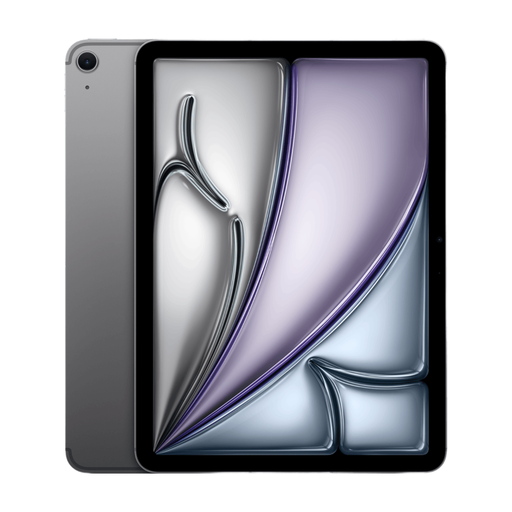
Why It Stands Out The defining feature of this 11-inch iPad is its next-generation M4 chip. This processor delivers a remarkable leap in performance, making it one of the most powerful and efficient tablets available. Paired with a generous 512GB of storage and a portable 11-inch Liquid Retina display, it is built for intensive workflows. The classic Space Grey iPad finish gives it a sleek, professional appearance.
Pros
Who is it for? Creative professionals, developers and power users who require maximum performance for tasks like 4K video editing, 3D modelling or running complex software will find the M4-powered iPad Air an ideal tool.
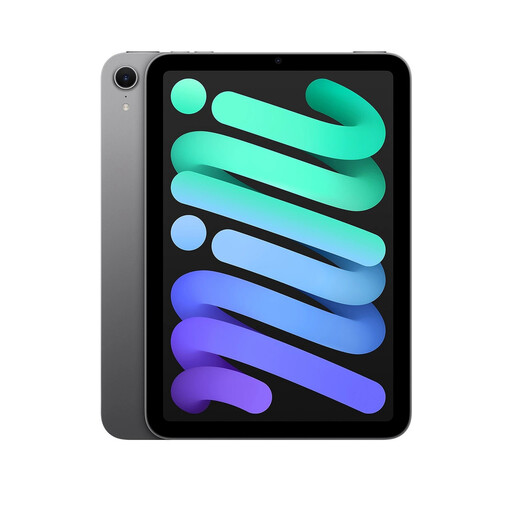
Why It Stands Out The iPad Mini packs incredible power into an ultra-portable frame. The A17 Pro chip provides performance that rivals larger devices, making it capable of handling console-level gaming and professional creative apps. Its 8.3-inch Liquid Retina display is sharp and bright and with Apple Pencil Pro support, it transforms into a digital notebook you can hold in one hand. This model's 512GB storage ensures you have plenty of space for all your media and projects.
Pros
Who is it for? This device is perfect for those who prioritise portability above all else. It is a great companion for frequent travellers, students attending lectures and anyone who wants a powerful tablet that is easy to carry and use anywhere.
If you have a specific colour or configuration in mind, there are many other choices available. For those who prefer a classic, understated look, our collection of Grey Tablet models offers a variety of specifications in this timeless finish.
1. How much storage do I need for an iPad? For light use like streaming, browsing and casual apps, 128GB is generally sufficient. If you plan to download many large games, store offline movies and TV shows or work with high-resolution photos and videos, opting for 256GB or a 512GB iPad is a wise investment to avoid running out of space.
2. Is an iPad Air a good choice for students? Yes, the iPad Air is an excellent tool for students. Its support for Apple Pencil Pro makes it ideal for taking handwritten notes, while its powerful chip can handle research, writing papers and even more demanding coursework in fields like design or video production. Its balance of performance and portability makes it a versatile choice for campus life.
3. What is the main difference between the M3 and M4 iPad chips? The M3 chip provides desktop-class performance that is more than capable for the vast majority of tasks, including 4K video editing and professional creative work. The M4 chip is a next-generation processor built on a more advanced architecture, offering even greater CPU and GPU performance and improved power efficiency. It is designed for users with the most demanding workflows who need the absolute highest level of performance available in an iPad.