
24/7 Customer Support

Free returns

Same-day & Next-day Delivery

Quality Guaranteed

Unlock Your Welcome Offers: FREE Delivery | Up to 80% OFF | Free 30-day JoyPlus trial
Download the APP
Navigating the Apple MacBook lineup can feel complex. With distinct models like the Air and Pro, various screen sizes and the introduction of new Apple silicon chips, finding the right fit for your specific needs is key. Whether you're a student heading to university, a creative professional or simply looking for a reliable laptop for everyday use, the choice you make will impact your daily workflow.
This guide is designed to cut through the clutter. We will break down the key differences between the latest models, helping you understand which features matter most for your tasks. Our goal is to provide clear, practical information so you can confidently select the right Apple laptop.
Before looking at specific models, it helps to consider a few key factors. Your typical usage will determine which configuration offers the right balance of performance and value.
The first major decision is between the MacBook Air and the MacBook Pro. The distinction is clearer than ever:
The processor, or chip, is the engine of your laptop. The 2026 lineup features impressive options:
Here are our recommendations from the current lineup, selected to meet the needs of different users across the UK.

Why It Stands Out: This model offers the best of both worlds: a large, immersive screen combined with the thin, light and silent design of the MacBook Air. The 15-inch MacBook Air is powered by the new M5 chip, delivering ample performance for productivity and creative tasks without needing a fan.
Pros:
Who is it for: Professionals and students who need more screen real estate for spreadsheets, documents or side-by-side applications but still value portability. It's also great for anyone who wants a larger display for watching films and browsing at home.
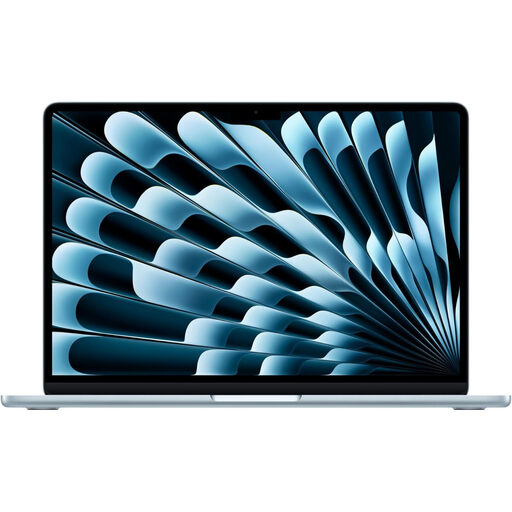
Why It Stands Out: The 13-inch MacBook Air continues its legacy as the ultimate portable Mac. With the new M5 chip, it packs a serious performance punch into a compact frame that can go anywhere. It is the definitive Apple laptop for students and road warriors.
Pros:
Who is it for: Students, frequent travellers and anyone who prioritises mobility. If you need a reliable machine to carry between lectures, coffee shops and the office, this is a leading contender.
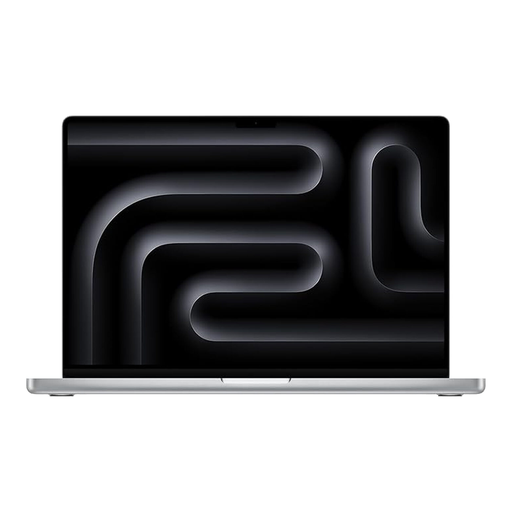
Why It Stands Out: This is a mobile powerhouse built for the most demanding professional workflows. The 16-inch MacBook Pro with the M4 Pro chip delivers desktop-class performance for tasks like video encoding, code compilation and graphic design. Its Liquid Retina XDR display is one of the most advanced ever in a laptop.
Pros:
Who is it for: Creative professionals, including video editors, 3D artists, photographers and software developers. This is the machine for users who need uncompromising performance and cannot afford to wait.
While the Apple MacBook lineup offers compelling choices, we understand that every user's needs are different. If you are exploring other brands or configurations, there is a wide world of high-performance notebooks available. To find a machine that fits your specific workflow and budget, you can browse our curated collection.
Explore our full range of high-performance laptops with solid state drives to find the perfect match for your needs.
For the vast majority of users, including students and professionals using standard office suites and web-based applications, 16GB of unified memory is an excellent choice. It provides a smooth experience for multitasking and is well-suited for the demands of software in 2026 and beyond. Users with highly specialised workflows, such as editing 8K video or running complex virtual machines, may benefit from 24GB or more.
The M5 chip in the new MacBook 2026 models delivers a substantial leap in both processing speed and power efficiency. For the user, this translates to a faster, more responsive experience when launching apps, editing photos or juggling multiple tasks. Crucially, it achieves this while maintaining the MacBook Air's excellent battery life and silent, fanless operation.
When you want to buy a MacBook in the UK, it is always advisable to check prices across reputable online retailers. This allows you to compare current MacBook deals and configurations. You can view the latest pricing and availability for the models featured in this guide by clicking through to their respective product pages.