
24/7 Customer Support

Free returns

Same-day & Next-day Delivery

Quality Guaranteed

Unlock Your Welcome Offers: FREE Delivery | Up to 80% OFF | Free 30-day JoyPlus trial
Download the APP
Buying one of the many Apple MacBook laptops available in the UK can be confusing. MacBook Air, MacBook Pro and MacBook Neo models may look similar, but their processors, memory, displays, ports and storage can make a significant difference to daily use.
Marketing language can also make it easy to spend more than necessary. Before choosing an Apple laptop, consider these common purchasing traps.
A MacBook Pro with an M5 Pro or M5 Max chip is designed for demanding workloads, but it may be unnecessary for web browsing, office applications, video calls and university assignments. A MacBook Air or MacBook Neo may provide a more suitable balance for these tasks.
The processor is important, but it is only one part of the specification. Unified memory, GPU cores, cooling design, display quality and available ports all affect the experience. For example, a MacBook with 16GB RAM, described by Apple as unified memory, can be more practical for multitasking than a model with less memory but a newer-sounding chip.
A 512GB SSD may be sufficient for documents, streaming and cloud-based work. However, photographers, video editors, developers and users with large media libraries may need a MacBook with 1TB SSD or MacBook with 2TB SSD. External storage is an option, but carrying an additional drive can reduce the convenience of a portable laptop.
For everyday tasks, an efficient chip with a standard integrated GPU should handle browsers, office software, streaming and light editing. The Apple M5 chip in the 13-inch and 15-inch MacBook Air models includes a 10-core CPU, while available GPU configurations differ between models.
For professional applications, compare the Apple MacBook Pro M5 Pro and Apple MacBook Pro M5 Max carefully. The M5 Pro configuration listed here has a 15-core CPU and 16-core GPU, while selected M5 Max models offer an 18-core CPU with either a 32-core or 40-core GPU. More GPU cores can be relevant to 3D work, video production, software development and other graphics-heavy workloads.
For a MacBook for students or everyday users, 8GB may cover basic tasks, although 16GB offers more headroom for multiple applications and browser tabs. Professionals working with large projects should consider 24GB, 36GB or 48GB unified memory, depending on their software and workload.
Storage should be assessed alongside your working habits:
A 13-inch MacBook Air is easier to carry on trains, between lectures or around a shared home. A 15-inch MacBook Air provides more room for split-screen work without the additional size and connectivity of a Pro model.
The 14-inch MacBook Pro offers a smaller professional form factor, while the 16-inch MacBook Pro provides a larger 16.2-inch Liquid Retina XDR display. Pro models also include Thunderbolt 5, HDMI and an SDXC card slot, which can reduce the need for adapters when connecting cameras, displays and other equipment.
Check the included charging equipment before ordering. Some configurations include a charging cable but require a compatible USB-C power adapter separately. Always confirm the current listing details and use suitable Apple-certified or compatible USB Power Delivery accessories.

Why This Fits Their Persona: Its compact 13-inch format, Touch ID and 512GB SSD suit students, home users and shoppers seeking an accessible Apple laptop for documents, browsing, streaming and online communication.
It avoids paying for a professional-grade GPU when the intended use is everyday productivity. Check that 8GB memory is sufficient for your planned applications before buying.
13-inch display, A18 Pro chip, Touch ID and 512GB SSD in a portable design.
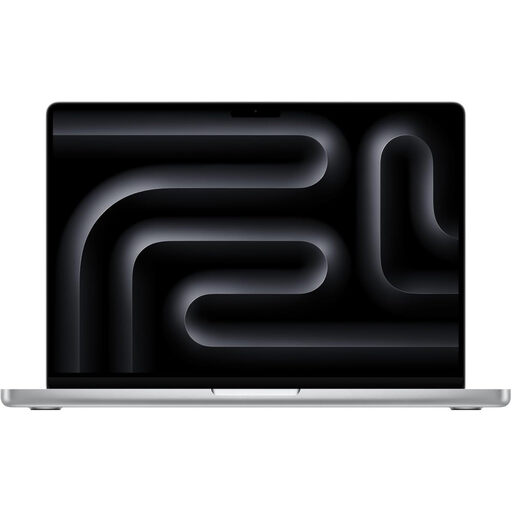
Why This Fits Their Persona: This configuration is suited to professionals and creatives who want a portable workstation with a high-resolution Liquid Retina XDR display and substantial local storage.
The 24GB memory and 2TB SSD reduce the likelihood of immediately needing external storage or closing applications during complex work.
24GB unified memory, 2TB SSD, Thunderbolt 5, HDMI and SDXC card connectivity.
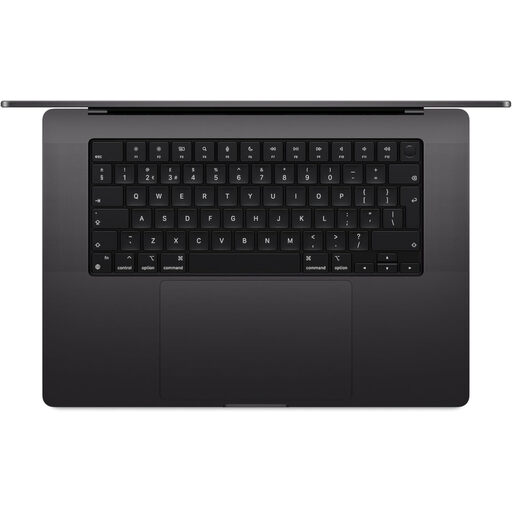
Why This Fits Their Persona: Video editors, developers, 3D creators and professionals managing demanding projects may benefit from the larger display, M5 Max chip and extensive connectivity.
Its specification is clearly matched to intensive workloads rather than selected solely for its processor name. Confirm that your software supports the required GPU and memory capacity.
18-core CPU, 32-core GPU, 36GB unified memory, 2TB SSD and a 16.2-inch Liquid Retina XDR display.
We have compiled a complete, real-time list of products that fully satisfy these strict selection criteria and UK safety regulations.
Choose a MacBook Air when portability, quiet everyday operation and value are more important than professional connectivity. The 13-inch model is convenient for commuting and study, while the 15-inch MacBook Air gives more screen space for spreadsheets and side-by-side applications.
Choose a MacBook Pro when you need sustained performance, a Liquid Retina XDR display, more ports or support for multiple external displays. The 14-inch MacBook Pro balances portability and capability; the 16-inch MacBook Pro is more suitable when screen area and high-performance hardware take priority.
For many students, 16GB unified memory is suitable for web research, documents, presentations, video calls and moderate multitasking. Students using demanding design, engineering or video software should compare higher-memory configurations.
The practical lifespan depends on battery use, software requirements, storage capacity and physical care. Choosing enough memory and storage at purchase can help avoid an early upgrade. Keep macOS updated, protect the laptop from moisture and heat, and use appropriate charging accessories.
Electricity use depends on charging frequency, workload and local energy tariffs. Efficient Apple silicon hardware is designed for portable use, but demanding applications can consume more power. Battery condition, display brightness and connected accessories also affect charging frequency.