Motion-sports players
If swinging or other physical movements are central to the game you want to play, start with the title’s supported controllers and modes. Nintendo UK describes real-world Joy-Con movements in Nintendo Switch Sports.


Choose a controller supported by your console and the exact sports game before weighing its other features. Nintendo Switch Sports uses Joy-Con or Joy-Con 2 in configurations that vary by sport, while PS5, Xbox and PC players should check controller support for their particular title. A bright lounge does not, by itself, call for a different controller; consider screen glare and clear space for movement separately.
If swinging or other physical movements are central to the game you want to play, start with the title’s supported controllers and modes. Nintendo UK describes real-world Joy-Con movements in Nintendo Switch Sports.
If you already play on PS5, Xbox or a compatible PC and prefer conventional controls, match the controller to both your device and the sports game. Platform support alone does not settle game compatibility.
If several people will play together, plan for the supported number of controllers and how you will keep them ready. Charging, replaceable batteries and safe handling of detached motion controllers can all affect a shared session.
Settle the console, game and intended play style first; then check how many controllers and what power arrangements a shared session requires.
| Concern | What to check | Who this matters to |
|---|---|---|
| Game compatibility | Check the exact title, console generation and supported controller for the intended sport or mode. Nintendo UK says Nintendo Switch Sports does not support Switch Pro Controllers or Switch 2 Pro Controllers. | If my chosen game cannot use the controller, its other features will not help me play. Around 45% of consumers would put exact game and platform compatibility first. |
| Motion or conventional play | Check whether the game calls for movement input and which Joy-Con configuration its modes support. For Nintendo Switch Sports leg-strap football, Joy-Con 2 is not compatible with the leg strap. | I want the swings and movements to be part of playing, rather than choosing a controller for buttons and sticks alone. Motion-led play would be the primary concern for around 36% of consumers. |
| Shared-session readiness | Count the controllers needed for your chosen mode and plan charging or battery changes. Nintendo UK advises attaching straps when original Joy-Con are used detached and wirelessly. | When several of us play, I need enough ready-to-use controllers and room to move safely. Keeping those sessions prepared would come first for around 19% of consumers. |
A controller may work with a console but not with the sports title or mode you intend to play. Nintendo UK says Nintendo Switch Sports does not support Switch Pro Controllers or Switch 2 Pro Controllers.
Check the publisher’s controller guidance for your exact game, console generation, sport and local-player setup before buying.
Nintendo UK says Joy-Con 2 cannot be used with the leg strap in Nintendo Switch Sports.
If that mode matters to you, check for original Joy-Con and a compatible leg strap.
Bright light may affect how easily you see the television, but it does not determine which controller your game supports.
Choose by game support and play style, then assess screen glare and leave clear space for active movement.
PlayStation Direct describes DualSense USB-C charging, while Xbox Support says the standard Xbox Wireless Controller uses AA cells or a rechargeable pack. Rechargeable AA cells do not charge inside that controller.
Before arranging a multiplayer session, decide whether you will charge controllers between uses or keep suitable replacement batteries ready.
Relevant when Nintendo Switch Sports or another supported title calls for Joy-Con movement controls.
Relevant to PS5 sports games that support the DualSense controller.
Relevant to conventional controller play on supported Xbox consoles, Windows PCs and compatible mobile devices.
These controllers cover three different starting points: Joy-Con movement play on a supported Nintendo setup, DualSense play on PS5, and conventional Xbox or Windows play. Choose only after checking your exact game and mode.
 No image available
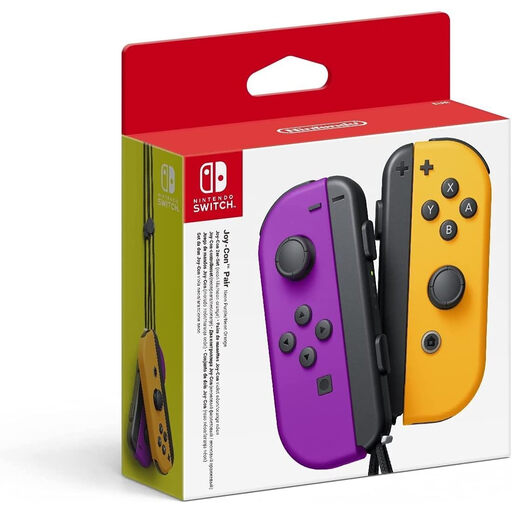
Consider this original Joy-Con pair for Nintendo Switch Sports movement play where your console, sport and mode support it.
Nintendo advises attaching straps for detached wireless Joy-Con use; check whether suitable straps come with the pair.
 No image available
Consider DualSense for a PS5 arcade-sports game that supports this controller.
PlayStation describes haptic feedback and adaptive triggers, though their use depends on the game. Its built-in battery charges through USB-C.
 No image available
Consider this controller for a conventional sports game on a supported Xbox or Windows device, after checking the game’s controller support.
Microsoft lists AA cells or a rechargeable pack as power options for the standard Xbox Wireless Controller; rechargeable AA cells charge outside the controller.
Only games and modes that require or use movement input call for a suitable motion controller. Nintendo UK describes real-world Joy-Con movements in Nintendo Switch Sports; check the controls for your particular title rather than assuming every arcade-sports game plays that way.
No. Nintendo UK says neither the Nintendo Switch Pro Controller nor the Nintendo Switch 2 Pro Controller is compatible with Nintendo Switch Sports; the game also does not support handheld mode.
Yes, for original Joy-Con used as detached wireless controllers, Nintendo UK instructs players to attach the straps. Check that you have straps suited to those controllers and leave clear space around players before active swings.
DualSense uses a built-in battery and USB-C charging, according to PlayStation Direct. Xbox Support says the standard Xbox Wireless Controller uses AA cells or a rechargeable pack; rechargeable AA cells need charging outside the controller.