Detail-focused drawing reviewers
If you compare dense plans, elevations or mark-ups, screen space and line geometry will shape your choice. BenQ’s AutoCAD guidance highlights resolution, flat panels and viewing consistency as considerations.


Start with a flat, adjustable 31.5–32-inch 4K monitor if the shared desk has room for it; BenQ’s AutoCAD guidance identifies flat geometry as a consideration when reviewing lines. Prioritise docking and source switching when staff regularly change laptops, or documented colour features when the team also reviews renders and presentation boards. Check the desk, lighting and each laptop’s compatibility before standardising on a model.
If you compare dense plans, elevations or mark-ups, screen space and line geometry will shape your choice. BenQ’s AutoCAD guidance highlights resolution, flat panels and viewing consistency as considerations.
If several people connect laptops to one workstation, check how they will access charging, the network and peripherals, and whether they need to switch between computer sources.
If drawing reviews also include material palettes, renders or presentation boards, look for documented colour specifications and a review process that uses them consistently.
For a shared architectural-review desk, settle the drawing workspace and physical fit first, then decide which connections and colour features the team will actually use.
| Concern | What to check | Who this matters to |
|---|---|---|
| Drawing detail and space | Compare native resolution, screen size, flat geometry and the space available for drawings alongside reference windows. | If I compare fine dimensions and overlapping lines, I need room to inspect them without losing sight of the wider plan. Around 36% of consumers put drawing detail first. |
| Docking and switching | Check each laptop’s video output and charging needs, plus whether the intended cables and peripherals work with the monitor’s connections. | When colleagues take turns at one desk, I want to change laptops without repeatedly reconnecting the whole setup. Roughly 29% of consumers make shared-desk connections their primary concern. |
| Adjustment and glare | Check stand adjustment, desk depth and reflections under the office’s usual lighting. | I need the screen to work for different seated users without reflections obscuring the drawing. About 21% of consumers put workstation fit first. |
| Colour review | Identify the colour space used for project boards and whether the team needs a calibration report or managed profiles. | If I review renders and material palettes alongside plans, I need a consistent way to judge colour across the workflow. Around 14% of consumers prioritise colour review above the other concerns. |
A high-resolution screen will not resolve an unsuitable desk position, seating arrangement or lighting. The Health and Safety Executive advises assessing the whole workstation, including equipment, furniture and work conditions.
Assess the intended shared desk with its users before buying monitors for every workstation.
BenQ’s AutoCAD buying guidance cautions that curved screens can skew the appearance of lines. That is manufacturer guidance, not a comparison of every curved monitor.
Prioritise a flat panel for precise line review unless the team has checked a curved alternative using its own drawings.
A USB-C connector alone does not establish that a particular laptop can send video, receive the required charging power and use the intended peripherals through that connection.
List the office laptop models, their charging requirements, required peripherals and cables before choosing a docking arrangement.
A stated gamut or factory calibration does not, by itself, make colours match across applications, other screens and printed work.
Choose specialist colour features when the team has defined its target colour space and how displays and profiles will be maintained.
Dell’s P3225QE is a reference point for a shared desk built around a 31.5-inch 4K display and USB-C hub connectivity.
BenQ’s PD3225U illustrates a monitor route for teams combining technical drawing review, colour work and two-computer control.
The ThinkVision P32p-30 is a reference for a 31.5-inch 4K workstation needing Thunderbolt connections and views from two computers.
These monitors offer different starting points for architectural drawing review, from 32-inch colour-focused displays to a smaller 27-inch 4K option. Check panel geometry, desk fit and the connections needed by the people sharing the workstation before choosing.
 No image available
Consider this model if drawing review also involves a defined colour workflow. Its name specifies an IPS Mini LED panel, hardware calibration and Thunderbolt 3; confirm flat-panel geometry and the exact ports and charging arrangement needed at the shared desk.
 No image available
Consider this USB-C model where a height-adjustable display fits the shared desk. Its named Nano Glossy IPS finish makes office reflections worth checking; confirm flat-panel geometry and video and charging compatibility with every intended laptop, particularly non-Mac models.
 No image available
Consider the 27-inch size if the desk cannot accommodate a larger display, but check whether it leaves enough room on screen for plans and reference windows. Confirm flat-panel geometry and any required USB-C charging arrangement before purchase.
 No image available
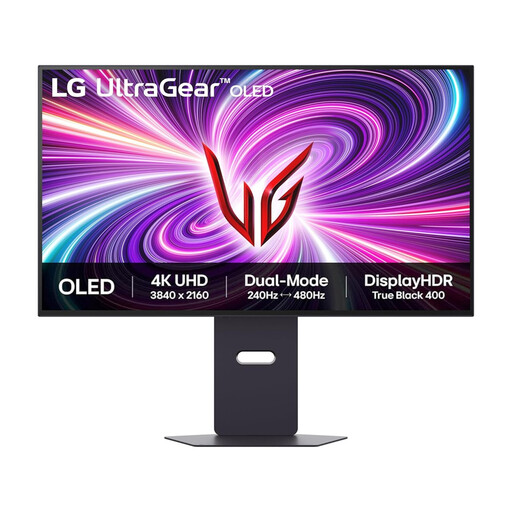
Consider this large 4K screen for drawing review if its connection arrangement suits the workstation. The name specifies DisplayPort and HDMI 2.1; check flat-panel geometry and whether the desk also needs laptop docking or keyboard-and-mouse switching.
No particular model follows from the Health and Safety Executive’s workstation guidance. Its advice is to assess the whole workstation, including equipment, furniture and working conditions, rather than treating a monitor specification as the complete answer.
Check how each person can position the screen and connect their laptop, as well as the desk space, seating and lighting. The Health and Safety Executive’s guidance includes adjusting screens and lighting to avoid reflections and glare.
Not for every drawing workflow. BenQ’s AutoCAD buying guidance discusses both 2K and 4K according to the task; assess how much drawing detail and reference material must remain visible together, along with desk distance and computer compatibility.
Choose according to the connection task: USB-C docking for a compatible laptop setup, Thunderbolt where its specified connections are needed, or KVM when one keyboard and mouse must switch between compatible computers. Check video output, charging requirements and cables for every intended laptop before buying.