Choose a platform that supports the specialist film services you plan to use: BFI Player lists dedicated TV apps for Amazon Fire TV, Apple TV, Android TV and Google TV Streamer in the UK. Then check the projector or TV, HDMI path, sound equipment and network against the device’s requirements; a 4K or Dolby capability on the streamer does not mean every documentary will play in that format.
Who is this for?
Specialist-film subscribers
If BFI Player or another specialist service is central to your viewing, check its UK app or casting route on the exact platform before choosing a device. BFI Player lists dedicated apps for Amazon Fire TV, Apple TV, Android TV and Google TV Streamer.
Picture-and-sound-focused home-cinema owners
If you use a 4K HDR TV or projector with a soundbar or AV receiver, compare the formats supported by the programme, streaming device and connected equipment. A format listed for a device alone does not establish what the full setup can play.
Older-display upgraders
A streaming device can add app access to an existing HDMI display. Check the input, supported resolution and any HDCP requirements before deciding which device fits.
What matters when choosing?
Start with the service and playback route for the documentaries you want to watch, then check how the device will connect to your home-cinema equipment.
| Concern | What to check | Who this matters to |
|---|
| Specialist-film access |
Check the intended service’s UK app on the exact platform, or its supported AirPlay or casting route. BFI Player lists dedicated apps on several TV platforms; MUBI documents AirPlay from its iOS app to Apple TV. |
If I subscribe for particular documentaries, I want to know how I will play them on the big screen before choosing hardware. Around 36% of consumers put specialist-service access first. |
| Picture and sound |
Match the intended title’s available format to the streamer, display and sound equipment; check the HDMI path through an AV receiver or soundbar. |
For a 4K HDR projector or TV, I do not want to choose a format my setup cannot use. Picture-and-sound compatibility comes first for around 29% of consumers. |
| Network and installation |
Check Wi-Fi at the viewing position or whether a wired connection is available. For Google’s 4K streaming requirements, check HDCP 2.2, a 4K display and internet access of at least 20 Mbps. |
With equipment installed in a projector position or AV rack, I need a connection that works where the device will sit. Around 21% of consumers prioritise dependable delivery. |
| Simple display upgrade |
Check for a usable HDMI input, suitable power and physical access to the port; confirm the chosen service works on the device. |
If I am keeping my existing display, I want to add streaming without changing the whole setup. A straightforward upgrade is the primary need for around 14% of consumers. |
Buying pitfalls
-
Assuming a general app catalogue includes your film service
Access depends on the service’s supported platform and viewing route, not just the device’s ability to stream video. BFI Player offers different viewing routes, while MUBI requires membership to stream.
Check the service on the exact UK platform and confirm whether the programme needs a dedicated app, casting or another supported route.
-
Choosing a picture or sound format without checking the signal chain
Dolby Vision, HDR10+ or Dolby Atmos support on a streamer cannot establish that a particular programme, display and audio setup will use it. Apple also specifies a compatible display for 4K HDR streaming.
Check the TV or projector, HDMI connections and any receiver or soundbar against the format you want to use.
Apple TV 4K requires an HDMI cable, which Apple says is sold separately.
-
Assuming Wi-Fi capability means dependable 4K playback
Connection conditions at the device matter, particularly when a projector or AV rack is away from the router. Google specifies internet access of at least 20 Mbps for 4K streaming on its applicable devices.
Test Wi-Fi where the streamer will be installed, or check whether the particular model offers a wired connection that suits your setup.
-
Overlooking seller and electrical-safety information
UK government marketplace guidance advises shoppers to check the seller, product information, relevant safety markings and recalls.
Before buying a mains-powered device, identify the seller and exact model, read its instructions and safety information, and check for relevant recalls.
Relevant brands to consider
Apple
Apple TV 4K suits a setup where Apple-device integration or an Ethernet-equipped set-top box matters.
- Apple lists Gigabit Ethernet for the Wi-Fi + Ethernet configuration, alongside Dolby Vision, HDR10+, HDR10, HLG and Dolby Atmos support. BFI Player lists an Apple TV app, and MUBI documents AirPlay from its iOS app to Apple TV.
- Ethernet is specific to that configuration. Apple requires an HDMI cable and a compatible display for 4K HDR streaming; MUBI’s documented AirPlay route should not be mistaken for confirmation of every title or feature in a TV app.
Google
Google TV Streamer (4K) offers a set-top-box route with built-in Ethernet and a dedicated BFI Player TV app.
- Google lists 4K, Dolby Vision and Dolby Atmos support for Google TV Streamer (4K).
- Setup requires a compatible mobile device and the Google Home app. Google’s 4K requirements include a compatible display, HDCP 2.2 and internet access of at least 20 Mbps.
Amazon Fire TV
Fire TV Stick 4K Max is a compact HDMI-stick option on a platform listed by BFI Player for its dedicated TV app.
- Amazon lists 4K Ultra HD, Dolby Vision, HDR10+, Dolby Atmos and Wi-Fi 6E support for the second-generation model.
- Advanced formats still depend on compatible content and equipment. Check HDMI access and network conditions if the stick will sit behind a display or in a fixed projector installation.
Streaming devices on Joybuy
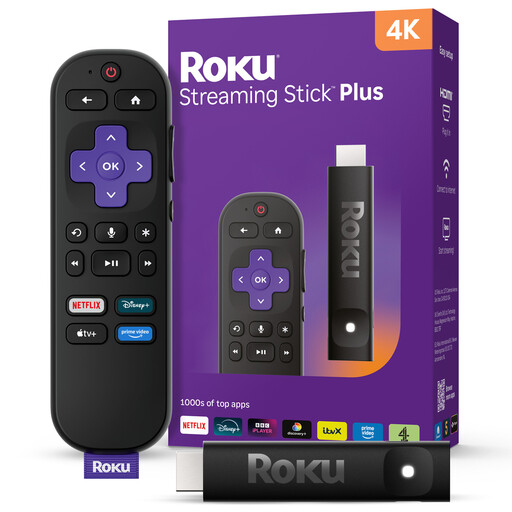
These Roku streaming sticks offer 4K device options for an existing home-cinema display. Before choosing either one for art documentaries, check how your intended UK services play on that exact Roku device and whether its connections suit your setup.
 No image available
Roku Streaming Stick 4K
This 4K streaming stick may suit a display upgrade if your intended UK film services have a suitable Roku playback route. Check its picture formats against your display and confirm the network connection you need for the installation.
View on Joybuy
 No image available
Roku Streaming Stick 4KPlus
Consider this 4KPlus streaming-stick variant if a compact device suits your display. Confirm the intended service’s Roku playback route and check the HDR, audio and connection features your home cinema requires.
View on Joybuy
Common questions
Do I need a 4K streaming device for art documentaries?
A 4K device is worth considering if your display supports 4K and the services or titles you intend to watch offer it. For Google’s applicable streaming devices, 4K also requires HDCP 2.2 and internet access of at least 20 Mbps; the content itself determines the available resolution.
Will Dolby Vision or Dolby Atmos work automatically?
No. The documentary and connected display or audio equipment must support the relevant format as well as the streamer. Check the HDMI path through any receiver or soundbar before choosing a device for that feature.
Can I watch BFI Player on a streaming device in the UK?
Yes, on platforms supported by BFI Player, which lists dedicated TV apps for Amazon Fire TV, Apple TV, Android TV and Google TV Streamer. Check the exact device and the viewing requirements for the programme you want.
What should I check when buying a mains-powered streamer online?
Check the seller, exact model, product instructions and relevant safety information, and look for recalls. UK government marketplace guidance also advises checking recognised safety markings where relevant.


