What matters when choosing?
Check the services you will watch before choosing between a stick and a box. Then match the device to the space behind your TV, its picture capabilities and your network connection.
| Concern | What to check | Who this matters to |
|---|
| Specialist services |
Look for each required service in the UK app store and establish whether you need a TV app, AirPlay or Chromecast. BFI Player lists dedicated apps for Fire TV, Apple TV and Google TV Streamer. |
If my art documentaries come from BFI Player or MUBI, I need a workable way to play those services on the TV. Around 36% of consumers put specialist-service access first. |
| Compact installation |
Check HDMI-port clearance and whether there is room for a box. Confirm whether a separate HDMI cable is needed. |
With little room around the television, I would rather keep equipment out of sight than find another surface for it; around 29% of consumers prioritise a compact installation. |
| Picture formats |
Match the TV’s resolution and HDR formats to the device, service and programme. Apple notes that 4K HDR streaming requires a compatible television. |
When I watch on a compatible 4K HDR TV, I want the documentary and service to offer a format the screen can show. Picture-format support comes first for around 21% of consumers. |
| Connection reliability |
Assess Wi-Fi reception at the TV and whether a cable can reach it. Google TV Streamer has built-in Ethernet; Roku describes long-range Wi-Fi for its Streaming Stick 4K. |
If playback buffers near my TV, I care more about a dependable connection than another picture format; around 14% of consumers place connection reliability first. |
Compact streaming sticks on Joybuy
These Roku sticks are options for a compact TV setup. Before choosing either one for art documentaries, check your intended services in the UK Roku Channel Store; the broader choice between a stick and a streaming box depends on your apps, space and connection needs.
 Image unavailable
Roku Streaming Stick 4K Dolby Vision
Consider this stick where keeping equipment behind the TV matters, but check your intended art-film services in the UK Roku Channel Store.
Roku specifies 4K, Dolby Vision and HDR10+ for Streaming Stick 4K; these formats require compatible content and a compatible television.
Roku says this model stays out of sight without blocking neighbouring HDMI ports.
View on Joybuy
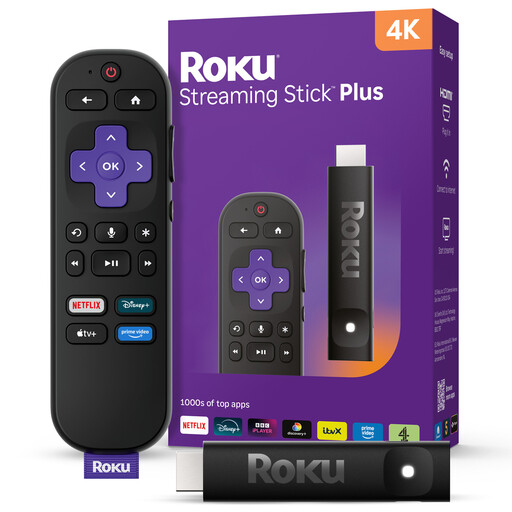 Image unavailable
Roku Streaming Stick 4KPlus
Consider the stick format if space around the television is limited, and check whether your intended art-film services are available in the UK Roku Channel Store.
The product is identified as a 4K variant; confirm the HDR formats and how it fits your TV connections if either affects your choice.
View on Joybuy
Frequently asked questions
Can I watch BFI Player directly on a streaming device?
Yes, on devices with a supported BFI Player TV app: BFI Player lists Amazon Fire TV, Apple TV, Android TV and Google TV Streamer among its dedicated-app platforms. Check the app on the exact platform you plan to use; BFI Player says its service is available only in the UK.
Will 4K HDR make every art documentary look better?
No. Your television must support the relevant 4K HDR format, and the service and programme must offer it. Apple specifically notes that 4K HDR streaming requires a compatible 4K HDR television.
Do streaming boxes need a separate HDMI cable?
Check the exact device: Apple says the HDMI cable for Apple TV 4K is sold separately, and Google specifies a separately sold certified HDMI 2.1 cable for Google TV Streamer. Allow room for the box and its cable route near your TV.
Do I need a TV Licence to stream art documentaries in the UK?
TV Licensing says you need a TV Licence to watch programmes live through a streaming service or to use BBC iPlayer, whatever device you use. Watching only on-demand programmes on services other than BBC iPlayer does not, by itself, require one; assess all the ways you watch, not just your documentary app.


