What should you check before choosing?
Identify the task first, then check the device and applications it must work with. Assessment and permission requirements can change when it makes sense to order equipment.
| Priority |
What to check |
Your needs |
| Reading and navigation |
Try the device's screen reading, text-to-speech or magnification features on the documents and services you use. If considering specialist software, check its operating-system and application requirements. |
I need to read course or work material, or move through a screen, without relying on a display or pointer method that makes the task difficult. |
| Keyboard and pointer input |
Try relevant keyboard or pointer settings before assessing a different device shape. Check physical fit, connection methods and any restrictions on a managed computer. |
A standard keyboard or mouse makes text entry or pointer control difficult, so the alternative needs to suit the way I actually use my desk and device. |
| Speech input |
Test dictation or voice control with the intended application. For specialist software, confirm operating-system support, microphone access and installation permissions; Nuance specifies Windows 10 or later for Dragon Professional Anywhere. |
I want to dictate text or control a computer by voice, and the method needs to work in the applications I use. |
| Spoken information |
Check whether recording is permitted in the class or meeting, and how files may be stored or shared. Assess whether replaying audio or using a transcription workflow addresses the task. |
It is difficult to capture spoken information as it happens; I need a way to return to it that fits the rules of my workplace or course. |
| Device compatibility |
Confirm the exact operating system, required applications, connection methods and any virtual-desktop or security restrictions. Obtain approval before installing software on a managed device. |
A tool needs to work on the computer I am allowed to use, not just on a personal device used for a demonstration. |
| Assessment and setup |
If seeking student or workplace support, establish the applicable assessment process before ordering. Consider whether learning the tool or changing the workstation is part of making it usable. |
I need an option I can set up and use across regular tasks, with any required assessment or support arranged at the right stage. |
Which platform and software names matter?
These names help identify features and compatibility requirements; they are not a list of products available in the selection below.
Microsoft
Microsoft documents accessibility features for Windows computers, making its settings a starting point for a Windows work or study task.
- Windows options include Narrator, Magnifier and input accessibility settings.
- Check whether the feature works with required applications and is permitted on an employer-managed device.
Apple
Apple documents system accessibility settings for Mac, iPhone and iPad users.
- Mac accessibility settings cover vision, hearing, mobility and speech needs.
- An Apple-device feature does not establish that a Windows-only work or course application will be usable on that device.
Google
Google documents built-in Chromebook accessibility features for reading, display and input tasks.
- ChromeOS options include ChromeVox, Select-to-speak, magnification and dictation.
- Confirm that required workplace or course applications are available and usable on ChromeOS.
Freedom Scientific
Freedom Scientific publishes system requirements for JAWS, its Windows screen reader.
- JAWS is a specialist option to assess when a Windows screen-reading workflow is needed.
- Check the supported Windows version, device architecture and required applications before purchase or deployment.
Nuance Dragon
Nuance documents Dragon Professional Anywhere for Windows-based dictation and voice-control workflows.
- Its documented functions include dictation, editing and navigation by voice.
- Nuance specifies Windows 10 or later; check organisational deployment, microphone access and the target application.
Joybuy options for input and recording
These products address two tasks discussed here: capturing spoken information and trying a different keyboard or mouse layout. Assess each against the intended task, device and any workplace or study permissions.
 No image available
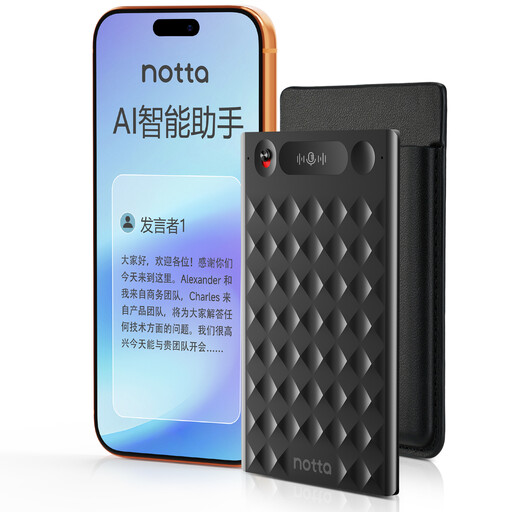
32GB AI Voice Recorder with Case, Black
Consider this recorder if you need to revisit spoken material from a permitted class or meeting. The product name lists 32GB storage, transcription and summary features; check the app, account and data-handling requirements for the workflow you intend to use. Confirm permission before recording or sharing anything.
View on Joybuy
 No image available
V7 MW500BT Vertical Wireless Mouse
The vertical shape offers a different grip to assess if a conventional mouse makes pointer use difficult; it does not establish a fit for every user. The product name specifies Bluetooth and 2.4GHz connections, six buttons and an adjustable sensor rated up to 1600 DPI. Check the physical fit and permitted connection method on the intended computer.
View on Joybuy
 No image available
HP 960 Ergonomic Split Layout Wireless Keyboard
The split layout and padded wrist rest are features to assess if a conventional keyboard arrangement makes typing difficult; suitability depends on the user and workstation. Check the physical layout and wireless connection on the intended device, and confirm whether any desired key customisation can be set up there.
View on Joybuy
Questions about assessments and compatibility
When should I seek an assessment before buying equipment?
Seek the relevant assessment first if you plan to use student support or if a workplace barrier calls for changes to the workstation or several tools. GOV.UK says equipment bought before a Disabled Students' Allowance needs assessment in England will not be reimbursed. For work equipment, discuss the task and assessment process with your employer before ordering for an employer-managed setup.
Can Access to Work help with computer accessibility equipment?
It may provide support for an eligible person's work needs in England, Scotland or Wales, but Department for Work and Pensions guidance says Access to Work does not pay for reasonable adjustments that are the employer's responsibility. Discuss adjustments with your employer and check the scheme against your circumstances. Northern Ireland has a separate Access to Work (NI) service, described by nidirect.
Can a student get support for specialist assistive technology?
Potentially, through the Disabled Students' Allowance or student-support route applicable to their UK nation. GOV.UK, Student Finance Wales, the Student Awards Agency Scotland and nidirect describe their respective routes; eligibility, assessment and what support is provided depend on the applicable process and individual needs. Check that process before buying equipment you hope to have funded.
Will specialist software work on an employer-provided laptop?
Check the exact laptop, operating system, required applications and employer permissions before purchasing or installing it. Freedom Scientific specifies Windows system requirements for JAWS, and Nuance specifies Windows 10 or later for Dragon Professional Anywhere. The employer's IT or accessibility contact can confirm restrictions on the managed device and its applications.


