What to consider when choosing
Begin with the task that is difficult, then check whether settings on your current device address it before adding equipment or changing software.
| Concern |
What to check when buying |
Who this matters to |
| Physical control |
Try key size and layout, reach, device position and connection method with your usual movements. |
If standard keys or pointing are difficult, I need a setup I can operate reliably in its intended position. Around 27% of consumers put physical control first. |
| Reading and navigation |
Test screen-reader feedback and navigation in the apps and documents you actually use; check operating-system compatibility. |
If accessing on-screen content is my main barrier, I need to read and navigate real tasks, not just hear a demonstration. Around 27% of consumers prioritise readable and navigable output. |
| Speech-based writing |
Try dictation, correction and control commands in your usual environment, including the language and apps you need. |
When typing is difficult, I need to enter text, correct mistakes and finish a task by voice. Around 20% of consumers put speech-based writing first. |
| Task organisation |
Try creating a task, setting a due date, finding it later and responding to a reminder with your access method. |
If keeping track of everyday tasks is the main difficulty, I need a workflow I can use from entry through to reminders. Around 13% of consumers prioritise task organisation. |
| Assessment and support |
Ask what training and support are included. For work, check GOV.UK guidance on reasonable adjustments and Access to Work; for study in England, GOV.UK guidance says a DSA needs assessment is required before support. |
If the setup needs assessment, configuration or training, I want to arrange that support before choosing equipment. Around 13% of consumers put implementation support first. |
Joybuy products
These listings relate to mainstream devices with built-in accessibility features, a specialist keyboard layout and task organisation. Assess each one with your own apps and access method.
 No image available
Apple MacBook Air 13.6-inch M5, 24GB RAM, 1TB SSD, Starlight
A mainstream macOS laptop to assess if you want to try Apple’s built-in accessibility features for everyday work or study.
13.6-inch display; M5; 24GB RAM; 1TB SSD. Apple notes that feature availability can vary by feature, region and language.
Joybuy
 No image available
Microsoft Surface Laptop 7 15-inch Copilot+ PC, Snapdragon X Elite, 16GB RAM, 256GB SSD, Maya
A Windows laptop to assess if you want to try voice access or touchscreen interaction; test the apps and commands you rely on.
15-inch touchscreen; Snapdragon X Elite processor; 16GB RAM; 256GB SSD. Microsoft documents voice access for Windows 11 version 22H2 and later.
Joybuy
 No image available
HP 960 Ergonomic Split Layout Wireless Keyboard
Consider this if a split typing layout is the kind you want to trial; check key targeting and reach in your intended position.
The listing describes negative tilt, finger-fit keycaps, a cushioned wrist rest, wireless connectivity and a separate numeric keypad.
Joybuy
 No image available
HP OmniBook X Flip 16-as0004na, 16-inch touchscreen, Intel Core Ultra 5 226V, 16GB RAM, 512GB SSD
A Windows convertible to assess if you want to try touchscreen interaction alongside laptop use; check whether the different positions work for your tasks.
16-inch touchscreen; Intel Core Ultra 5 226V; 16GB RAM; 512GB SSD; Windows 11 Home. The listing describes laptop, tent, stand and tablet modes.
Joybuy
 No image available
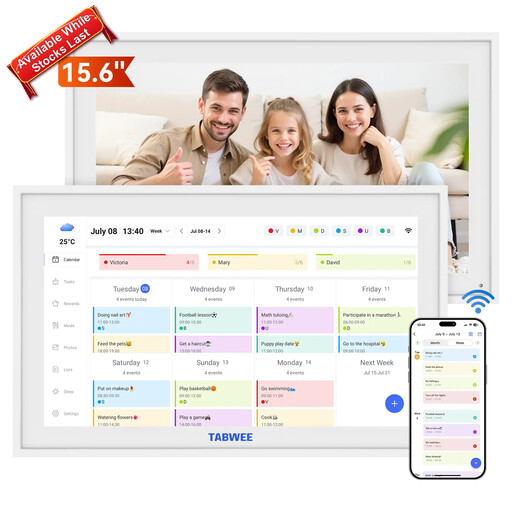
TABWEE P15 Wi-Fi Digital Calendar, 15.6-inch Touchscreen
Consider this if a shared display for household planning fits your routine; check whether you can create, find and update tasks with your access method.
The listing describes weekly and monthly planning, meal planning, appointment scheduling and a digital photo-frame function.
Joybuy
Frequently asked questions
What should I test during a demonstration?
Use your usual access method to complete a familiar task from start to finish, including navigation and correcting an error. Include the intended desk or tablet position for physical access, or your usual apps for screen access. This practical checklist is not a standardised assessment.
When should I involve my employer or education provider?
For work-related barriers, speak to your employer about reasonable adjustments before assuming you need to buy equipment personally; GOV.UK describes Access to Work as a separate support route. For study in England, contact your education support team: GOV.UK guidance says a DSA needs assessment is required before DSA support.
When is specialist input more useful than another retail purchase?
Seek specialist advice when you need to compare access methods or positioning adaptations rather than simply replace a peripheral. A Barnsley Hospital NHS Foundation Trust resource pack describes local trials and feedback before referral to its service; that is a local pathway, not a UK-wide requirement.
Does voice control always require an internet connection?
No. Microsoft documents Windows voice access working offline after its initial setup, and Apple documents Voice Control working without Wi-Fi after its initial download. These details apply to those functions, not to every dictation app or online task.
What setup and ongoing support should I ask about?
Ask whether configuration, training and accessible customer support are included. Scope notes that supplier training may cost extra, while complex screen-reader training can require more extensive sessions. For a wireless keyboard, also consider whether you can manage battery charging or replacement.


