
24/7 Customer Support

Free returns

Same-day & Next-day Delivery

Quality Guaranteed

Unlock Your Welcome Offers: FREE Delivery | Up to 80% OFF | Free 30-day JoyPlus trial
Download the APP
For creative professionals and PC enthusiasts in the UK, a monitor is more than just a screen; it's the window to your work and passion. Whether you're a video editor grading footage, a graphic designer perfecting a layout, or a gamer seeking total immersion, the demand for pixel-perfect detail and flawless colour is non-negotiable. Navigating the world of high-performance displays can be complex, with a dizzying array of technical specifications. This guide is designed to help you understand the key features of ASUS 4K professional monitors and identify a model that aligns with your specific needs.
Choosing a high-end display is a significant investment. Before diving into specific models, let's break down the core technologies that define a professional-grade monitor.
The panel is the heart of the monitor, and each technology offers distinct advantages:
For any creative work, what you see on screen must match the final output. Two key metrics determine this:
While 4K (3840 x 2160) resolution provides incredible detail, screen size impacts how you use that detail. A 32-inch 4K monitor offers a large canvas for multitasking—you can view a 4K video timeline at its native resolution while still having space for your editing tools. This size provides an immersive experience without overwhelming your desk space, making it a popular choice for both creative suites and gaming setups.
Here we highlight a few ASUS 4K professional monitors, each suited to different user profiles and workflows.
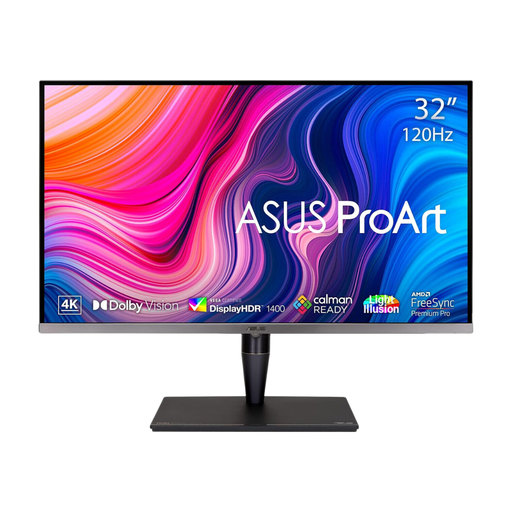
Why It Stands Out: The PA32UCG-K is engineered for creative professionals who require uncompromising image fidelity. Its Mini LED backlight with 1,152 local dimming zones delivers exceptional contrast and a peak brightness of 1600 nits, making it ideal for detailed HDR grading. The factory calibration to a Delta E < 1 accuracy ensures that colours are rendered with outstanding precision straight out of the box.
Pros:
Who is it for? This is a top-tier 4K monitor for video editing, colour grading and high-end photography where HDR performance and colour precision are paramount.
View Details for ASUS ProArt PA32UCG-K
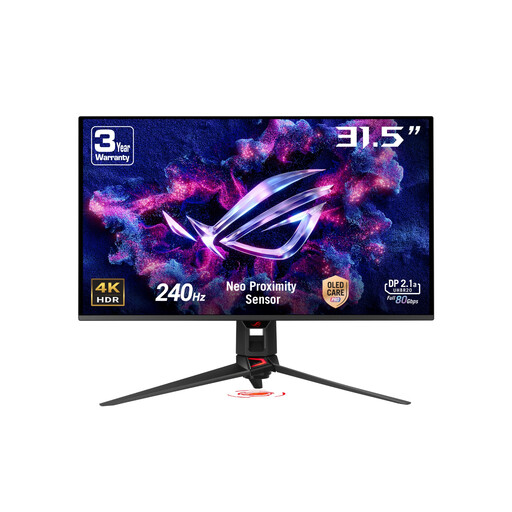
Why It Stands Out: This monitor bridges the gap between elite gaming and professional creative work. The QD-OLED panel provides the per-pixel contrast and vibrant colours that OLED is known for, while the blistering 240Hz refresh rate and 0.03ms response time offer a level of motion clarity that is second to none. It also boasts professional-grade colour accuracy with 99% DCI-P3 coverage and a Delta E < 2 rating.
Pros:
Who is it for? The hybrid user: a competitive gamer who also works as a content creator, photographer, or video editor and wants a single display that excels at both.
View Details for ASUS ROG Swift OLED PG32UCDMR
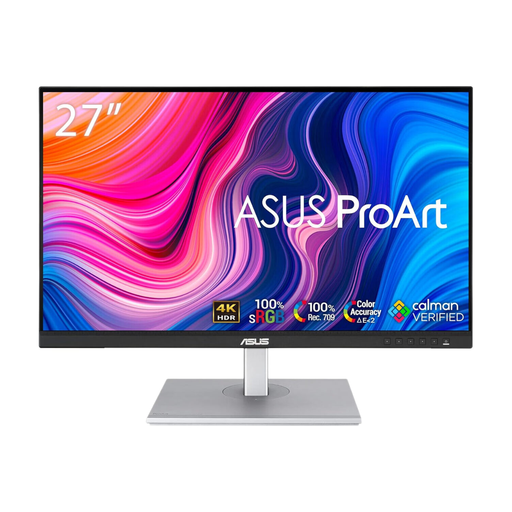
Why It Stands Out: The PA279CV delivers the core tenets of the ASUS ProArt display line in a more accessible package. It features a high-quality 4K IPS panel with 100% sRGB and 100% Rec. 709 colour gamut coverage, Calman Verified with a factory-calibrated Delta E < 2. Its versatile USB-C port supports data transfer, DisplayPort signal and 65W power delivery, making it a fantastic hub for a clean, single-cable laptop setup.
Pros:
Who is it for? The ideal monitor for graphic design students, photographers and web designers who need a dependable and colour-accurate 4K display without the premium cost of Mini LED or high-refresh-rate OLED.
View Details for ASUS ProArt PA279CV
If the models above don't quite fit your requirements, or if you'd like to explore a wider range of specifications and sizes, there are many other displays to consider. Browse our complete collection to find the perfect screen for your setup.
Explore All Ultra HD LED Monitors
1. Are ASUS ProArt monitors good for gaming? While ASUS ProArt displays are primarily designed for colour-critical work, models with higher refresh rates (like the 120Hz PA32UCG-K) can provide a very good gaming experience. However, for competitive gaming where every millisecond counts, a dedicated gaming monitor from the ROG series, such as the PG32UCDMR, would be more suitable due to its even faster response times and higher refresh rates.
2. What is the difference between an ASUS ProArt and a regular 4K monitor? The main difference lies in colour accuracy and features for creators. ASUS ProArt monitors are factory-calibrated to achieve a low Delta E value, ensuring colours are true-to-life. They also cover wider professional colour gamuts (like DCI-P3 and Adobe RGB) and often include features like hardware calibration support and versatile connectivity (e.g., Thunderbolt 3 or high-wattage USB-C) tailored for professional workflows.
3. How important is hardware calibration for a colour accurate monitor in the UK? While factory calibration is excellent, all monitors can experience slight colour shifts over time. For professionals whose livelihood depends on perfect colour—such as print designers, professional photographers and film colourists—hardware calibration is very important. Using a colorimeter to periodically recalibrate the monitor ensures long-term consistency and accuracy, guaranteeing that your work remains precise.