
24/7 Customer Support

Free returns

Same-day & Next-day Delivery

Quality Guaranteed

Unlock Your Welcome Offers: FREE Delivery | Up to 80% OFF | Free 30-day JoyPlus trial
Download the APP
A dual-screen laptop can transform how you work, but the format also creates buying traps. Some listings use impressive display language without clearly stating the actual resolution, while others highlight battery figures measured under conditions that may not reflect everyday multitasking. A detachable keyboard can also sound flexible until you discover that your preferred desk, lap or travel setup is not suitable for it.
The ASUS Zenbook DUO UX8406CA dual-screen OLED laptop is aimed at professionals, creatives, students and multitaskers who want more workspace without carrying a separate monitor. Before purchasing, check the following points carefully.
A listing may describe two panels as a “3K OLED workspace”, but the detailed specification is the information to prioritise. The ASUS Zenbook DUO UX8406CA-QL135W product details list two 14-inch FHD OLED touchscreens with 1920 × 1200 resolution, a 16:10 aspect ratio and a combined diagonal workspace described as 19.8 inches.
That is still a generous mobile workspace, but it is not the same as two 3K panels. Buyers who edit high-resolution photographs, design detailed layouts or work with small interface elements should confirm the resolution shown on the final product page before ordering.
OLED can provide deep contrast and vivid colour, but the panel specification matters more than the label alone. For this model, check for:
These figures describe the display’s listed capabilities; they do not guarantee that every creative application will display colour identically. For colour-critical work, calibrate your workflow and use the appropriate colour profile.
The Zenbook DUO uses Intel Arc Graphics, integrated into the platform rather than a separate NVIDIA or AMD graphics card. This can suit office applications, web work, light creative tasks, video playback and multiple displays. However, users working with complex 3D scenes, intensive effects or demanding games may need a laptop with dedicated graphics instead.
The advantage is a potentially more portable design, but performance expectations should match the software you use.
The ASUS Zenbook DUO UX8406CA-QL135W is an Intel Core Ultra 7 255H laptop with a listed 16-core processor, up to 5.1 GHz boost speed, 24 MB cache and an Intel AI Boost NPU rated at 13 TOPS. This combination is designed for demanding multitasking, office productivity and compatible AI-assisted features.
It includes 16GB LPDDR5X RAM. This is a sensible capacity for documents, browser tabs, presentations, coding and many creative workflows, but the memory is onboard. Check your long-term requirements before buying because future RAM upgrades may not be available.
The 1TB M.2 NVMe PCIe 4.0 SSD provides room for applications, documents and active project files, while offering quicker access than older SATA storage. Large video libraries and raw photo collections may still require external storage.
For accessories, the laptop includes:
This is useful for a UK home office or studio, although users with several USB-A devices may still need a hub.
The laptop weighs approximately 1.35kg, with the detachable keyboard adding around 0.30kg, for a listed total of 1.65kg. Its built-in kickstand allows different configurations, including a conventional laptop arrangement, extended dual-screen mode or a more desktop-like layout.
The keyboard is convenient for travel and can be separated from the lower display. On a train table or small café desk, however, the kickstand needs a stable surface. For regular lap use, a conventional hinged laptop may feel more predictable.
The included ASUS Pen SA203H-MPP 2.0 supports touchscreen and stylus interaction, making the second panel practical for annotation, sketching, handwriting and navigation.
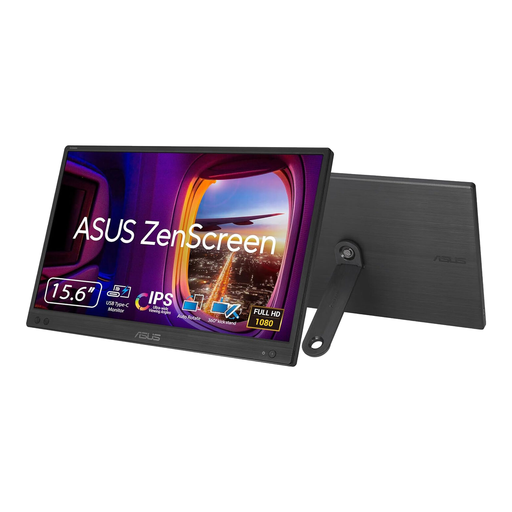
Why This Fits Their Persona: A practical option for students and hybrid workers who already own a suitable laptop but need a larger workspace at home, in an office or while travelling in the UK.
It does not pretend to be a dual-screen laptop: this is a separate, single 15.6-inch FHD IPS monitor, so the lower cost and limitations are clear.
USB-C DisplayPort Alt Mode, 1920 × 1080 resolution, 60Hz refresh rate and a listed weight of 780g.
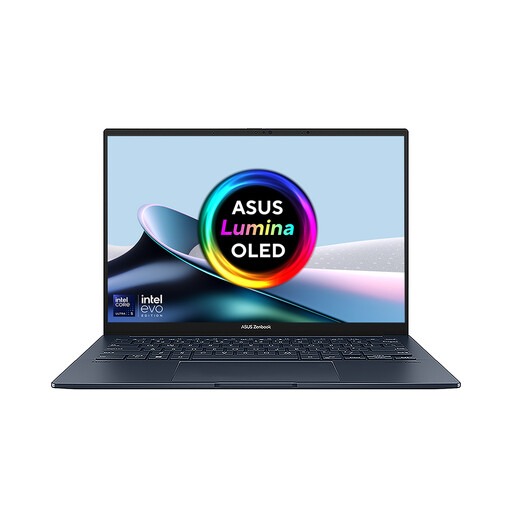
Why This Fits Their Persona: Designed for professionals and creators who want an integrated expanded workspace, stylus input and Windows 11 portability rather than a separate monitor arrangement.
Its detailed listing identifies the panel resolution, RAM capacity, weight, ports and included pen, helping buyers assess the real configuration rather than relying on broad marketing phrases.
Two 14-inch OLED touchscreens, 16GB LPDDR5X RAM, 1TB SSD, detachable keyboard, kickstand and included ASUS Pen.
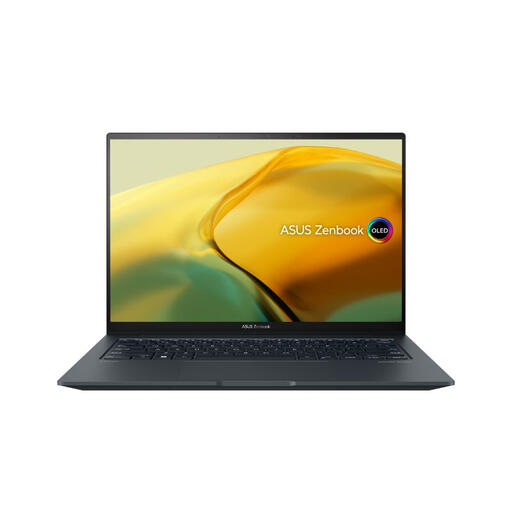
Why This Fits Their Persona: A suitable alternative for users who prioritise dedicated graphics for creative applications or gaming over a built-in second screen.
The single-screen design is explicit, avoiding confusion for buyers who need a dedicated GPU rather than a dual OLED layout.
Intel Core i9-13900H processor, NVIDIA GeForce RTX 3050 graphics, 14.5-inch 2.8K OLED touchscreen and 1TB SSD.
We have compiled a complete, real-time list of products that fully satisfy these strict selection criteria and UK safety regulations.
Yes, its two-screen layout can separate tasks such as email, reference material, spreadsheets, meetings and creative tools. The 16GB LPDDR5X memory and Intel Core Ultra 7 processor are suited to many professional and academic workflows. Users with specialised 3D or video-production requirements should check application compatibility and GPU demands first.
It is most practical on a stable, flat surface with the kickstand positioned securely. The keyboard can be detached to make better use of the lower display, but lap use may be less stable than with a conventional hinged laptop. Check your typical commuting and home-office arrangements before buying.
Actual consumption depends on brightness, refresh settings, applications, wireless use and charging behaviour. OLED panels can draw more power when displaying bright content, while darker interfaces may use less. The listed 75Wh battery and “up to 18.5 hours” figure should be treated as a manufacturer specification under particular conditions, not a guaranteed result for intensive dual-screen work. Using balanced power settings and lowering brightness can help extend runtime.