What should you check before buying?
At a shared desk, decide where the microphone can sit before choosing recording modes. Then consider how you will review short clips and move them into your flashcard system.
| Concern |
What to check |
Who this matters to |
| Nearby voices |
Check the connection and power requirements of the microphone you intend to use, plus where you can place it. |
If I record beside other people, I want my microphone nearer my voice without deliberately capturing their conversations. Around 36% of consumers put nearby-voice pickup first when choosing for this shared-desk task. |
| Short-clip workflow |
Try the recording and playback controls; check how files transfer to your computer. |
Making a large batch of spoken cards means I need to find and review clips without slowing down between takes. Roughly 29% of consumers prioritise that recording-and-review workflow. |
| Recording levels |
Check whether the exact model offers 32-bit-float recording and whether its controls suit your routine. |
My speaking volume varies, and I do not want to adjust levels before every batch. Around 21% of consumers place easier level management ahead of the other concerns here. |
| Computer integration |
Check USB microphone or audio-interface mode, then confirm device, cable and software compatibility. |
I want to record directly into my computer-based flashcard setup rather than transfer every finished clip afterwards. About 14% of consumers make direct computer integration their primary concern. |
Joybuy recorders for short spoken cards
These portable voice recorders offer choices for making short spoken cards. Choose between their stated storage capacities and controls, but check microphone-input and listening options before relying on either for close voice capture at a shared desk.
 No image available
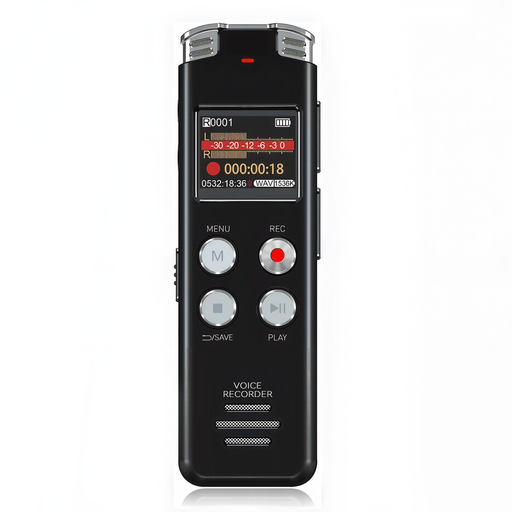
Rexsun L357 128GB Digital Voice Recorder, Grey
Consider the L357 if you want a portable recorder for spoken cards and prefer a model with an LCD screen.
Its stated capacity is 128GB. Before buying for a shared desk, check whether it accepts the microphone you would use close to your mouth and how you can listen to a test clip.
View on Joybuy
 No image available
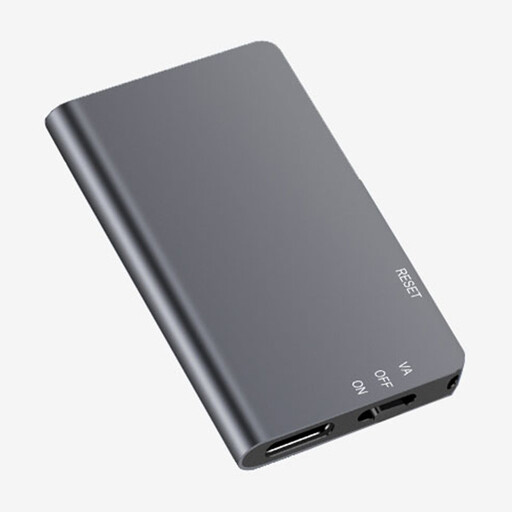
Rexsun L810 64GB One-Touch Digital Voice Recorder, Grey
Consider the L810 if one-touch recording suits the way you make repeated short clips.
Its stated capacity is 64GB. If nearby speech is a concern, confirm external-microphone compatibility and how you can check recordings before committing to a full batch.
View on Joybuy
Frequently asked questions
How can I keep my voice clear when making flashcards at a shared desk?
Start by placing the microphone close to your mouth and checking a short recording before making a batch. If the recorder cannot sit close enough, consider a compatible lavalier: Zoom documents a lavalier input on the H1essential, and Tascam documents an external-microphone input on the DR-05XP. Neither connection guarantees that nearby voices will disappear.
Will 32-bit float remove background conversations?
No. The 32-bit-float modes listed by Zoom for the H1essential and Tascam for the DR-05XP address recording levels, not which sounds their microphones capture. Use close microphone placement or a quieter moment if background conversations are the concern.
Can I record straight into flashcard software on a computer?
You can consider that workflow with a model offering USB microphone or audio-interface operation, provided it works with your computer, cable and software. Zoom lists USB microphone use for the H1essential, while Tascam lists USB-C microphone and audio-interface operation for the DR-05XP; file transfer alone is a different function.
What if my flashcard recording includes other people’s voices?
Limit capture to what you need for your own cards, avoid casually sharing recordings containing others, and check the rules where you are recording. The Information Commissioner’s Office sets out data-minimisation and secure-storage considerations for organisational surveillance, but that guidance does not settle the legal position of every private study recording at a shared desk.


